EasyManua.ls Logo

HP 8153A - Page 99

HP 8153A
282 pages
Print Icon
To Next Page IconTo Next Page
To Previous Page IconTo Previous Page
Loading...
DISPLAY
The
display
configuration
sets
the
parameters
affecting
the
display
if
the
instrument.
When
you
select
the
display
configuration,
the
left
side
character
field
shows
the
message
DISPLAY.
There
is
one
parameter
for
the
display.
This
is
BRIGHT,
to
set
the
brightness
of
the
display.
Press
(Edit)
to
look
at
or
edit
the
parameter.
While
you
are
editing
a
parameter,
the
mode-indicator
shows
MENU
SYS
EDIT.
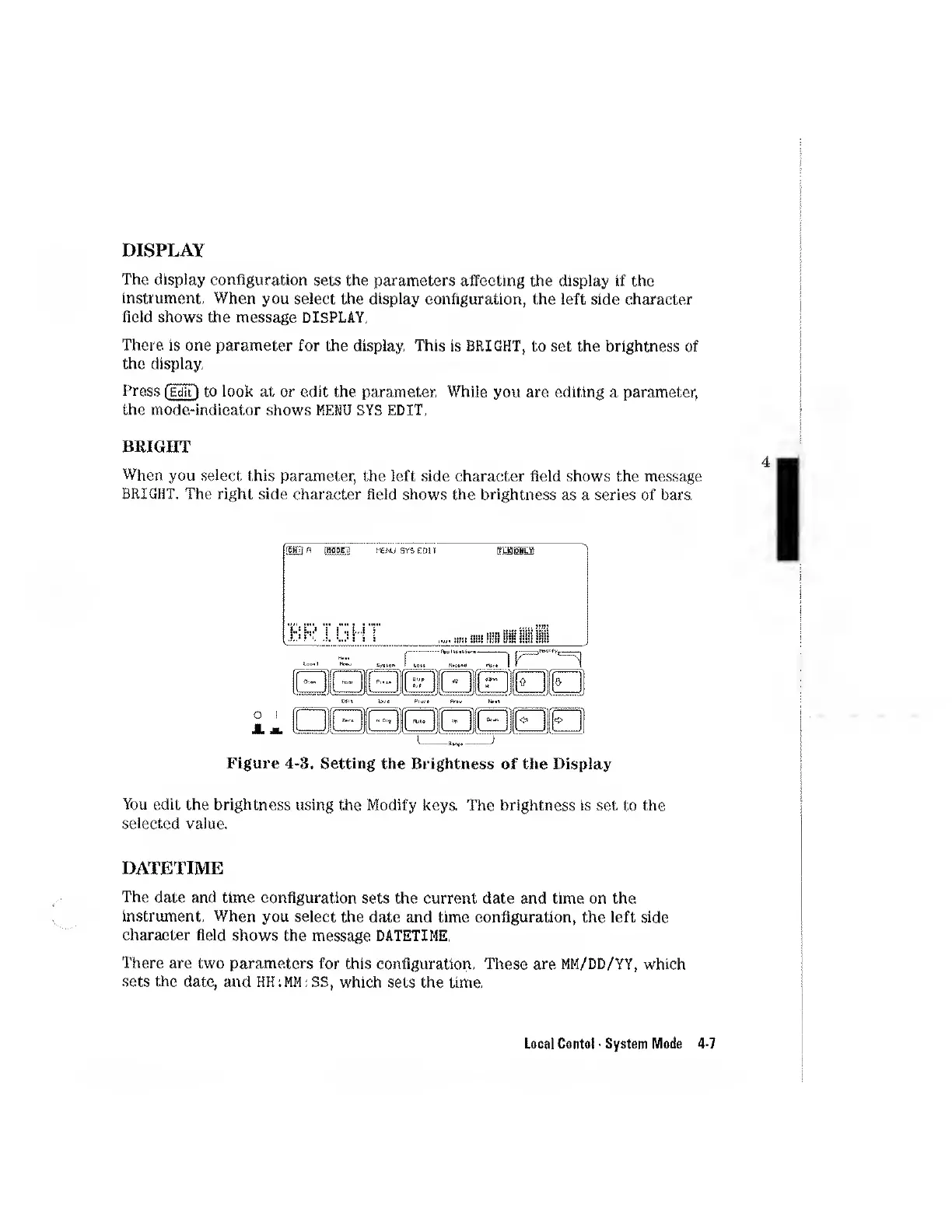
BRIGHT
When
you
select
this
parameter,
the
left
side
character
field
shows
the
message
BRIGHT.
The
right
side
character
field
shows
the
brightness
as
a
series
of
bars.
o
i
J.
M.
Figure
4-3.
Setting
the
Brightness
of
the
Display
You
edit
the
brightness
using
the
Modify
keys.
The
brightness
is
set
to
the
selected
value.
DATETIME
The
date
and
time
configuration
sets
the
current
date
and
time
on
the
instrument.
When
you
select
the
date
and
time
configuration,
the
left
side
character
field
shows
the
message
DATETIME.
There
are
two
parameters
for
this
configuration.
These
are
MM/DD/YY,
which
sets
the
date,
and
which
sets
the
time.
H
fHOBE
H
SYS
EDU
RBSffiH
Local
Contol
System
Mode
4-7

Other manuals for HP 8153A

Related product manuals