EasyManua.ls Logo

HP 8508A - Page 119

HP 8508A
130 pages
Print Icon
To Next Page IconTo Next Page
To Previous Page IconTo Previous Page
Loading...
CU
TPeee
ee
Ree
ee
SRS
ERR
RH
Service
Disassembly
and
Replacement
Procedures
Removal
of
Front
Panel
Assembly
(A1)
a.
Wear
a
wrist
strap
for
ESD
protection.
b.
Remove
the
Input
Module.
c.
Remove
the
instrument
top
cover.
d.
Remove
trim
from
top
and
sides
of
the
instrument
Front
Frame.
A
small
flat-bladed
screwdriver
will
usually
be
best
for
this
serine
e.
Remove
the
7
Pozidriv
screws
holding
the
Front
Frame
in
position
(see
Figure
8-2).
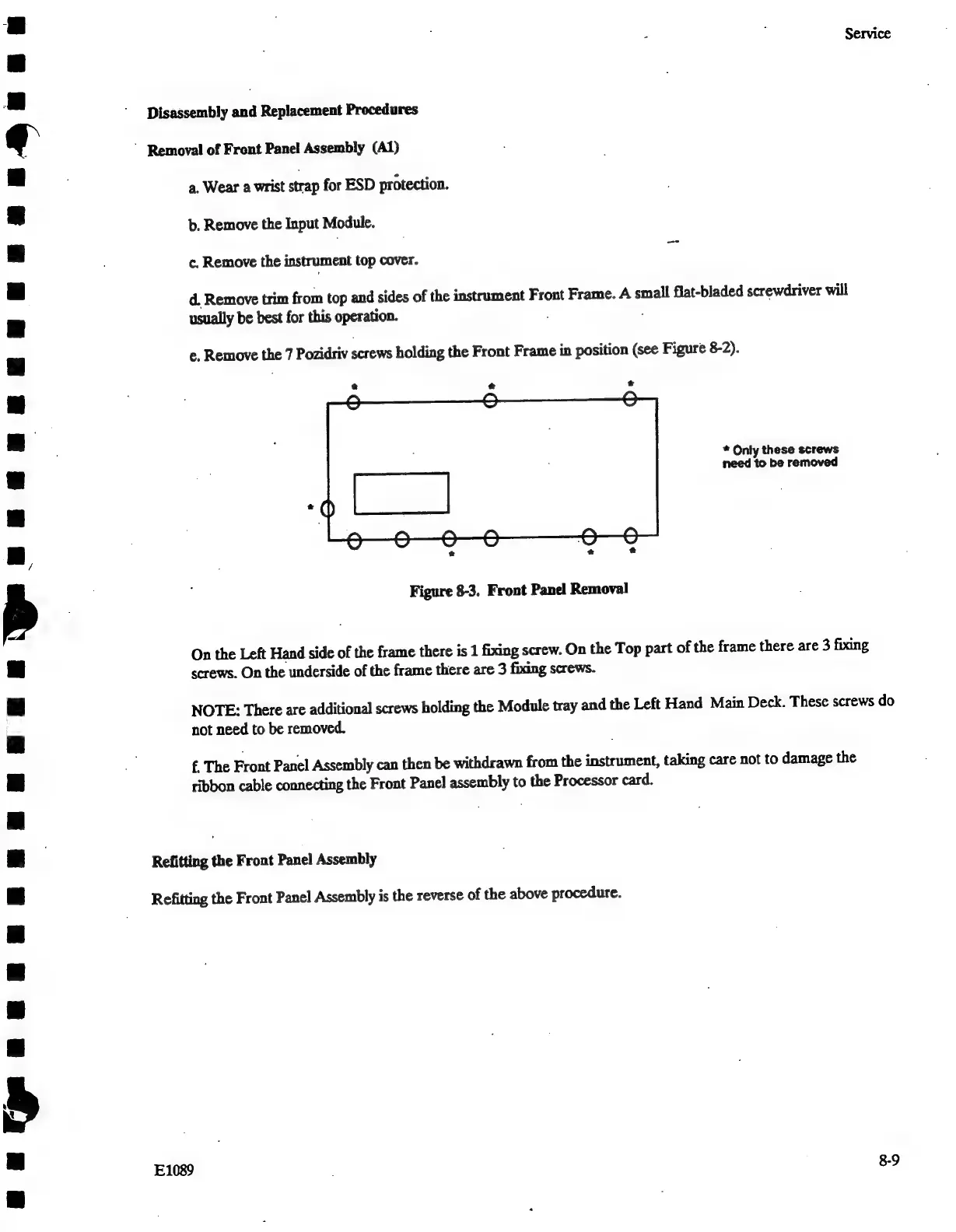
*
Only
these
screws
need
to
be
removed
Figure
8-3.
Front
Panel
Removal
On
the
Left
Hand
side
of
the
frame
there
is
1
fixing
screw.
On
the
Top
part
of
the
frame
there
are
3
fixing
screws.
On
the
underside
of
the
frame
there
are
3
fixing
screws.
NOTE:
There
are
additional
screws
holding
the
Module
tray
and
the
Left
Hand
Main
Deck.
These
screws
do
not
need
to
be
removed.
f.
The
Front
Panel
Assembly
can
then
be
withdrawn
from
the
instrument,
taking
care
not
to
damage
the
ribbon
cable
connecting
the
Front
Panel
red
to
the
Processor
card.
Refitting
the
Front
Panel
Assembly
Refitting
the
Front
Panel
Assembly
is
the
reverse
of
the
above
procedure.
E1089
8-9

Related product manuals