EasyManua.ls Logo

HP 8508A - Page 118

HP 8508A
130 pages
Print Icon
To Next Page IconTo Next Page
To Previous Page IconTo Previous Page
Loading...
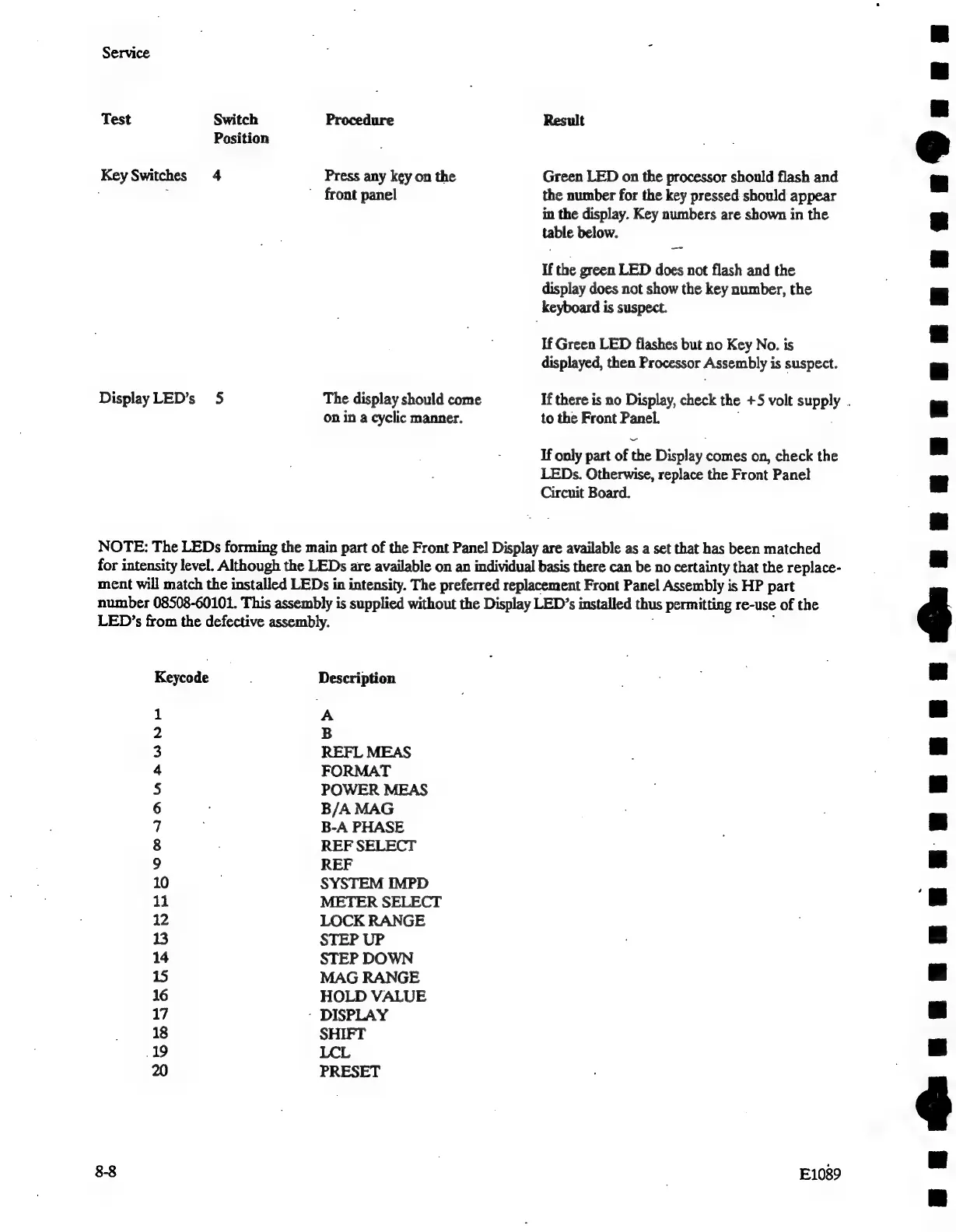
Service
Test
Switch
Procedure
Result
Position
Key
Switches
4
Press
any
key
on
the
Green
LED
on
the
processor
should
flash
and
;
"
front
panel
the
number
for
the
key
pressed
should
appear
in
the
display.
Key
numbers
are
shown
in
the
table
below.
If
the
green
LED
does
not
flash
and
the
display
does
not
show
the
key
number,
the
keyboard
is
suspect.
If
Green
LED
flashes
but
no
Key
No.
is
displayed,
then
Processor
Assembly
is
suspect.
Display
LED’s
5
The
display
should
come
If
there
is
no
Display,
check
the
+5
volt
supply
.
on
in
a
cyclic
manner.
to
the
Front
Panel.
If
only
part
of
the
Display
comes
on,
check
the
LEDs.
Otherwise,
replace
the
Front
Panel
Circuit
Board.
NOTE:
The
LEDs
forming
the
main
part
of
the
Front
Panel
Display
are
available
as
a
set
that
has
been
matched
for
intensity
level.
Although
the
LEDs
are
available
on
an
individual
basis
there
can
be
no
certainty
that
the
replace-
ment
will
match
the
installed
LEDs
in
intensity.
The
preferred
replacement
Front
Panel
Assembly
is
HP
part
number
08508-60101.
This
assembly
is
supplied
without
the
Display
LED’s
installed
thus
permitting
re-use
of
the
LED’s
from
the
defective
assembly.
Keycode
Description
1
A
2
B
3
REFL
MEAS
4
FORMAT
5
POWER
MEAS
6
B/A
MAG
7
B-A
PHASE
8
REF
SELECT
9
REF
10
SYSTEM
IMPD
11
METER
SELECT
12
LOCK
RANGE
13
STEP
UP
14
STEP
DOWN
15
MAG
RANGE
16
HOLD
VALUE
17
-
DISPLAY
18
SHIFT
19
LCL
20
PRESET
8-8
E1089
Th
REREEEEREREGE
SE
REREREOEEEEEEL
Le

Related product manuals