EasyManua.ls Logo

HP 8508A - Page 117

HP 8508A
130 pages
Print Icon
To Next Page IconTo Next Page
To Previous Page IconTo Previous Page
Loading...
ee
oe
eee
eee
eee
eee
Service
FRONT
PANEL
ASSEMBLY
A1
There
are
no
error
codes
associated
with
this
assembly.
Malfunctions
will
be
visual
(for
example,
displays
not
working).
Summary
Description
The
Front
Panel
Assembly
is
the
interface
between
the
user
and
the
instrument.
The
digital
display
shows
the
results
of
the
system
measurements
and
operating
conditions
are
set
up
through
the
front
panel
keys.
Troubleshooting
the
Front
Panel
Assembly
The
most
likely
problems
with
the
front
panel
assembly
are
the
LED’s
and
switches.
Tests
controlled
by
the
Proces-
sor
Assembly
will
assist
in
addressing
these
problems.
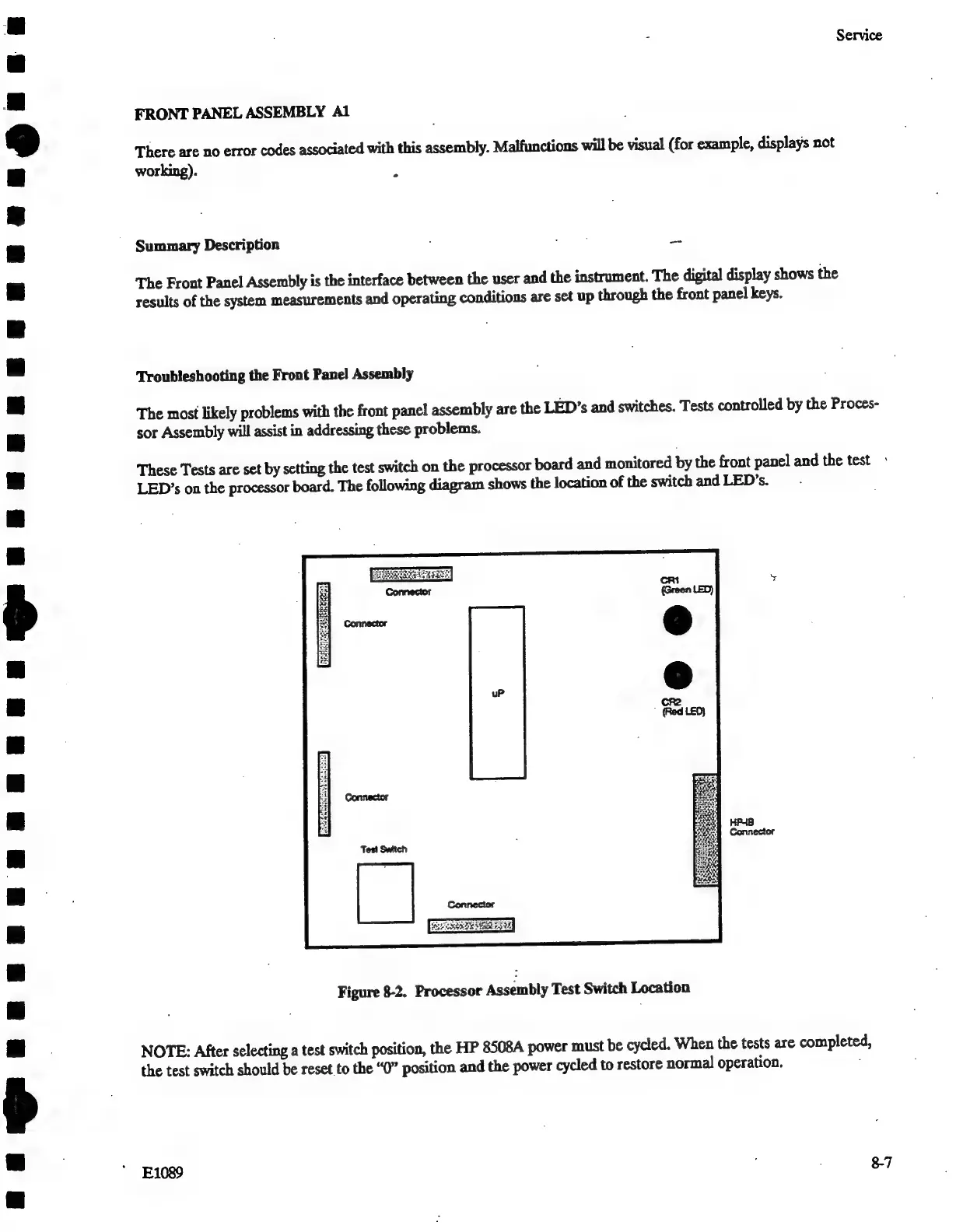
These
Tests
are
set
by
setting
the
test
switch
on
the
processor
board
and
monitored
by
the
front
panel
and
the
test
«
LED’s
on
the
processor
board.
The
following
diagram
shows
the
location
of
the
switch
and
LED’s.
:
Figure
8-2.
Processor
Assembly
Test
Switch
Location
NOTE:
After
selecting
a
test
switch
position,
the
HP
8508A
power
must
be
cycled.
When
the
tests
are
completed,
the
test
switch
should
be
reset
to
the
“0”
position
and
the
power
cycled
to
restore
normal
operation.
E1089
8-7

Related product manuals