EasyManua.ls Logo

HP 8508A - Page 43

HP 8508A
130 pages
Print Icon
To Next Page IconTo Next Page
To Previous Page IconTo Previous Page
Loading...
N
say
|
BRE
RB
RRR
BRR
RRR
OHeeeneeaeeeenes@easn
Operation
Source
Power
Splitter
-]
908A
Termination
(Calibration)
mr
{
|
Device
Under
Test
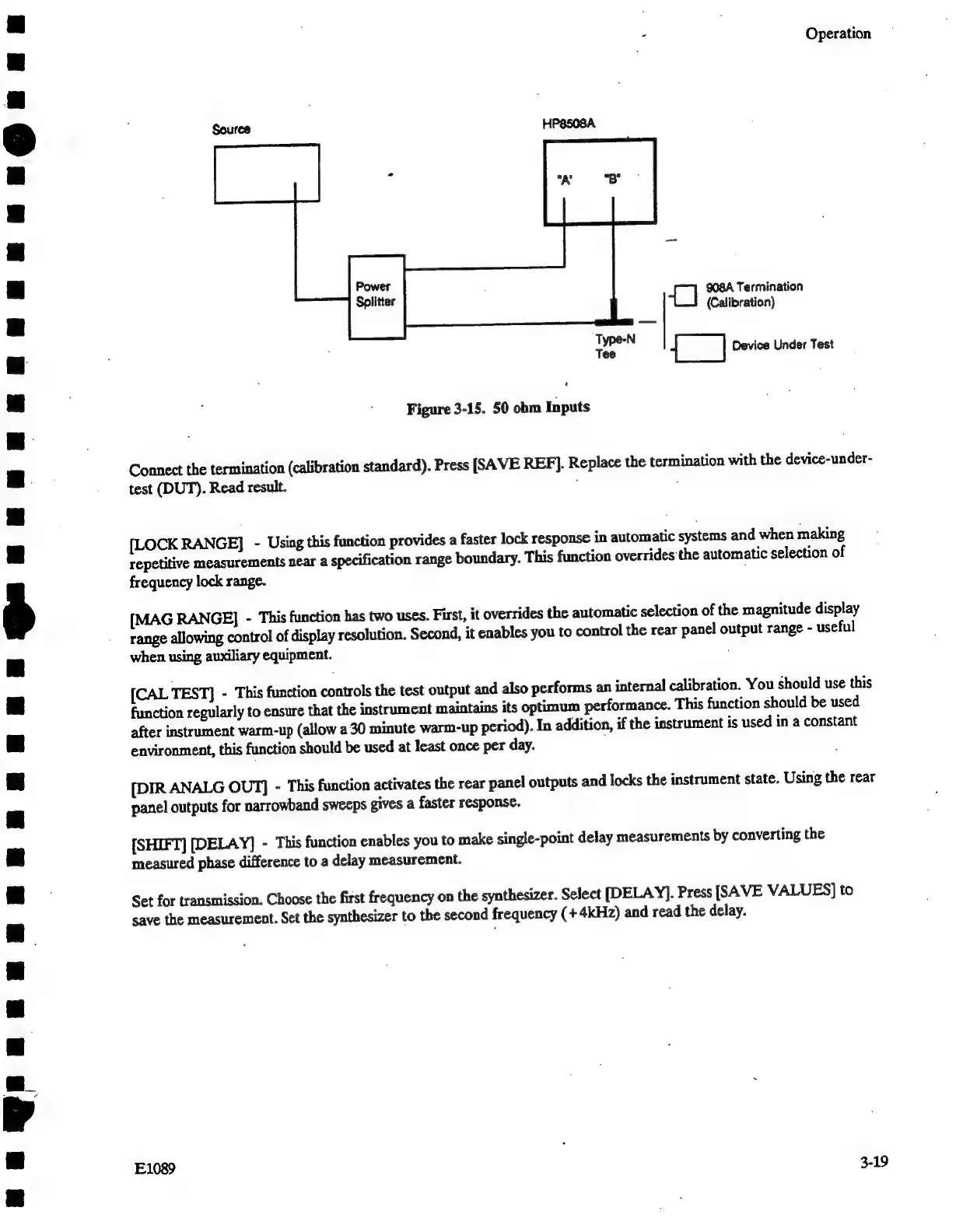
Figure
3-15.
50
obm
Inputs
Connect
the
termination
(calibration
standard).
Press
[SAVE
REF].
Replace
the
termination
with
the
device-under-
test
(DUT).
Read
result.
[LOCK
RANGE]
-
Using
this
function
provides
a
faster
lock
response
in
automatic
systems
and
when
making
repetitive
measurements
near
a
specification
range
boundary.
This
function
overrides
the
automatic
selection
of
frequency
lock
range.
[MAG
RANGE]
-
This
function
has
two
uses.
First,
it
overrides the
automatic
selection
of
the
magnitude
display
range
allowing
control
of
display
resolution.
Second,
it
enables
you
to
control
the
rear
panel
output
range
-
useful
when
using
auxiliary
equipment.
{CAL
TEST]
-
This
function
controls
the
test
output
and
also
performs
an
internal
calibration.
You
should
use
this
function
regularly
to
ensure
that
the
instrument
maintains
its
optimum
performance.
This
function
should
be
used
after
instrument
warm-up
(allow
a
30
minute
warm-up
period).
In
addition,
if
the
instrument
is
used
in
a
constant
environment,
this
function
should
be
used
at
least
once
per
day.
[DIR
ANALG
OUT]
-
This
function
activates
the
rear
panel
outputs
and
locks
the
instrument
state.
Using
the
rear
panel
outputs
for
narrowband
sweeps
gives
a
faster
response.
[SHIFT]
[DELAY]
-
This
function
enables
you
to
make
single-point
delay
measurements
by
converting
the
measured
phase
difference
to
a
delay
measurement.
Set
for
transmission.
Choose
the
first
frequency
on
the
synthesizer.
Select
[DELAY].
Press
[SAVE
VALUES]
to
save
the
measurement.
Set
the
synthesizer
to
the
second
frequency
(+
4kHz)
and
read
the
delay.
E1089
3-19

Related product manuals