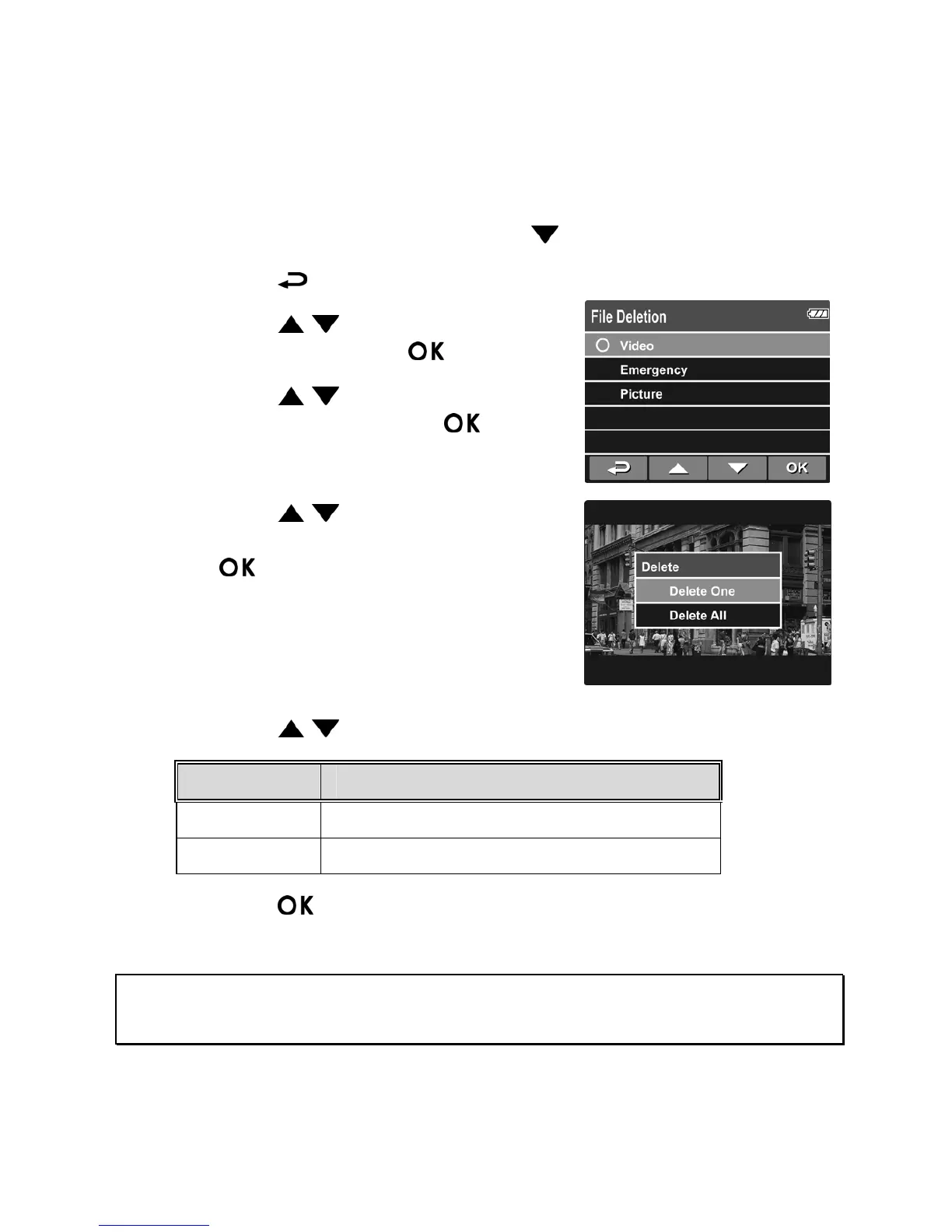
3.2.4 Deleting Files
To delete file(s), do the following:
1. If recording is in progress, press the
button to stop recording.
2. Press the
button to enter the OSD menu.
3. Press the
/ button to select File
Deletion and press the
button.
4. Press the
/ button to select the
file category and press the
button.
5. Press the
/ button to select the
file that you want to delete and press
the
button to enter the Delete
menu.
6. Press the
/ button to select an option.
Item Description
Delete One Delete the current displayed file.
Delete All Deletes all files.
7. Press the button to confirm delete.
Note:
Deleted files CANNOT be recovered. Ensure the files have backup before deletion.



 To Next Page