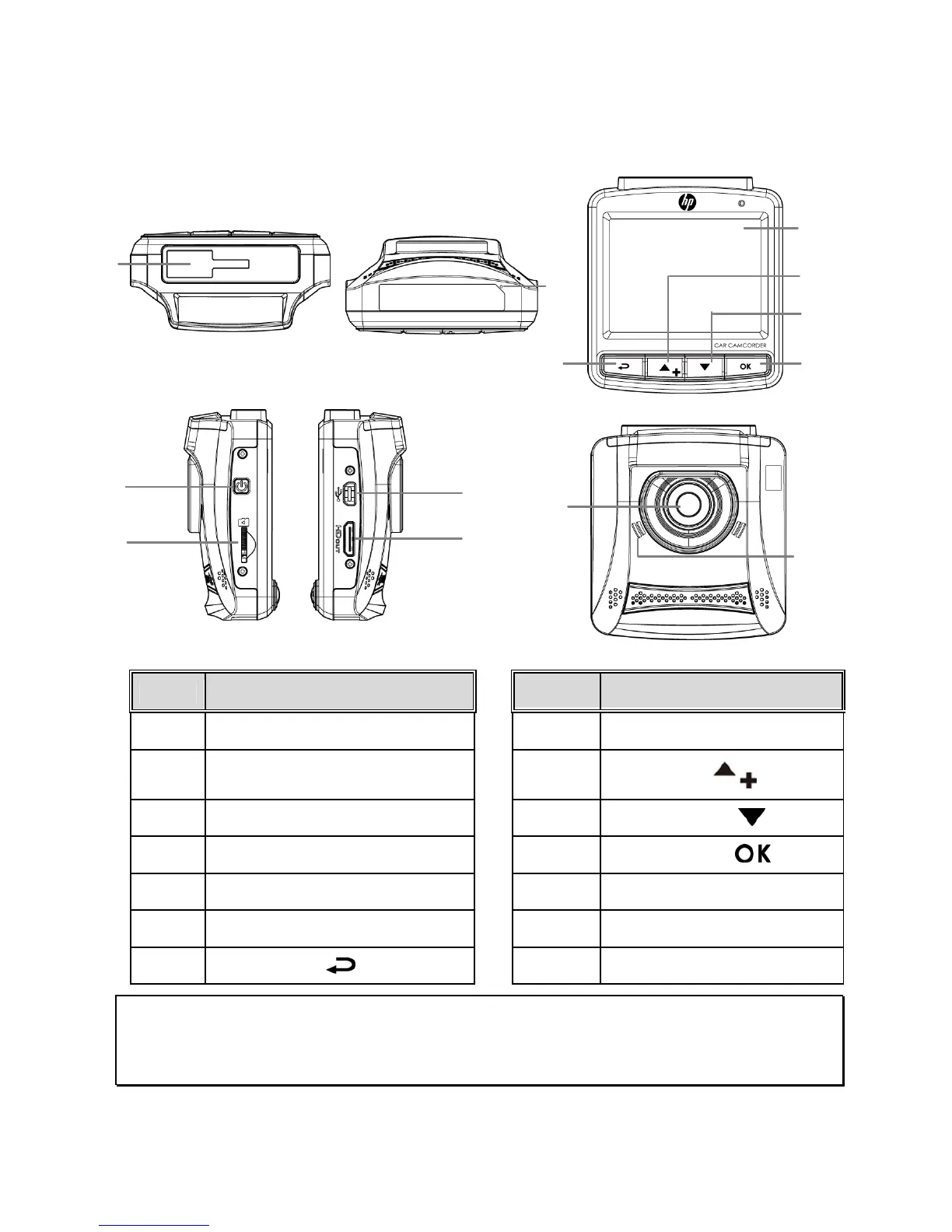
1.3 Product Overview
No. Item No. Item
1 Bracket Socket 8 LCD Panel
2 Microphone
9
Up Button (
)
3 Power Button 10 Down Button ( )
4 Memory Card Slot 11 Enter Button ( )
5 USB Connector 12 Wide Angle Lens
6 HD(Mini HDMI) Connector 13 Speaker
7 Back Button ( )
Note:
To operate the device, press the corresponding buttons (7, 9,10,11) according to guide icons shown
the screen.
Top and Bottom Views



 To Next Page