14
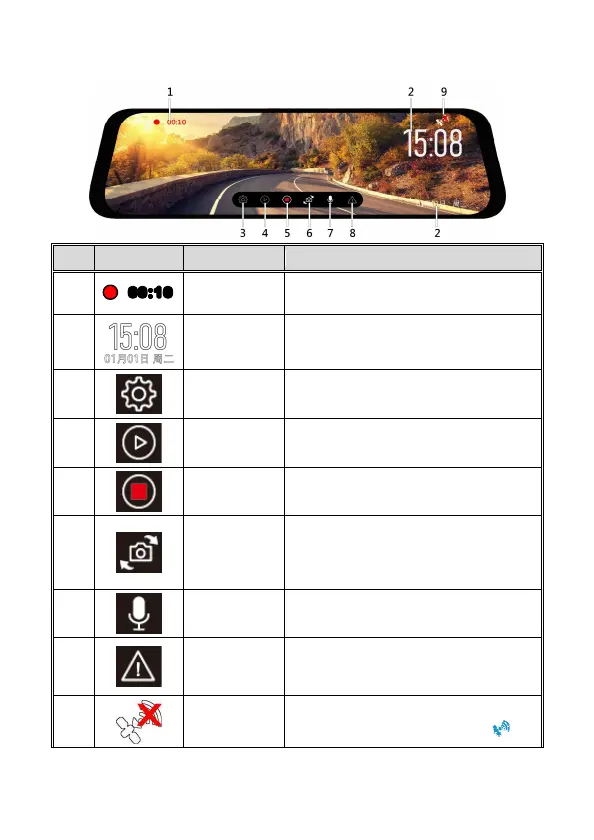
3.1.2 Recording Screen
No
Icon Item Description
1
00:10
Recording
length
Current recording length
2
Date/Time Current recording date/time
3
Menu Setting Setting menu
4
Playback Playback recorded files.
5
Recording
Start/Stop
Start or stop recording
6
Switch
camera
preview
Switch front camera and rear camera
preview image. (Rear camera is option
and not in the box. Please contact
distributor for further purchase.)
7
Audio
recording
Turn on/off audio recording
8
Emergency
recording
In recording mode, use this icon to
activate emergency recording and lock
the file.
9
GPS status
If you have optional GPS accessory, when
GPS is fixed, this icon will become .



 To Next Page