HP 19” Color Monitor User’s Guide
Adjusting Your Monitor
14 EnglishEnglish
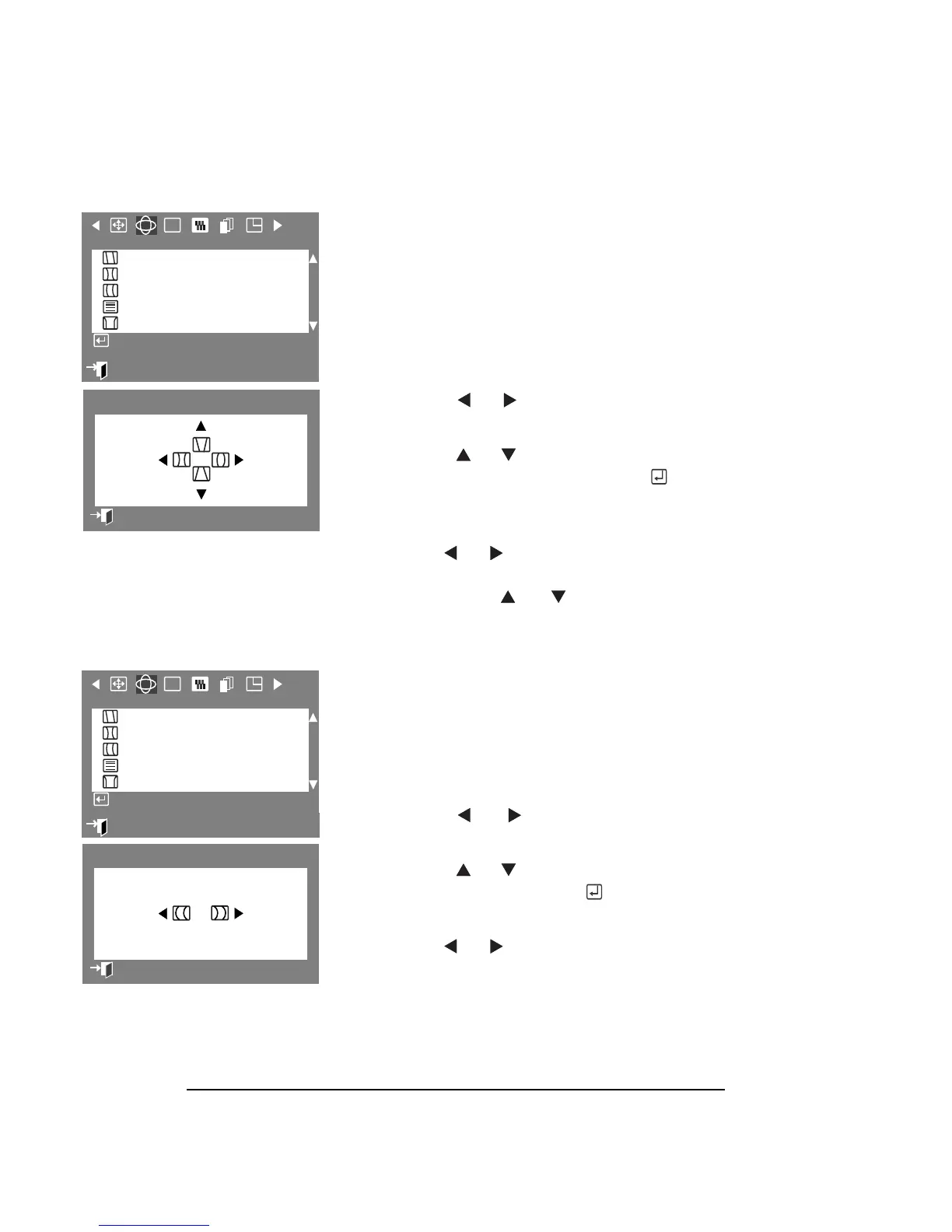
PINCUSHION/TRAPEZOID
The Pincushion/Trapezoid parameters allow
you to adjust the pincushion settings when
the sides of the picture are bowed in or
bowed out, and the trapezoid settings when
the top or bottom of the picture is too large
or small.
1 Press the Menu button.
2
Press the or buttons to display
the Geometry OSD.
3 Press the or buttons to highlight
Pincushion/Trapezoid, then press the
button to display the
Pincushion/Trapezoid adjustment OSD.
4
Use the or buttons to expand
and contract the monitor’s viewing
area or use the or buttons for
trapezoid setting adjustments.
PINBALANCE
The Pinbalance parameters allow you to
adjust the pinbalance setting when the sides
of the picture are bowed towards the left or
right.
1 Press the Menu button.
2 Press the or buttons to display
the Geometry OSD.
3 Press the or buttons to highlight
Pinbalance, then press the button
display the Pinbalance adjustment OSD.
4 Use the or buttons for
pinbalance setting adjustments.
:
Exit
RGB
Geometry
Parallel/Rotation
Pincushion/Trapezoid
Pinbalance
Linearity
Corner Distortion
Access Function
0
5
Pincushion/Trapezoid
Previous Menu
51
RGB
Geometry
Parallel/Rotation
Pincushion/Trapezoid
Pinbalance
Linearity
Corner Distortion
Access Function
:
Exit
5
Pinbalance
Previous Menu



 To Next Page