HP 19” Color Monitor User’s Guide
Adjusting Your Monitor
20 EnglishEnglish
NOTE If you have selected “Yes” all settings listed above will be reset.
All other settings will remain the same
CAUTION
This operation resets all of the data in the user memory area for the
current timing signal.
CAUTION
This operation resets all of the data in the user memory area. If this
occurs, you must remake your user adjustments.
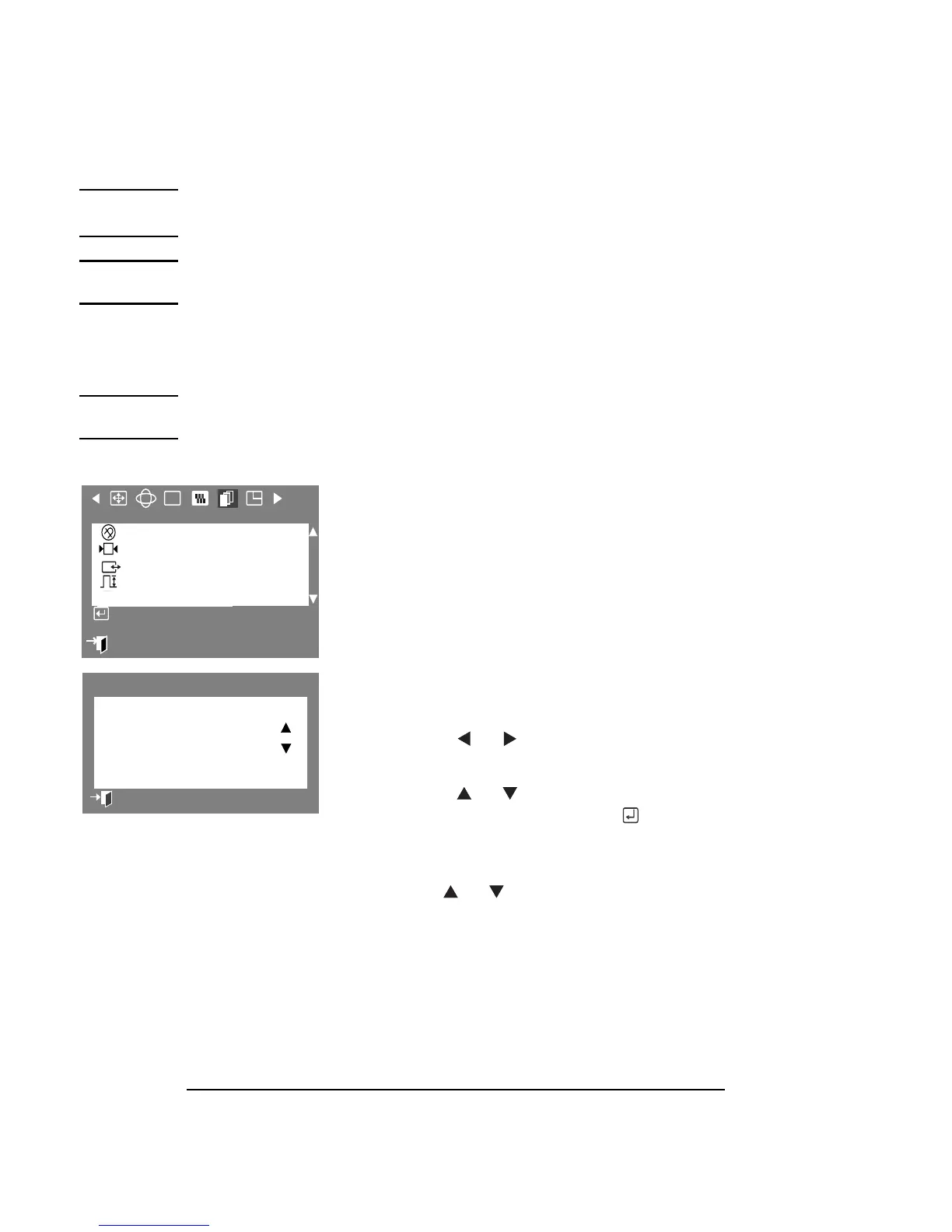
SYNC. INPUT TYPE
The Sync. Input Type parameter allows you to
set your monitor to the correct type of
synchronization. Select Separate if the
computer is sending a separate
synchronization signal. Select Sync. on Green
if the computer expects the monitor to
synchronize with the green signal it sends.
Refer to your computer or video card user’s
manual to determine the correct setting.
1 Press the Menu button.
2 Press the or buttons to display
the Advanced OSD.
3 Press the or buttons to select
Sync. Input Type, then press the
button to display the Sync Input Type
selection OSD.
4
Use the or buttons to select
Separate or Sync. on Green.
:
Exit
RGB
Advanced
Degauss
Recall
Sync. Input Type
Video Input Level
D-SUB/BNC
Access Function
Sync. Input Type
Separate
Sync. on Green
Previous Menu



 To Next Page