EnglishEnglish 19
HP 19” Color Monitor User’s Guide
Adjusting Your Monitor
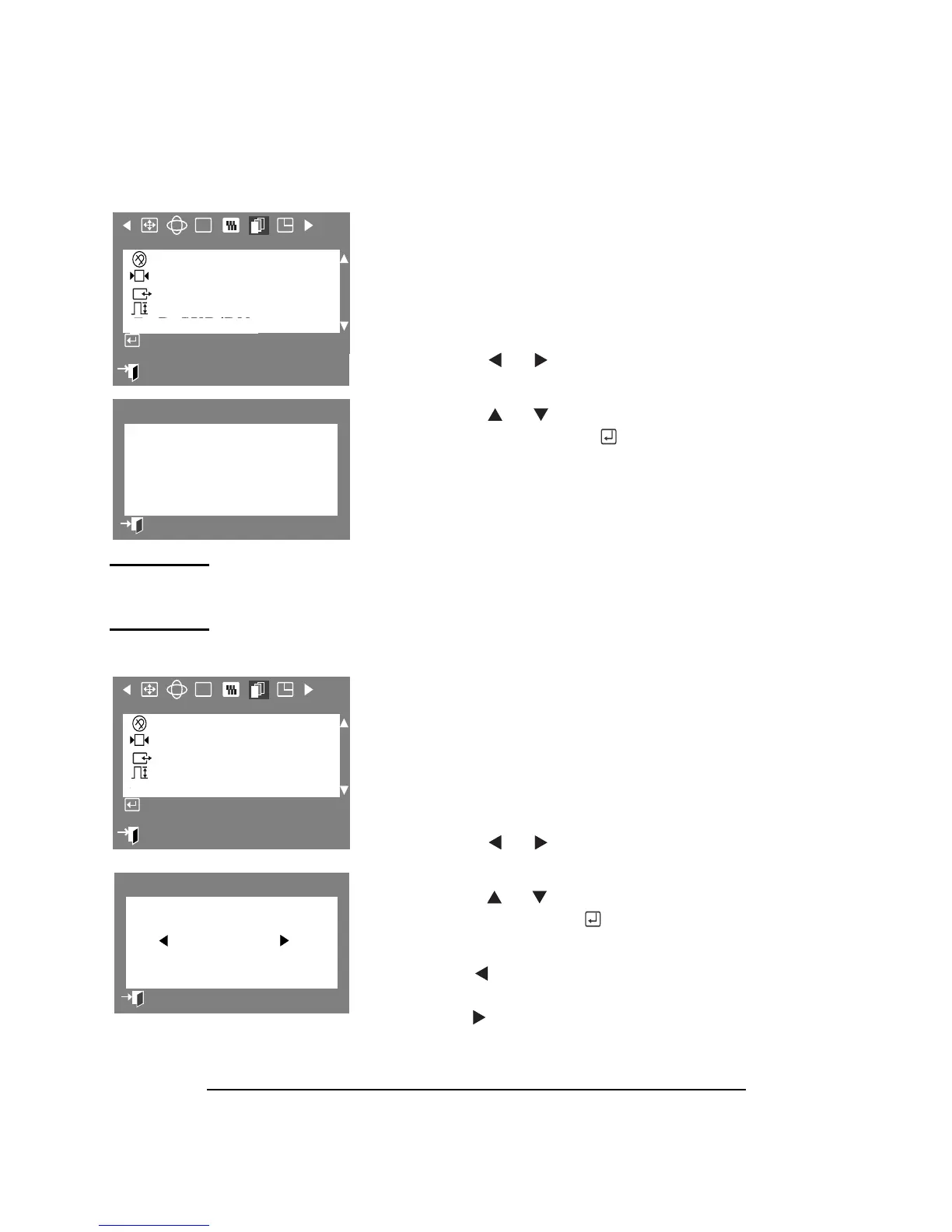
DEGAUSS
The Degauss parameter allows you to
remove color impurities caused by magnetic
fields. Do not use the Degauss feature more
than once within a 30-minute period.
1
Press the Menu button.
2 Press the or button to display
the Advanced OSD.
3
Press the or button to highlight
Degauss, then press the
button to
execute the Degauss function.
4 The degaussing OSD will appear.
After a few seconds the Degauss main
menu will return.
NOTE During degauss the monitor may buzz momentarily, the image
colors may change and the image will become distorted for a
few seconds. Theses effects are normal
RECALL
The Recall parameter allows you to reset the
following monitor settings to their original
levels: Position, Size, Pincushion, Trapezoid,
Parallelogram, Pinbalance, Rotation, Clear Moiré,
Convergence, and Purity.
1 Press the Menu button.
2 Press the or buttons to display
the Advanced OSD.
3 Press the or buttons to highlight
Recall, then press the button to
display the Recall selection OSD.
4 Use the button to select YES.
If you do not want to reset the monitor,
use the button to select NO.
:
Exit
RGB
Advanced
Degauss
Recall
Sync. Input Type
Video Input Level
D-SUB/BNC
Access Function
Degauss
Degaussing...
Previous Menu
:
Exit
RGB
Advanced
Degauss
Recall
Sync. Input Type
Video Input Level
D-SUB/BNC
Access Function
Recall
YES NO
Previous Menu



 To Next Page