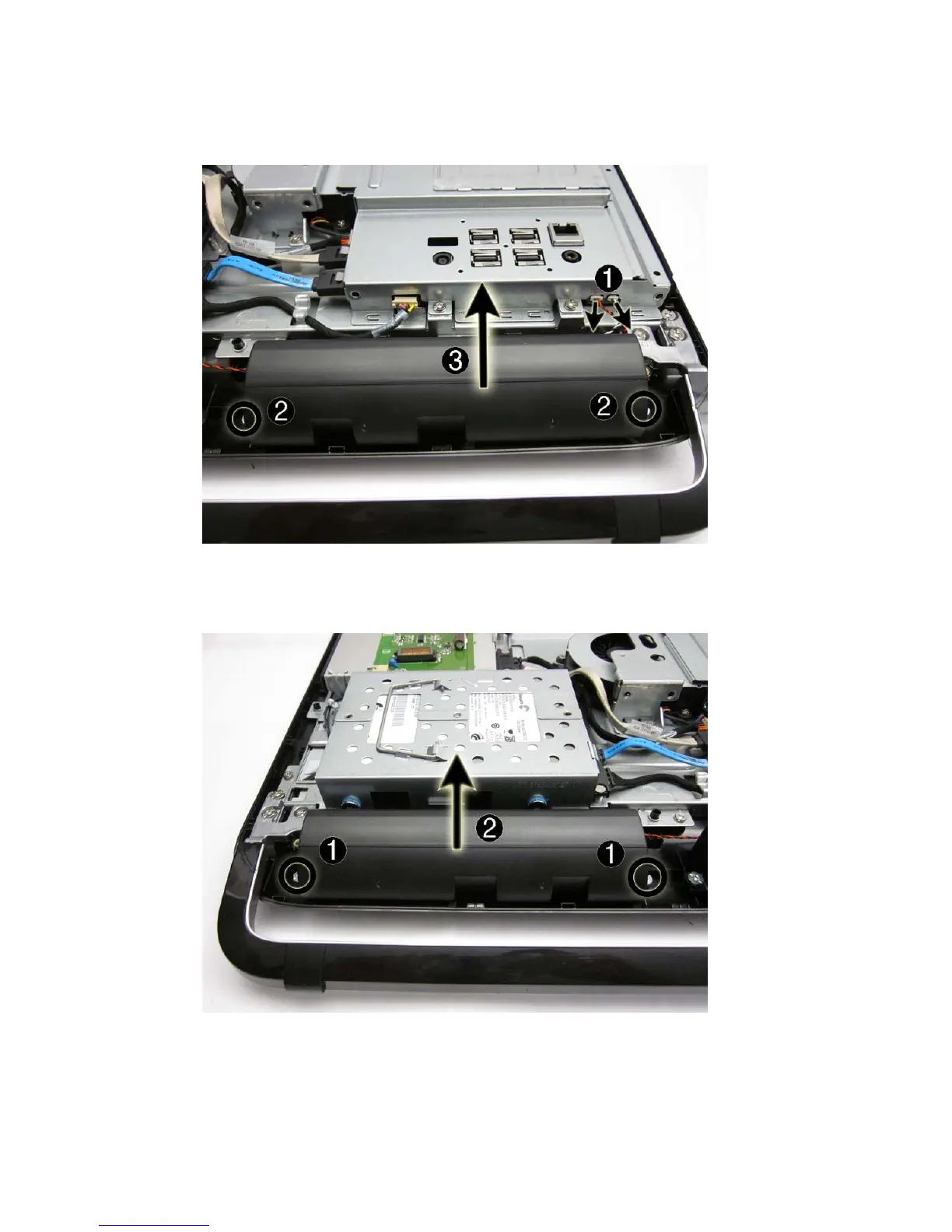
4. Remove two screws (2) that secure the left speaker to the computer, and then lift the speaker
from the computer (3).
Figure 7-9 Removing the left speaker
5. Remove two screws (1) that secure the right speaker to the computer, and then lift the speaker
from the computer (2).
Figure 7-10 Removing the right speaker
Use the following image to determine correct routing for the speaker cables.
Speakers 43









 To Next Page