System Board
Description Spare part number
System board 669973-001
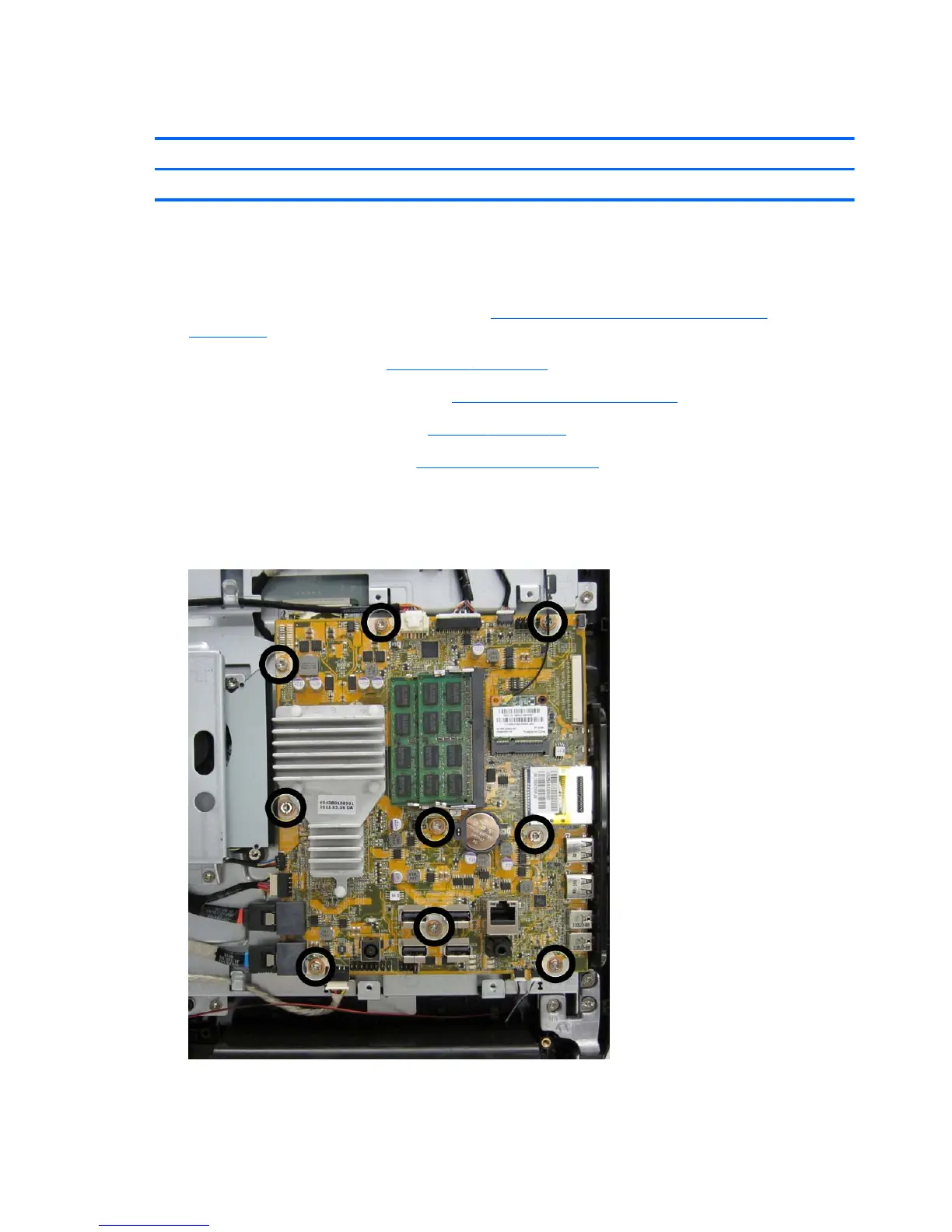
The system board is secured with nine screws.
To remove the system board:
1. Prepare the computer for disassembly (see
Preparing to Disassemble the Computer
on page 34).
2. Remove the rear cover (see
Rear Cover on page 35).
3. Remove the system board cover (see
System Board Cover on page 60).
4. Remove the memory module (see
Memory on page 62).
5. Remove the WLAN module (see
WLAN Module on page 64).
6. Disconnect all cables from the system board, noting their location for reinstallation.
7. Remove the nine screws (circled in image) that secure the system board to the computer.
Figure 7-36 Removing the system board
8. Lift the system board straight up and out of the computer.
68 Chapter 7 Removal and Replacement Procedures All-in One (AIO) Chassis









 To Next Page