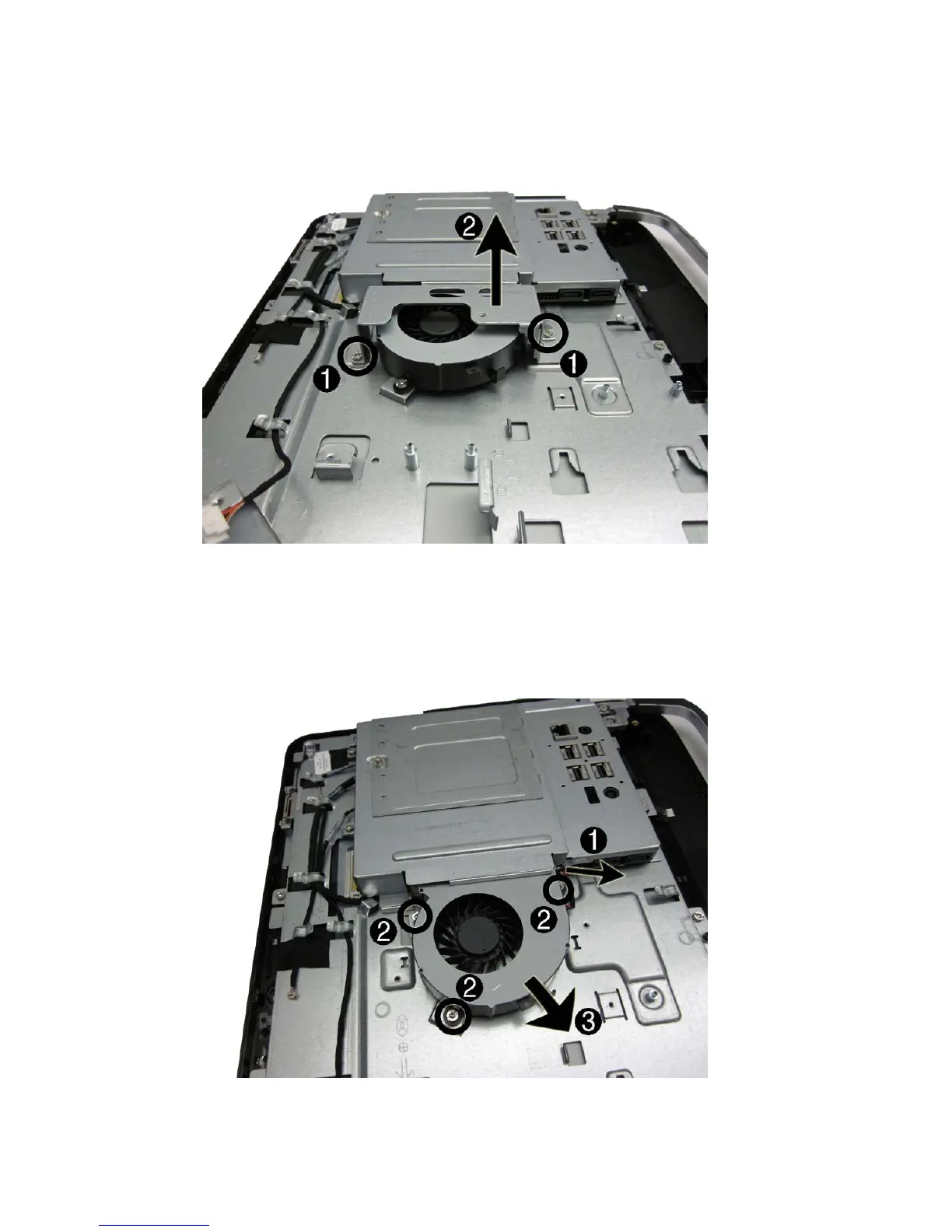
3. Remove the two screws (1) that secure the fan bracket to the computer, and then lift the bracket
from the computer (2).
Figure 7-22 Removing the fan bracket
4. Disconnect the fan cable (1) from the system board connector.
5. Remove the three screws (2) that secure the fan to the computer.
6. Lift the fan slightly, and then slide the fan assembly away from the system board and remove it
from the computer (3).
Figure 7-23 Removing the fan assembly
To install the fan, reverse the removal procedures.
Fan 55









 To Next Page