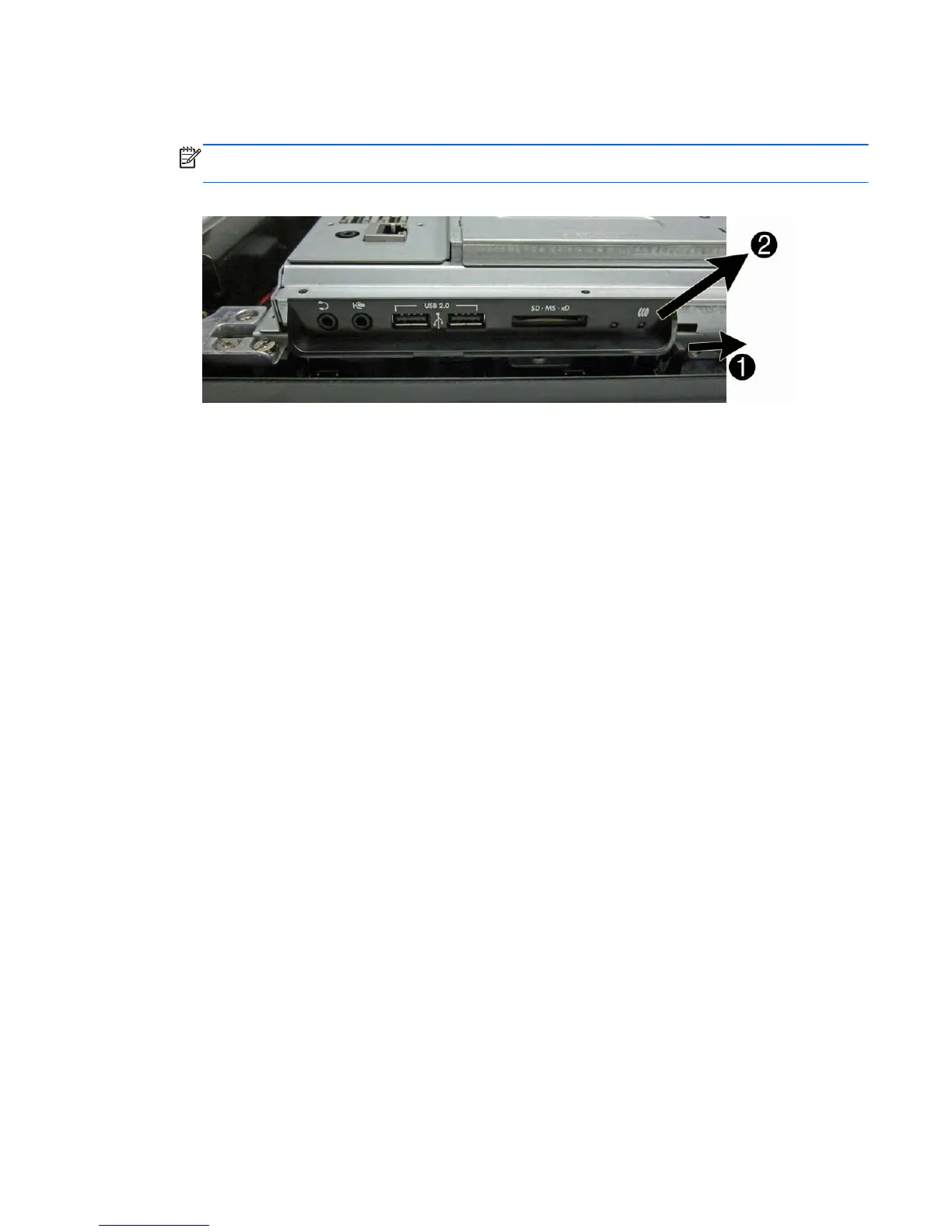
3. Press the tab on the right side of the cover (1), and then pull the cover up and away from the
computer (2).
NOTE: To help disengage the panel, you can press the tab on the left side of the panel when
pulling it away from the computer to remove it.
Figure 7-25 Removing the side I/O cover
To replace the side I/O cover, reverse the removal procedures.
Side I/O Cover 57









 To Next Page