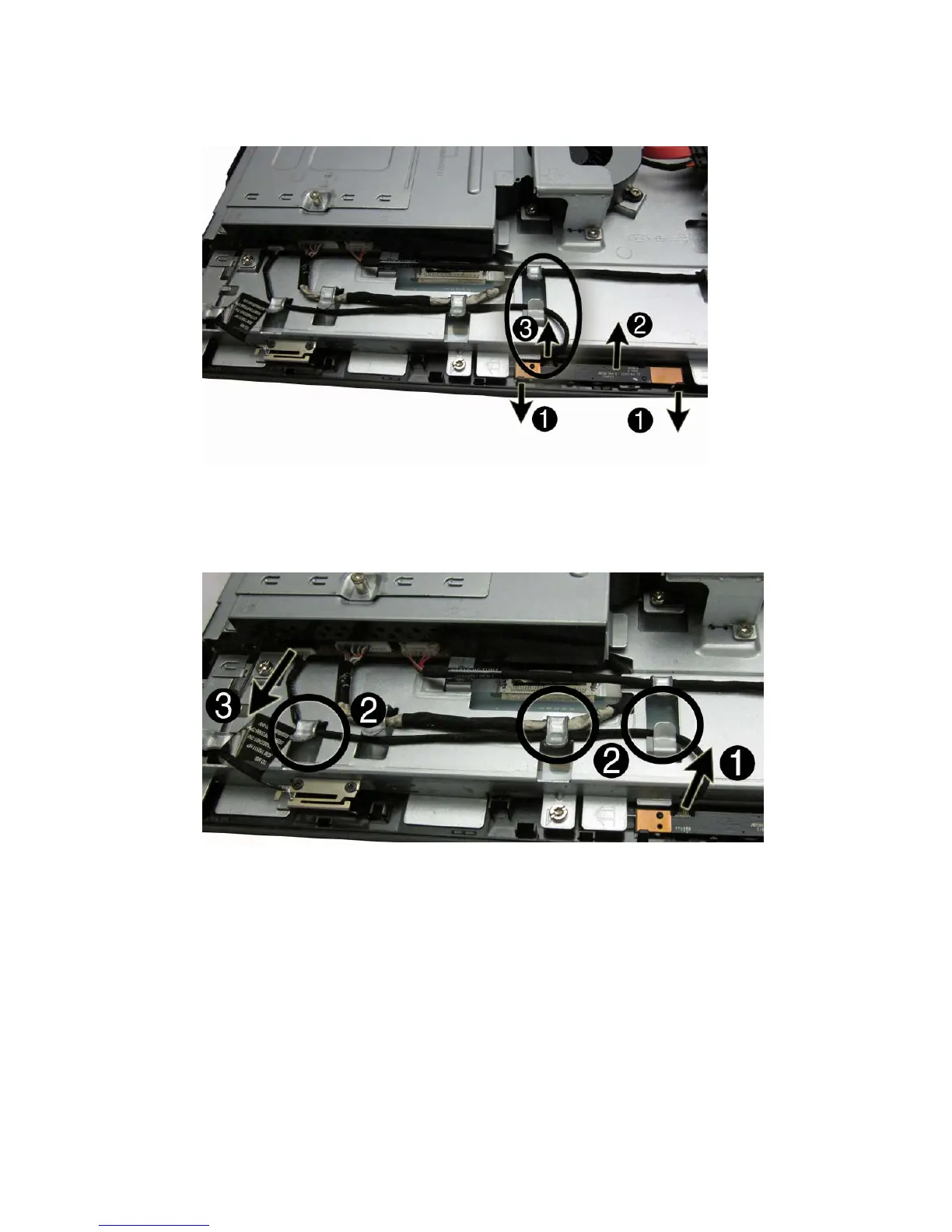
4. Disconnect the cable from the module (3), and then remove the module from the computer.
Figure 7-27 Removing the webcam module
5. If you need to remove the webcam cable, disconnect the cable from the webcam module (1),
remove the cable from the metal clips built into the computer (2), disconnect the cable from the
system board (3), and then remove the cable from the computer.
Figure 7-28 Removing the webcam cable
To install a webcam module, reverse the removal procedures.
Webcam Module 59









 To Next Page