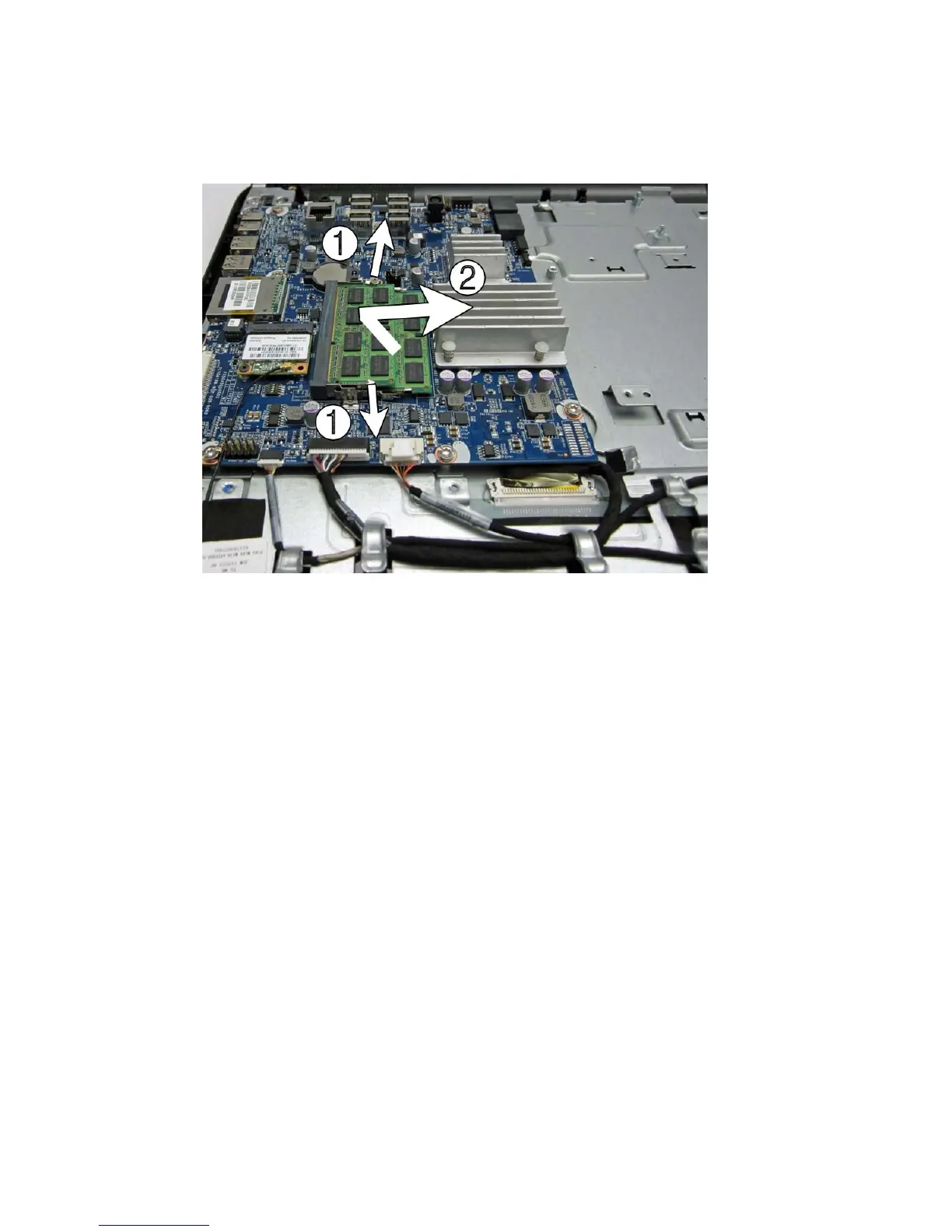
4. To remove a memory module, press outward on the two latches on each side of the SODIMM
(1), allow the module to lift up to about a 45-degree angle, and then pull the SODIMM out of the
socket (2).
Figure 7-31 Removing a memory module
The computer automatically recognizes the additional memory when you turn on the computer.
Memory 63









 To Next Page