
 Need help?
Do you have a question about the HP ProOne 400 and is the answer not in the manual?
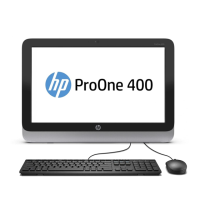
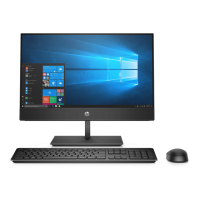
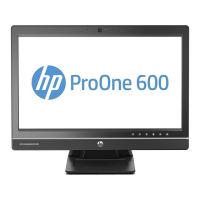
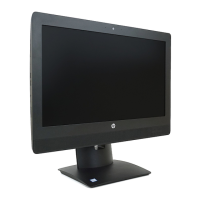
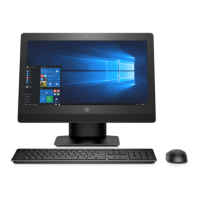
Introduces the HP ProOne 400 G3 All-in-One Business PC features and overall design.
Explains the risks of ESD and precautions to prevent damage to computer components.
Outlines essential safety steps and procedures before opening the computer for service.
Step-by-step procedure for replacing the computer's hard disc drive.
Instructions for safely removing and replacing the computer's optical drive.
Details the types of memory modules supported and how to install or remove them.
Instructions for replacing the computer's internal lithium coin cell battery.
Guide to safely removing and replacing the processor heat sink assembly.
Detailed instructions for removing and installing the computer's processor.
Comprehensive guide for removing and replacing the main system board.
Detailed steps for removing and replacing the computer's display panel.
Introduces the UEFI diagnostic tool for testing computer hardware functionality.
Addresses common, non-specific computer problems and their solutions.
Provides solutions for issues related to the computer's power supply and power management.
Offers troubleshooting steps for errors and issues related to the hard disk drive.
Addresses issues that may arise when installing new hardware components.
Provides solutions for common problems related to the computer's network connectivity.
Offers troubleshooting steps for issues related to the computer's memory modules.
Provides solutions for common problems preventing connection to the internet.
Offers troubleshooting steps for issues related to software installation, configuration, and operation.
Explains methods for creating system recovery media and backups for data protection.
Specific instructions for creating recovery media on select HP computer models.
Outlines various options available for restoring the computer system to a previous state.
Step-by-step guide for using HP Recovery Manager to restore the computer.
Instructions for performing system recovery using the dedicated HP Recovery partition.
Guide on how to use created recovery media to restore the computer system.
Lists and explains numeric codes and text messages displayed during Power-On Self-Test (POST).
Explains how to interpret LED patterns and audible beeps for system status and errors.
Detailed steps for resetting administrator and power-on passwords using a jumper.
Instructions for clearing and resetting BIOS settings to factory defaults.
 General
| Display Resolution | 1920 x 1080 |
|---|---|
| Touchscreen | Optional |
| Processor | Intel Core i3, i5, i7 |
| RAM | 4GB |
| Storage | 500GB HDD or 128GB SSD |
| Graphics | Intel HD Graphics |
| Operating System | Windows 10 Pro |
| Ports | USB 3.0, USB 2.0, HDMI, VGA, RJ-45, audio |
| Networking | Ethernet, Wi-Fi, Bluetooth |
| Audio | Integrated stereo speakers |
| Webcam | HD webcam |
| Power Supply | External power adapter |
| Weight | 5.83 kg (with stand) |







 To Next Page