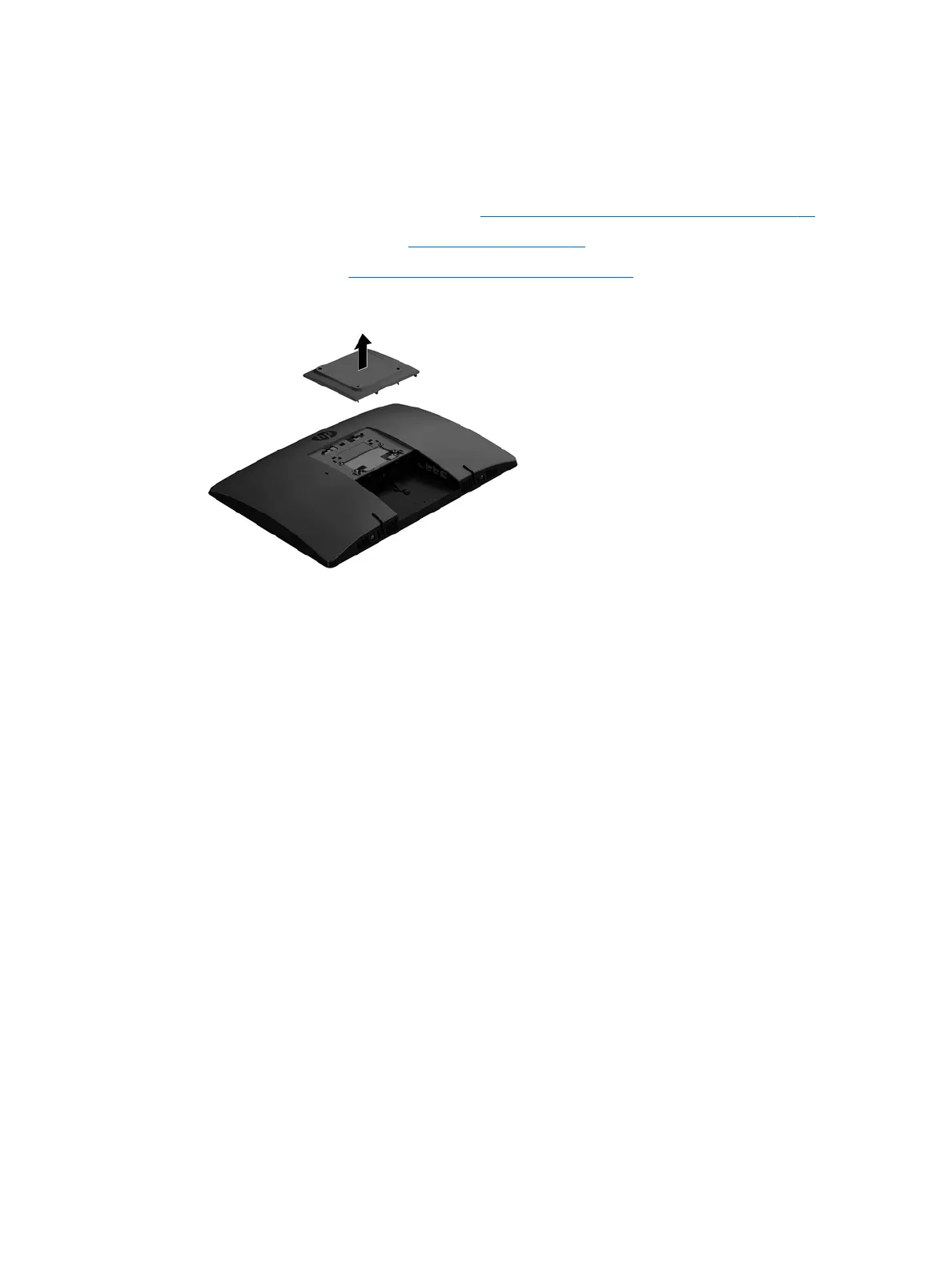
VESA mount cover
Models that do not use a stand have a cover over the VESA mount.
To remove the VESA mount cover:
1. Prepare the computer for disassembly (see Preparing to disassemble the computer on page 19).
2. Remove the rear port cover (see Rear port cover on page 23).
3. Remove the stand (see Attaching and removing a stand on page 20).
4. Pull up to remove the cover o the computer.
To replace the VESA mount cover, reverse the removal procedures.
VESA mount cover 25








 To Next Page