Left trim
To remove the left trim:
1. Prepare the computer for disassembly (see Preparing to disassemble the computer on page 19).
2. Remove the rear port cover (see Rear port cover on page 23).
3. Remove the stand (see Attaching and removing a stand on page 20).
4. Remove the access panel (see Access panel on page 24).
5. Remove the top trim (see Top trim on page 48).
6. Remove the optical drive (see Replacing the optical drive on page 30).
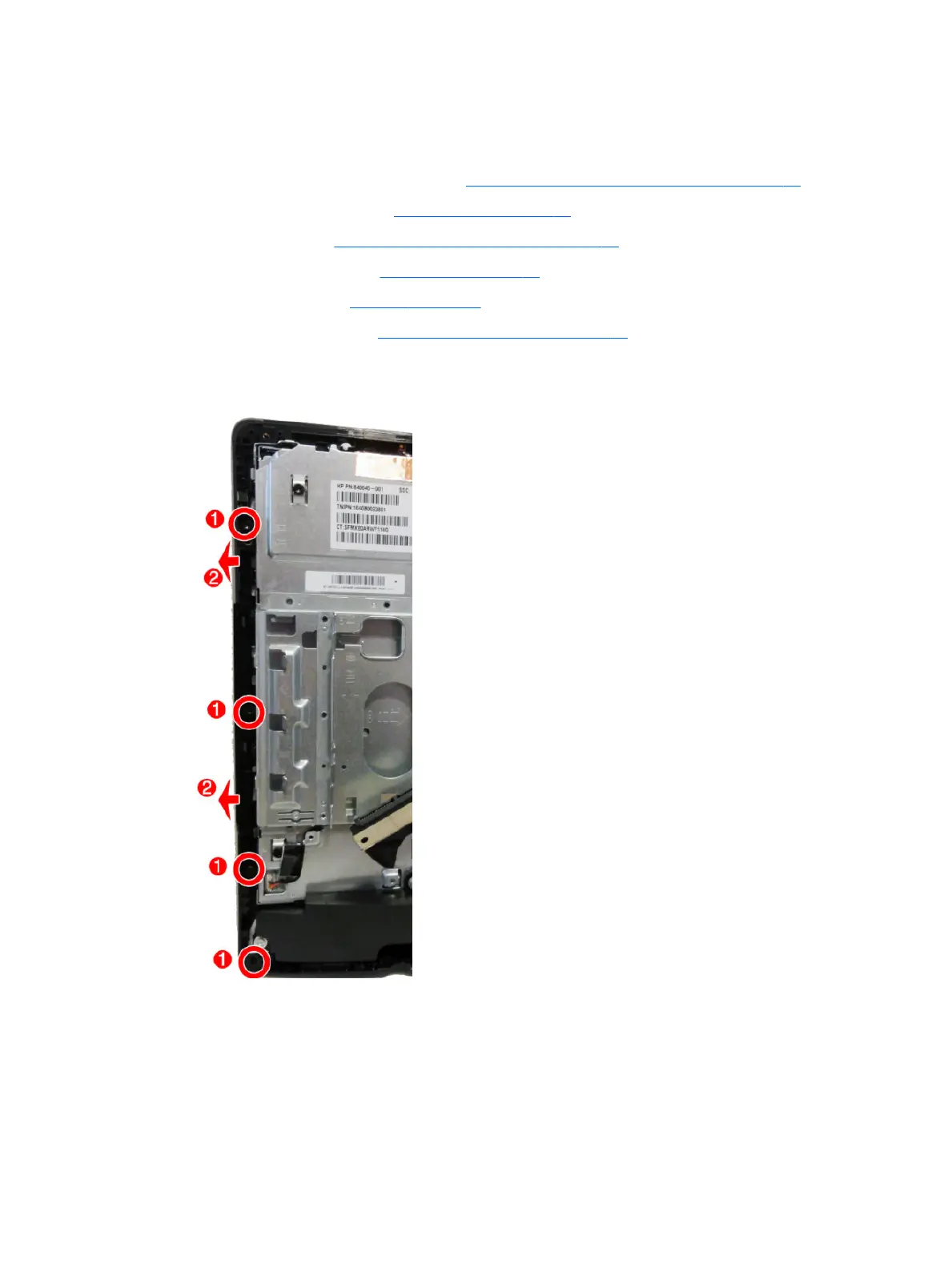
7. Remove the four Torx screws that secure the left trim to the computer (1).
8. Rotate the trim o the computer (2).
To install the left trim, reverse the removal procedures.
52 Chapter 4 Removal and Replacement Procedures








 To Next Page