Feet, bottom panel and trim
To remove the feet and bottom panel and trim:
1. Prepare the computer for disassembly (see Preparing to disassemble the computer on page 19).
2. Remove the rear port cover (see Rear port cover on page 23).
3. Remove the stand (see Attaching and removing a stand on page 20).
4. Remove the access panel (see Access panel on page 24).
5. Remove the serial/PS2 board (see Serial/PS2 board on page 40).
6. Remove the top trim (see Top trim on page 48).
7. Remove the left trim (see Left trim on page 52).
8. Remove the right trim (see Right trim on page 51).
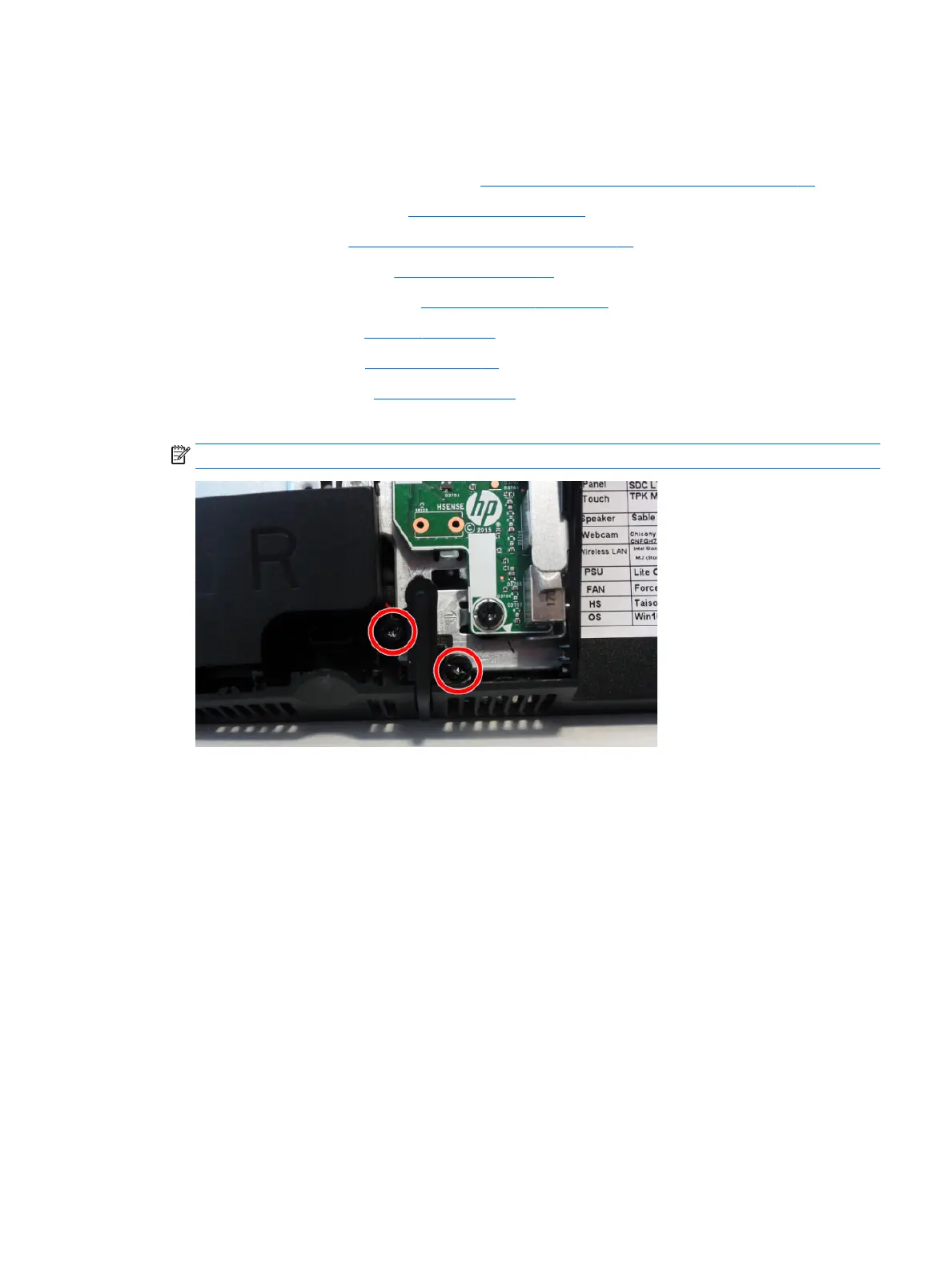
9. Remove the two Torx screws that secures each foot to the computer.
NOTE: The left foot is shown in the following image.
Feet, bottom panel and trim 53








 To Next Page