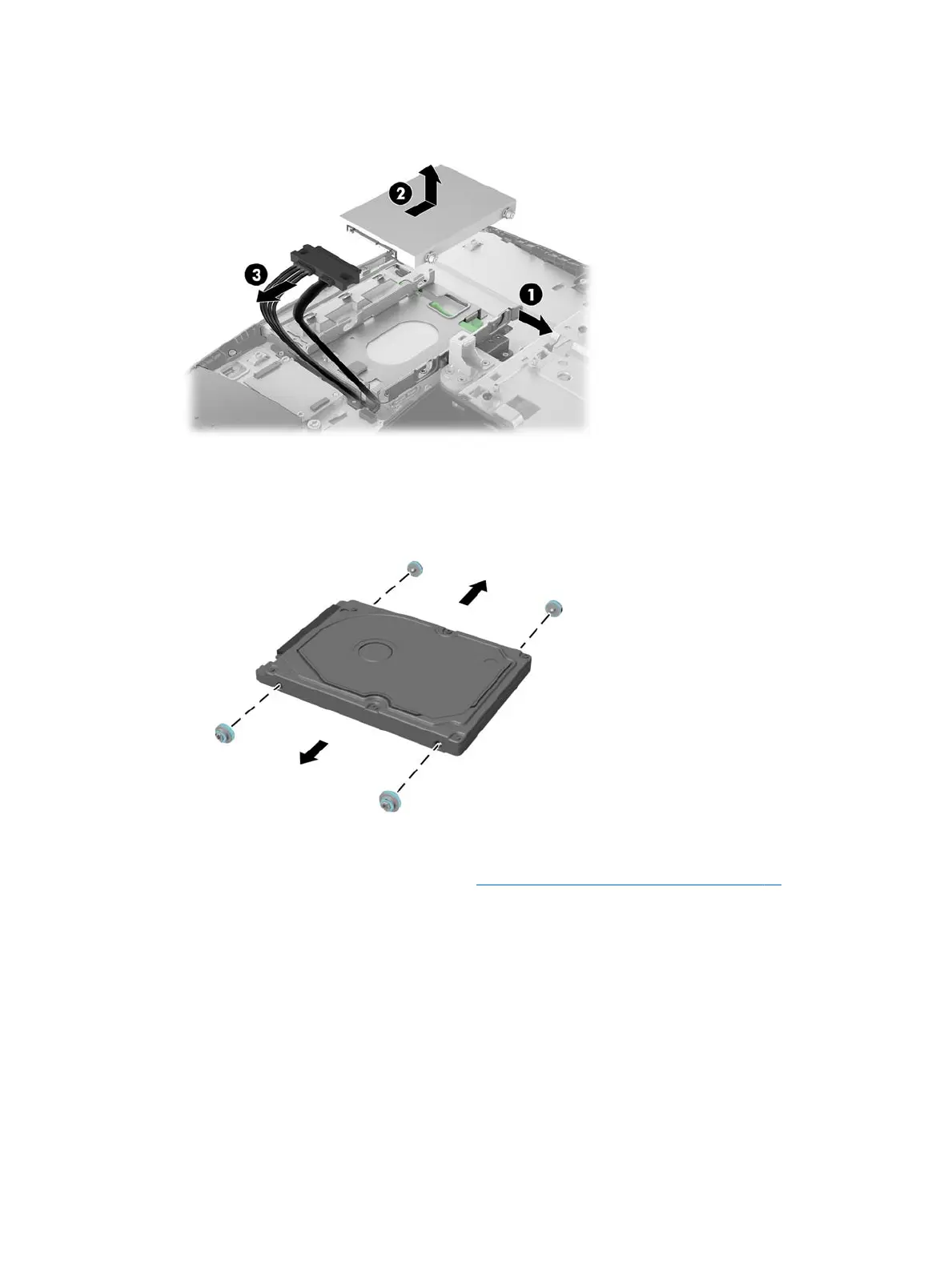
7. Disconnect the power and data cables from the hard drive (3).
8. Remove the four mounting screws from the 2.5 inch hard drive. Be sure to keep the screws together with
the blue rubber grommets to use to install a replacement drive.
For instructions on installing a hard disc drive, see Installing a 2.5-inch hard disc drive on page 29.
28 Chapter 4 Removal and Replacement Procedures









 To Next Page