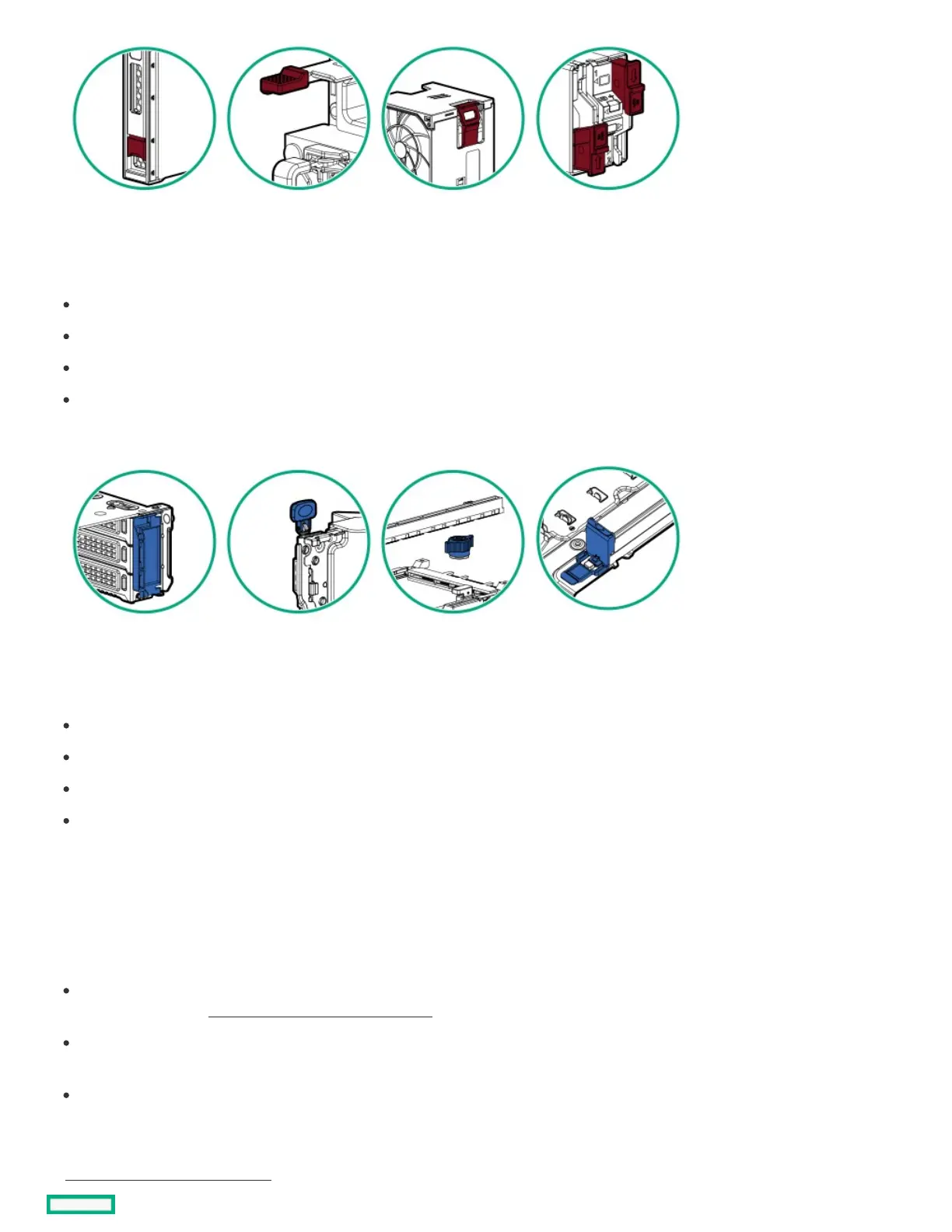
Hot-plug red touchpoints are used in hot-pluggable components. These components can be removed and installed while the system is
running, and doing so will not result in a system shutdown.
Component examples:
Flexible Slot power supply in a redundant power configuration
Hot-plug fan
Hot-plug drive
M.2 SSD in a hot-plug boot device
HPEHPE touchpoint blue touchpoint blue
Touchpoint blue is used in cold-pluggable components. These components require performing a system shutdown. Failure to do so may
result in system failure or data loss. Cold-pluggable blue components may also indicate touchpoints on non-electrical components.
Component examples:
Storage device
Fan cage
System board
Energy pack
Configuration resourcesConfiguration resources
Use the following resources to find documentation for configuring and managing your server.
Some utilities might not apply to your server. For information about server compatibility with the products listed in this chapter, see the
product QuickSpecs (https://www.hpe.com/info/quickspecshttps://www.hpe.com/info/quickspecs).
Products ordered from HPE Factory Express might have already been configured with some or all the configurations in this chapter. To
determine if any additional setup is required, see your HPE Factory Express order.
For the most recent changes, feature enhancements, and bug fixes, see the latest product release notes.
SubtopicsSubtopics
Updating firmware or system ROMUpdating firmware or system ROM













 To Next Page