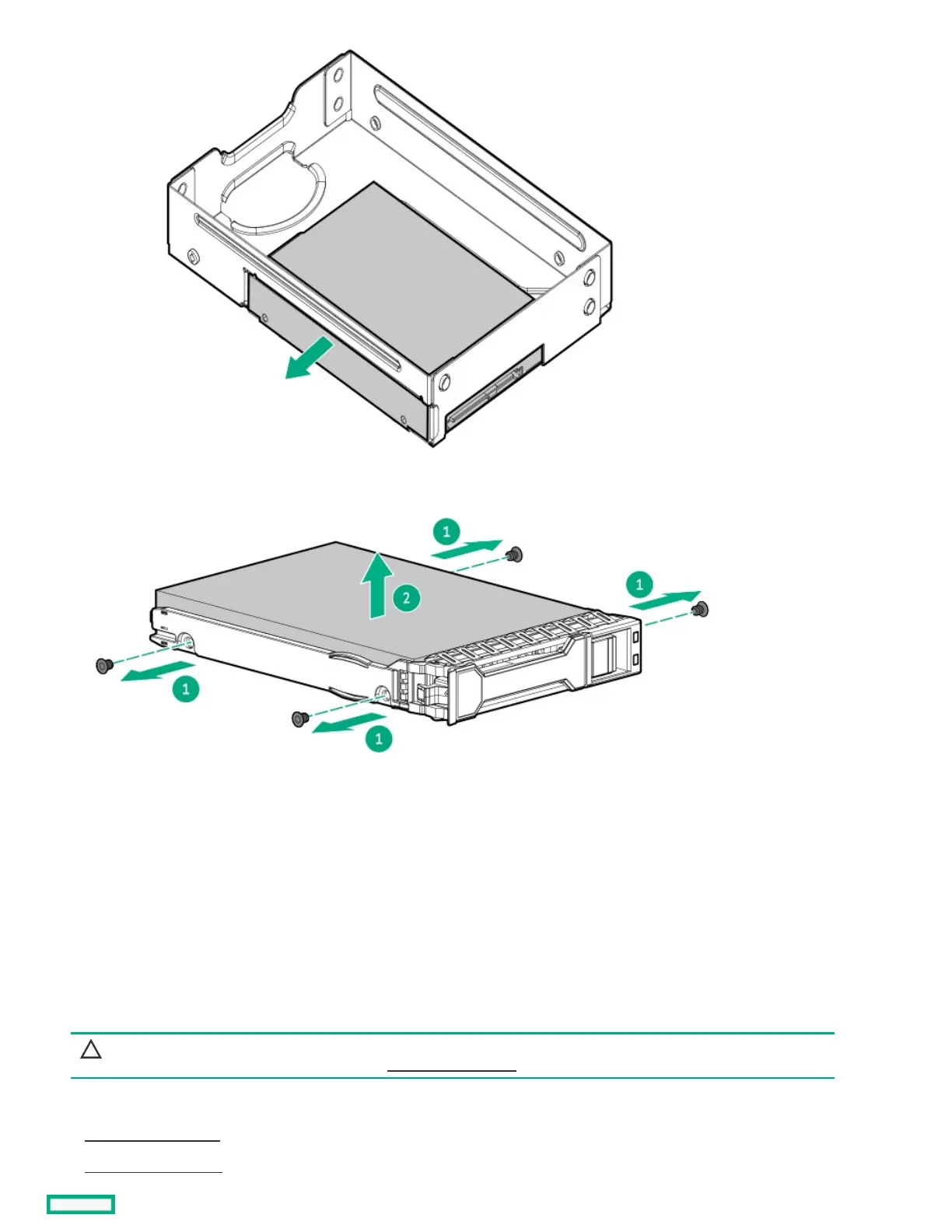
9. If the new spare SFF drive has its own carrier, remove the carrier.
ResultsResults
To replace the component, reverse the removal procedure.
Removing and replacing the four-bay drive cable assemblyRemoving and replacing the four-bay drive cable assembly
PrerequisitesPrerequisites
Before you perform this procedure, make sure that you have a T-15 Torx screwdriver available.
About this taskAbout this task
CAUTION:CAUTION: A discharge of static electricity from a finger or other conductor might damage system boards or other static-
sensitive devices. To prevent damage, observe antistatic precautions.
ProcedureProcedure
1. Back up all server data.
2. Power down the server.













 To Next Page