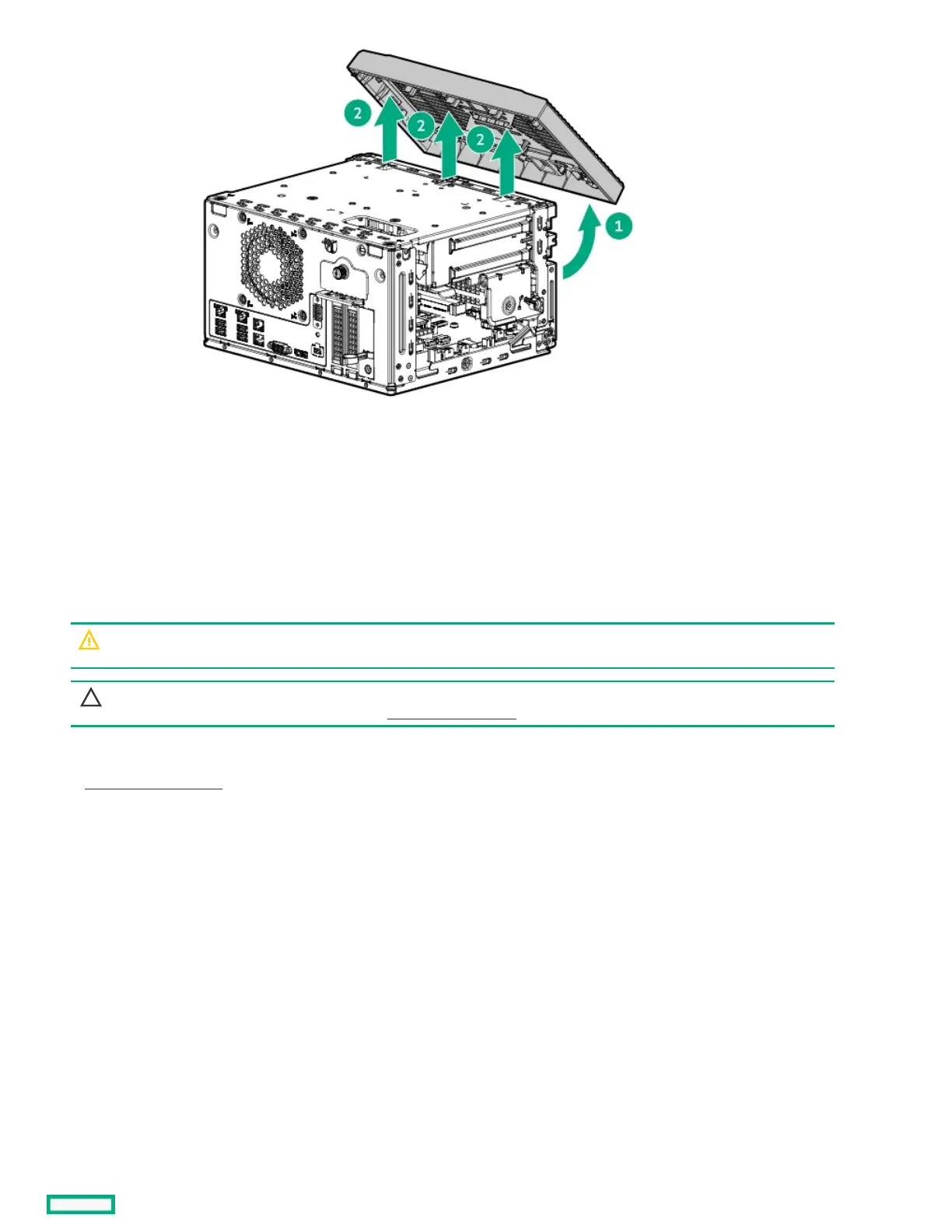
Open the chassisOpen the chassis
PrerequisitesPrerequisites
Before you perform this procedure, make sure that you have a T-10 Torx screwdriver available.
About this taskAbout this task
WARNING:WARNING: To reduce the risk of personal injury from hot surfaces, allow the drives and the internal system components to
cool before touching them.
CAUTION:CAUTION: A discharge of static electricity from a finger or other conductor might damage system boards or other static-
sensitive devices. To prevent damage, observe antistatic precautions.
ProcedureProcedure
1. Power down the server.
2. Disconnect the power cord from the AC source.
3. Remove the power adapter cord from the power cord clamp, and then disconnect the power adapter from the server.
4. Disconnect all peripheral cables from the server.
5. If installed, unlock and remove the security padlock and/or the Kensington security lock.
For more information, see the lock documentation.
6. If the server is in a vertical orientation, position the server in a horizontal orientation.













 To Next Page