EasyManua.ls Logo

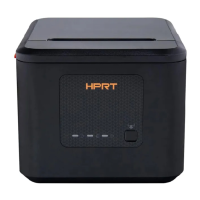
HPRT KP806 - User Manual

HPRT KP806
26 pages
Print Icon
To Next Page IconTo Next Page
Loading...
KP806
User Manual
Xiamen Hanin Electronic Technology Co.,Ltd
Room 305A,Angye Building,Pioneering Park,
Torch High-tech Zone,Xiamen,China.
+86-(0)592-5885993
+86-(0)592-5885992

Questions and Answers

  • A
    Anthony BonillaAug 17, 2025
    Why is my HPRT KP806 Printer printing blurry or with spots?
    • H
      Heather GarciaAug 17, 2025
      If your HPRT Printer is producing blurred prints or spots, it may be due to several reasons. Check if the roll paper is installed correctly. If the issue persists, consider using recommended thermal roll paper. Also, a dirty thermal head or print roller can cause this, so clean them. Finally, you might need to increase the print density level.
  • J
    Jennifer HigginsAug 20, 2025
    Why are vertical words missing when printing with my HPRT KP806?
    • R
      Robin RussellAug 20, 2025
      If vertical print words are missing from your HPRT Printer output, it could be due to a dirty thermal head or print roller. Clean these components to resolve the issue. If the problem persists, the thermal head may be damaged, and you should contact your dealer for assistance.
  • S
    Sarah JohnstonAug 23, 2025
    What to do if the Paper Error LED is always on and the HPRT Printer beeps?
    • E
      Eric WeaverAug 23, 2025
      If the HPRT Printer shows a Paper Error LED and the beeper alarms, it means the paper is out. To solve this, reload the roll paper.
  • C
    Connor LeonAug 26, 2025
    How to fix a paper jam in my HPRT KP806?
    • J
      James SinghAug 26, 2025
      If you are experiencing a paper jam with your HPRT Printer, it could be due to paper strike. Open the printer cover, check the paper path, and remove any jammed paper to resolve this.
  • M
    Mrs. Jennifer King DDSAug 28, 2025
    Why is the Error LED always on and beeping on my HPRT KP806?
    • T
      Thomas StevensAug 28, 2025
      If your HPRT Printer's Error LED is always on and the beeper is alarming, the printer cover might be open. Ensure that you close the printer cover properly.
  • R
    Rebecca HernandezAug 31, 2025
    How to troubleshoot an HPRT KP806 Printer when the LED is off and it's not working?
    • M
      monicajonesAug 31, 2025
      If the LED isn't lighting up and the HPRT Printer isn't working, there could be several reasons. First, ensure the printer has power by connecting the power supply. Next, check if the printer is turned on and turn it on if it isn't. If these steps don't work, the circuit board might be broken, and you should contact the dealer.
  • M
    Michael GarrettSep 2, 2025
    What does it mean when the Error LED blinks and the HPRT KP806 beeps?
    • V
      vrobbinsSep 2, 2025
      If the Error LED on your HPRT Printer blinks and the beeper alarms, it could be due to the thermal print head overheating. Turn the printer off and allow it to cool down before resuming. Also, ensure you are using the specified voltage, as overvoltage or low-voltage can cause this issue.
  • D
    Dana FinleySep 5, 2025
    What causes a cutter jam in HPRT KP806?
    • M
      Matthew NormanSep 5, 2025
      If your HPRT Printer has a cutter jam and the movable cutter cannot return, it could be due to several reasons. The cutter might be worn, requiring a replacement. Alternatively, the worm gear and worm wheel could be abraded, also needing replacement. In some cases, the motor might be burnt, necessitating its replacement. Lastly, paper scraps could be obstructing the transmission system, so clean them off.
  • K
    Kevin HinesSep 8, 2025
    Why is my HPRT Printer not cutting paper completely?
    • L
      Laura BrownSep 8, 2025
      If the HPRT Printer has insufficient cutting, it is likely due to cutter edge abrasion or the paper being too thick. In this case, replace the cutter.
  • J
    julie11Sep 12, 2025
    What does it mean when the Paper LED is always on in my HPRT KP806 Printer?
    • A
      Alex EscobarSep 12, 2025
      If the Paper LED is always on in your HPRT Printer, it indicates that the roll paper is near its end. The printer should still function normally.

HPRT KP806 Specifications

General IconGeneral
BrandHPRT
ModelKP806
CategoryPrinter
LanguageEnglish

Related product manuals