Get Started 3
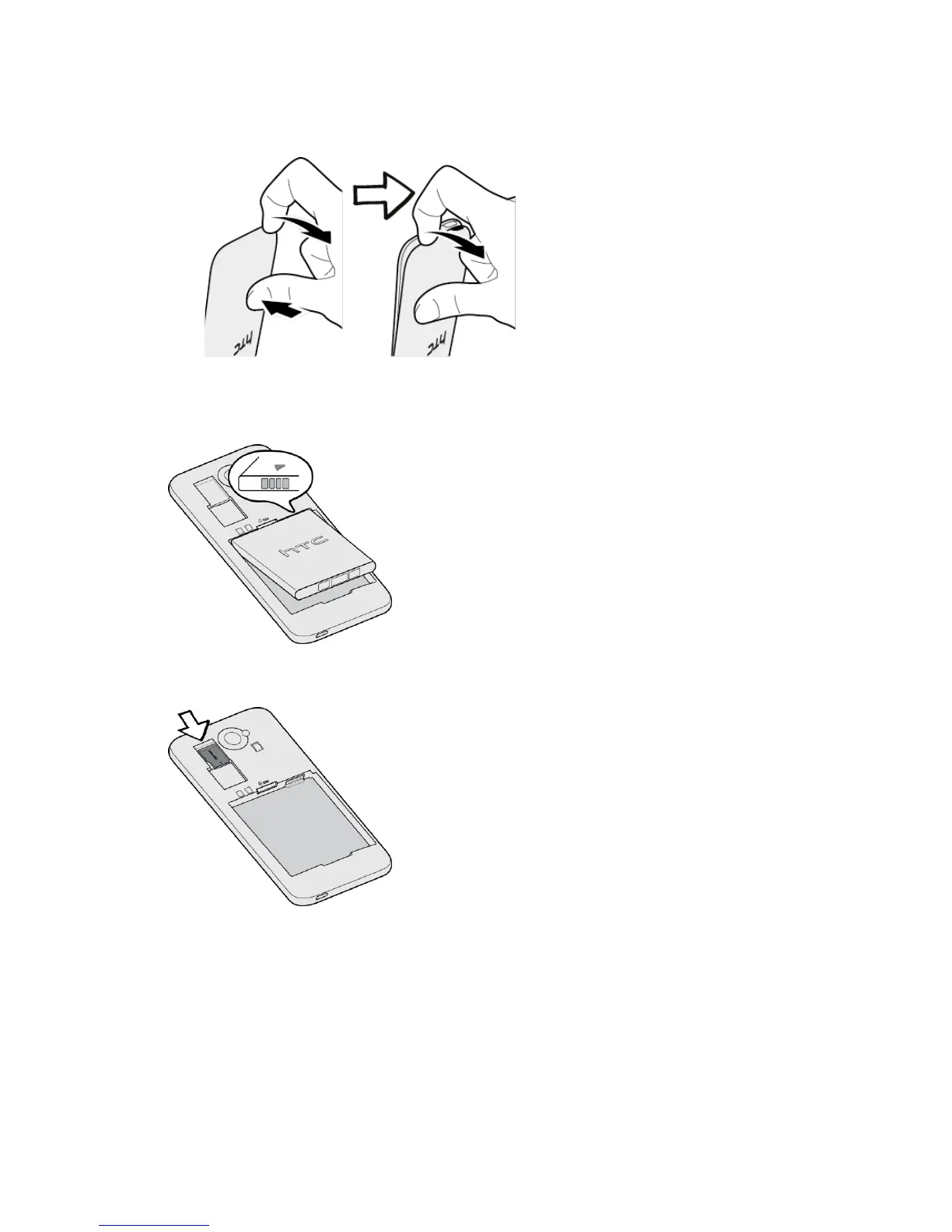
Gently pull the back cover from the bottom and sides of the phone.
2. Insert the battery to the compartment, contacts side first, and then push down the
battery.
3. Install the storage card if you've purchased one. (microSD™ cards are sold separately.)
4. Reinstall the back cover. Align the top part of the back cover with the phone, and then
press the sides and the bottom part of the cover until it locks into place. Make sure that
there are no gaps or bulges along the sides.



 To Next Page