Phone Calls 43
Phone Calls
Your phone's calling features let your enjoy clear phone calls across the country.
Make Phone Calls
There are several convenient ways to place calls from your phone.
Call Using Smart Dial
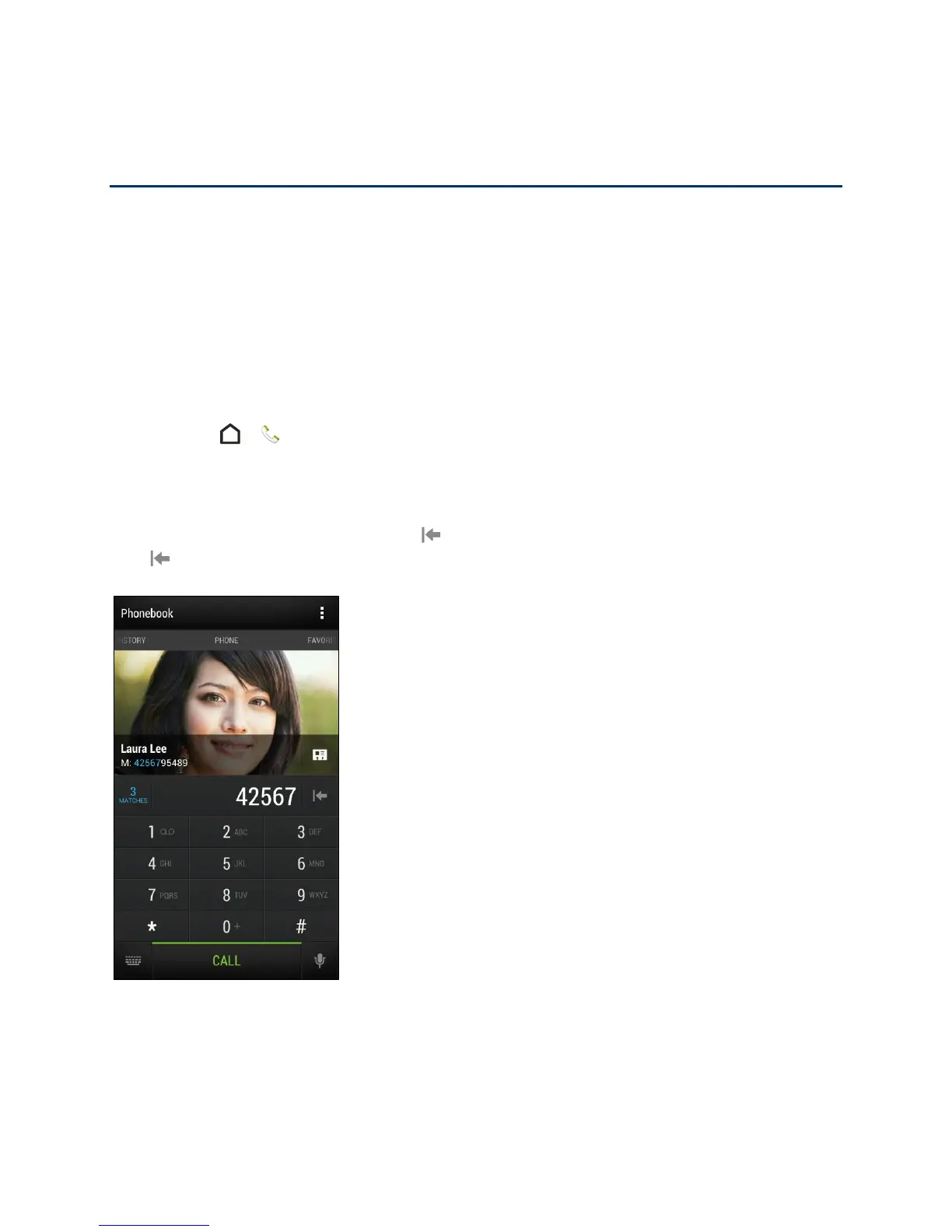
You can either dial a number directly, or use Smart dial to quickly place a call.
Smart dial searches and calls a stored/synced contact or a number from your call history.
1. Touch > to display the phone’s dialer screen.
2. Enter the phone number or first few letters of the contact’s name to see the top matching
contact.
Tip: If you enter an incorrect digit, touch to erase it. To erase the entire number, touch and
hold .
Tip: If there is more than one match, you’ll be told how many matches. For example, touch "3
MATCHES" to see all 3 matches.
3. Touch the contact you want to call.



 To Next Page