EasyManua.ls Logo

HTP Hydra Smart RT-199 - User Manual

HTP Hydra Smart RT-199
73 pages
Print Icon
To Next Page IconTo Next Page
Loading...
Hydra Smart
Tankless Water Heaters
Installation
Start-Up
Maintenance
Parts
Warranty
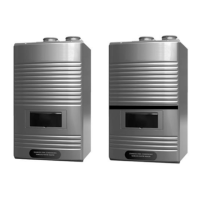
RT-150 / 199* Models
* “LP” Denotes Propane Gas
This manual must only be used by a qualied installer / service technician. Read all instructions in this manual before installing.
Perform steps in the given order. Failure to do so could result in substantial property damage, severe personal injury, or death.
The manufacturer reserves the right to make product changes or updates without notice and will not be held liable for
typographical errors in literature.
NOTE TO CONSUMER: PLEASE KEEP ALL INSTRUCTIONS FOR FUTURE REFERENCE.
272 Duchaine Blvd. New Bedford, MA 02745 www.htproducts.com
lp-505 Rev. 000 Rel. 015 Date 1.7.20
The surfaces of these products contacted by potable (consumable) water contain less than 0.25% lead by weight as required
by the Safe Drinking Water Act, Section 1417.
Improper installation, adjustment, alteration, service, or maintenance could void product warranty and cause property
damage, severe personal injury, or death.
California Proposition 65 Warning: This product contains chemicals known to the State of California to cause cancer, birth
defects, or other reproductive harm.

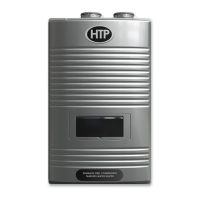
Table of Contents

Other manuals for HTP Hydra Smart RT-199

Questions and Answers

  • R
    Ronald BrownSep 9, 2025
    What does AGM Error mean on my HTP Hydra Smart RT-199?
    • A
      Amy OconnorSep 9, 2025
      If your HTP Water Heater displays an 'AGM Error', press the Power button to clear the Error Code. If the error happens again: * Turn the power OFF and ON at the main power switch internal to the water heater. * Ensure the fan inlet hole is completely open after turning the power OFF and ON. * Check wiring connections to the AGM, ensuring all are secure. * Check AGM operation. * Replace AGM components. If the problem persists, replace the main control.
  • N
    nicolepattersonAug 22, 2025
    What to do if there is a water leak in my HTP Hydra Smart RT-199?
    • S
      Steven SpenceAug 22, 2025
      To address a water leak in your HTP Water Heater (150 models only), first, turn the power off. Next, valve off the water heater to isolate it from the system. Finally, call a qualified installer or service technician to diagnose and repair the source of the leak.
  • G
    Grace BishopSep 7, 2025
    What does 'Burner overheat switch open' mean on my HTP Hydra Smart RT-199?
    • N
      Nancy RamirezSep 7, 2025
      If your HTP Water Heater displays a 'Burner overheat switch open' error, press the Power button to clear the Error Code. If the error happens again: * Check burner overheat switch connections, ensuring connections are secure. * Check switch resistance; if resistance is not zero, replace the switch. If the problem persists, replace the main control.
  • A
    Antonio ThompsonSep 5, 2025
    What to do if my HTP Hydra Smart RT-199 Water Heater shows a 'Poor Communication' error?
    • A
      Austin BishopSep 5, 2025
      If your HTP Water Heater displays a 'Poor Communication' error, the Error Code will disappear when the condition is remedied. If the error happens again: * Check connections from the main control to the display panel. If the problem persists, replace the display and/or the main control.
  • C
    Cynthia AllenSep 3, 2025
    How to fix DIP Switch error on HTP Hydra Smart RT-199 Water Heater?
    • J
      Jessica MooreSep 3, 2025
      If your HTP Water Heater displays a 'DIP Switch is Abnormal' error, the Error Code will disappear when the condition is remedied. If the error happens again: * Check dip switches, ensuring they match the ratings plate requirements of the water heater. See dip switch details in this manual for default settings. If the problem persists, replace the main control.
  • K
    Katelyn CannonSep 1, 2025
    What does 'Register, Ram, Rom, I/O Port, AD Abnormal' mean on HTP Water Heater?
    • K
      keithingramSep 1, 2025
      If your HTP Water Heater displays an error related to 'Register, Ram, Rom, I/O Port, AD Abnormal, Important EPROM Data or Safe Data Abnormal', the Error Code will disappear when the condition is remedied. If the error happens again: * Turn the power OFF and ON at the main power switch internal to the water heater. If the problem persists, replace the main control.
  • N
    Nicholas EllisAug 31, 2025
    How to solve 'Fan Speed too high with flame on' error on HTP Water Heater?
    • G
      gouldsharonAug 31, 2025
      If your HTP Water Heater shows a 'Fan Speed too high with flame on' error, note that the Error Code will disappear unless it occurs five times in ten minutes. Press the Power button to clear the Error Code. If the error happens again: * Check the vent connections for blockages. * Check the burner assembly. * Check fan operation. If the fan appears to be operating normally but RPMs are too low or too high, replace the fan. If the problem persists, replace the main control.
  • W
    wperryAug 30, 2025
    Why is my HTP Hydra Smart RT-199 Water Heater detecting flame before ignition?
    • T
      Tabitha BlakeAug 30, 2025
      If you encounter a 'Flame Signal Detected before Ignition' error on your HTP Water Heater, the Error Code will disappear when the condition is remedied. If the error happens again: * Check the water heater cover, ensuring it is secure, as the flame detection sensor can detect an external light source. * Check the flame detection sensor, ensuring connections are secure. Normal operating settings are more than 2.5DC before ignition, less than 2.5DC after ignition. If the problem persists, replace the main control.
  • N
    Nicole GarciaAug 28, 2025
    What does 'Fan Speed Feedback Signal Abnormal' mean on my HTP Hydra Smart RT-199?
    • D
      Dennis MitchellAug 28, 2025
      If your HTP Water Heater displays a 'Fan Speed Feedback Signal Abnormal' error, the Error Code will disappear when the condition is remedied. If the error happens again: * Check the connections to the fan, ensuring all are secure. * If the fan does not rotate during the ignition sequence, check for 120V power at the fan connection. If 120V power is present at the control, replace the fan. If the blower does not have 120V power, check power at the control. If 120V power is not present at the control, replace the control. If the problem persists, replace the main control.
  • E
    Emily BlakeAug 27, 2025
    How to troubleshoot high exhaust temperature on HTP Hydra Smart RT-199 Water Heater?
    • M
      Michael GrossAug 27, 2025
      If the exhaust NTC on your HTP Water Heater detects a vent temperature greater than 149oF (65oC) (or 190oF [87.8oC] when the High Temp set point is selected), the Error Code will disappear when the condition is remedied. If the error happens again: 1. Check if the dip switch High Fire setting is ON (switches 6 and 7 should be OFF for normal operation). 2. Check the exhaust temperature sensor, ensuring connections are secure. 3. Check the sensor resistance; if resistance is zero, replace the sensor. 4. Check the exhaust vent for blockage. If the problem persists, replace the control or the heat exchanger.

Summary

Foreword

For the Installer

Installations Must Comply With

Lists codes, laws, and regulations for installation.

Part 1 - General Safety Information

A. Operation and Installation Warnings

Crucial safety precautions for operation and installation.

B. Improper Combustion

Information on consequences of improper combustion and air supply.

C. Gas

Instructions for gas supply issues and shut-off valve operation.

D. When Servicing the Water Heating System

Safety guidelines and precautions when servicing the unit.

E. Water Chemistry Requirements

Details on water quality and its impact on appliance function.

F. Freeze Protection

Information on the water heater's freeze protection system.

G. Water Temperature Adjustment and Scalding

Guidance on setting temperature to prevent scalding injuries.

H. High Elevation Installations

Specific considerations for installing the unit at high altitudes.

Part 2 - Before You Start

A. Whats in the Box

Lists all components included with the water heater.

B. Optional Equipment

Details optional accessories available for purchase.

Part 3 - Prepare the Water Heater Installation

A. Locating the Water Heater

Guidelines for selecting a suitable and safe installation location.

B. Leveling

Instructions on ensuring the water heater is installed level.

C. Clearances for Service Access

Specifies minimum clearances required for maintenance.

D. Residential Garage and Closet Installations

Specific precautions for garage and closet installation locations.

E. Exhaust Vent and Intake Pipe

Requirements for the direct vent system and its components.

F. Carbon Monoxide Detectors

Mandates and recommendations for CO detector installation.

G. Prevent Combustion Air Contamination

Guidance on ensuring clean combustion air intake.

H. Removing a Heater from a Common Vent System

Procedures for safely removing an old heater from a shared vent.

J. Wall-Mounting

Instructions and warnings for securely mounting the unit to a wall.

I. Technical Specifications

Part 4 - Water Piping

A. General Plumbing Guidelines

Basic principles and best practices for water piping connections.

B. Backflow Preventer

Requirements and installation of a backflow preventer.

C. Potable Expansion Tank

Explains the need for and installation of an expansion tank.

D. Piping the Water Heater

Specifics on connecting water lines to the heater.

E. Applications

Illustrates various piping configurations and symbols.

F. Circulator Sizing

Tables and charts for sizing circulators based on pressure drop.

G. Pressure Relief Valve

Guidelines for installing and testing the pressure relief valve.

Part 5 - Venting

A. General

Overview of venting requirements for Category IV appliances.

B. Approved Materials for Exhaust Vent and Intake Pipe

Lists acceptable materials and standards for vent systems.

C. Additional Requirements for Installation in Canada

Specific venting regulations applicable to Canada.

D. Exhaust Vent and Intake Pipe Location

Details on required clearances for vent termination points.

E. Exhaust Vent and Intake Pipe Sizing

Guidance on calculating vent pipe diameter and length.

F. Tightening Water Heater Collar to Exhaust Vent and Intake Pipe

Instructions for securely connecting vent pipes to the appliance.

G. Exhaust Vent and Intake Pipe Installation

Procedures and precautions for installing vent and intake piping.

H. Applications

Illustrates various vent termination configurations and kits.

2. Venting Through an Existing System

Methods for venting through existing systems like concentric or chase.

3. Power Venting, Indoor Combustion Air in Confined or Unconfined Space

Requirements for using indoor air for combustion.

I. Common Vent Piping - 199 Model in Cascade Applications Only!

Guidelines for common venting multiple 199 model units.

2. Recommended Exhaust Pipe Transitions

Proper methods for transitioning vent pipes between components.

3. Two (2) Pipe Common Direct Vent Systems

Typical direct venting configurations for common systems.

Part 6 - Installing the Condensate Drain

Part 7 - Connecting Electrical Service

A. Wiring

Guidelines for safe and correct electrical wiring connections.

B. Dip Switches

Configuration of DIP switches for normal operation.

C. Wiring a Cascaded System

Instructions for connecting multiple units in a cascade system.

Part 8 - Gas Connections

A. Gas Pipe Sizing Tables

Charts for determining appropriate gas pipe sizes based on capacity.

B. Gas Connection Requirements

Essential steps and safety checks for gas line connections.

C. Additional Precaution for Excess Flow Valve (EFV)

Important considerations for installing and using an EFV.

D. Checking Gas Pressure at the Water Heater for Proper Operation

Procedures for verifying correct gas pressure levels.

E. Setting and Verifying the Combustion Setting

Steps for adjusting and verifying combustion parameters.

Part 9 - Controls

A. Control and Display Overviews

Explanation of control panel layout and display functions.

B. Start-Up Sequence

Describes the initial power-up sequence and display indicators.

C. Changing the DHW Set-Point

How to adjust the domestic hot water temperature setting.

D. Changing the Temperature Indicator

Method to switch temperature display between Celsius and Fahrenheit.

E. Status Display

Information on accessing and interpreting various operational statuses.

F. Installer Mode

Accessing and using the installer-specific settings and diagnostics.

G. Setting Up a Cascaded System

Steps for configuring multiple water heaters to work together.

Part 10 - Troubleshooting

A. Error Code

Lists error codes and their possible causes and remedies.

B. Error Tree Analysis

Flowcharts to diagnose specific error conditions like flame detection.

C. Suggested Corrective Actions

Provides solutions for common operational problems and symptoms.

Part 11 - Installation Checklist

Part 12 - Maintenance

Part 13 - Replacement Parts

Limited Warranty for Tankless Water Heaters

Customer Installation Record Form

HTP Hydra Smart RT-199 Specifications

General IconGeneral
BrandHTP
ModelHydra Smart RT-199
CategoryWater Heater
LanguageEnglish

Related product manuals