EasyManua.ls Logo

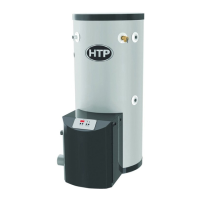
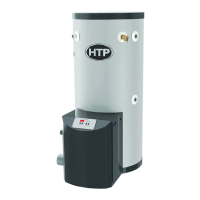
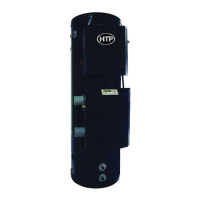
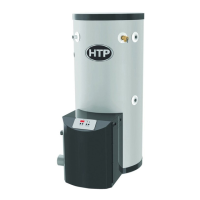
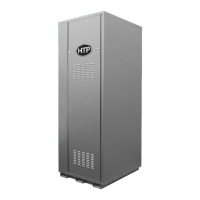
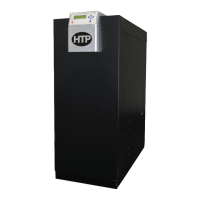
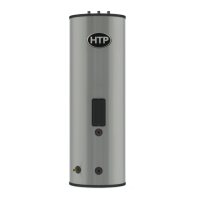
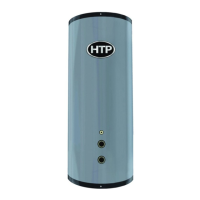
HTP phoenix plus PHP260-119 - User Manual

HTP phoenix plus PHP260-119
45 pages
Print Icon
To Next Page IconTo Next Page
Loading...
Phoenix Plus
Water Heater
Installation
Start-Up
Maintenance
Parts
Warranty
PHP Models*
* “LP” Denotes Propane Gas Operation
This manual must only be used by a qualied installer / service technician. Read all instructions in this manual before installing.
Perform steps in the given order. Failure to do so could result in substantial property damage, severe personal injury, or death.
HTP reserves the right to make product changes or updates without notice and will not be held liable for typographical errors
in literature.
NOTE TO CONSUMER: PLEASE KEEP ALL INSTRUCTIONS FOR FUTURE REFERENCE.
272 Duchaine Blvd. New Bedford, MA 02745 www.htproducts.com
LP-454 Rev. 004 Rel. 002 Date 12.1.17
The surfaces of these products contacted by potable (consumable) water contain less than 0.25% lead by weight as required
by the Safe Drinking Water Act, Section 1417.
Improper installation, adjustment, alteration, service, or maintenance could void product warranty and cause property
damage, severe personal injury, or death.
California Proposition 65 Warning: This product contains chemicals known to the State of California to cause cancer, birth
defects, or other reproductive harm.
This Manual For Use With Water Heaters Manufactured After
April 10, 2017

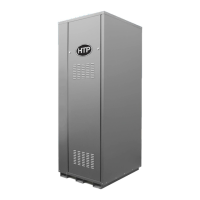
Table of Contents

Questions and Answers

  • L
    Lisa JohnsonAug 18, 2025
    Why does my HTP phoenix plus PHP260-119 show error F09?
    • A
      alexa72Aug 18, 2025
      The F09 error on your HTP Water Heater could be due to several reasons. First, watch the igniter through the observation window. If there's no spark, check the spark electrode for the proper 1/4” gap. Remove any corrosion from the spark electrode and flame rectifier probe. If there is a spark but no flame, check the gas supply. If there is a flame, check the flame sensor. Also, check for any flue or condensate blockages.
  • T
    Tricia CoxAug 20, 2025
    What to do if HTP phoenix plus PHP260-119 Water Heater displays F00?
    • K
      Kara ClayAug 21, 2025
      If your HTP Water Heater displays F00, first try to reset it. If the error repeats, create a demand for hot water with caution to prevent burn injury. If water is above 194°F, test the upper and lower temperature sensors with an ohmmeter, comparing to the resistance chart. Replace any bad sensor. If the water is below 194°F, test the high-temperature switch and wiring with an ohmmeter; the switch should be closed. If not, replace the switch. If the heater resets successfully, check the upper and lower temperature sensors in the status menu. If a reading doesn't make sense, check the sensor with an ohmmeter and replace if necessary. Also, perform an OHMs reading on both sensors to check continuity.
  • K
    Kelly TaylorAug 23, 2025
    What does F01 mean on my HTP phoenix plus PHP260-119 Water Heater?
    • S
      swalkerAug 23, 2025
      If your HTP Water Heater is showing F01, begin by inspecting all flue piping for damage or overheating signs; repair or replace parts as needed. If the flue is intact, push the red reset button on the flue switch. Ensure the heater is connected to a water supply and full of water. Then, push the RESET button on the control panel to light the heater. If it doesn't light and F01 reappears, check the wiring to the flue switch, repairing or replacing it if necessary. If the wiring is intact, replace the flue switch, mounting it in the same position as the old one. If the heater lights, observe operation for 5 minutes, using an exhaust analyzer to ensure the exhaust temperature remains below 190°F. If the temperature is below 190°F and F01 reappears, replace the flue switch as before.
  • J
    Janet King DDSAug 26, 2025
    What to do if HTP phoenix plus PHP260-119 Water Heater shows error F10?
    • J
      Jason DavidsonAug 26, 2025
      If your HTP Water Heater shows error F10, monitor the gas pressure during operation and ensure the flame is stable. Check if the green light on the display module is off while the heater is running. If it doesn't come on or goes off, check the flame signal in the status menu. If the signal reads less than 1 microampere, clean the flame rectifier probe. If it continues to read low, replace the probe.
  • I
    iharrisonAug 30, 2025
    How to troubleshoot the F11 error on an HTP phoenix plus PHP260-119 Water Heater?
    • M
      Mark GreenAug 30, 2025
      To troubleshoot the F11 error on your HTP Water Heater, first turn off the gas at the service valve. If the flame signal is still present, replace the igniter. If the flame signal is not present after turning off the gas supply, check the gas valve electrical connection. If there is no power to the gas valve, remove the valve and check for obstructions in the valve seat, or replace the gas valve. After taking corrective action, turn the gas back on at the service valve.
  • L
    Lori BeckSep 1, 2025
    What does FLU mean on HTP Water Heater?
    • J
      jeffrey71Sep 2, 2025
      If your HTP Water Heater displays 'FLU', check the flue vent to ensure it is not blocked or damaged. Also, check the blocked vent pressure switch operation by applying a jumper. If the switch isn't functioning correctly, replace it.
  • P
    Priscilla CallahanSep 3, 2025
    How do I fix the F02 error on my HTP phoenix plus PHP260-119 Water Heater?
    • J
      Joel MendozaSep 4, 2025
      To fix the F02 error on your HTP Water Heater, first check the electrical connection to the appropriate temperature sensor. If the connection is intact, replace the sensor.
  • M
    Michael AndersonSep 6, 2025
    How to fix the F05 error on an HTP phoenix plus PHP260-119 Water Heater?
    • K
      Kenneth GordonSep 6, 2025
      To resolve the F05 error on your HTP Water Heater, if the water in the tank is less than 194°F, start by checking the wiring for damage and repair if necessary. If the wiring is intact, check the appropriate sensor with an ohmmeter and compare the reading to Table 15. If the reading does not agree with the water temperature, replace the sensor.
  • T
    timothy68Sep 8, 2025
    How to resolve the LEO error on an HTP phoenix plus PHP260-119 Water Heater?
    • T
      Tina JohnsonSep 8, 2025
      To resolve the LEO error on your HTP Water Heater: * Ensure all air is bled from the system. * Inspect the low-level switch and its wiring for any damage, and repair if necessary.
  • L
    lfordSep 12, 2025
    How do I troubleshoot error code E13 on my HTP Water Heater?
    • C
      Christine PorterSep 12, 2025
      To troubleshoot the E13 error code on your HTP Water Heater: * Check the blower wiring, ensuring all wires are plugged in and undamaged. * If the wiring is intact, replace the blower. * If the problem persists, replace the control board.

HTP phoenix plus PHP260-119 Specifications

General IconGeneral
BrandHTP
Modelphoenix plus PHP260-119
CategoryWater Heater
LanguageEnglish

Related product manuals