Workout monitoring
Running form monitoring
1 Switching to Foot mode
a Download the Huawei Health app and pair your band with your phone when using the
band for the
rst time.
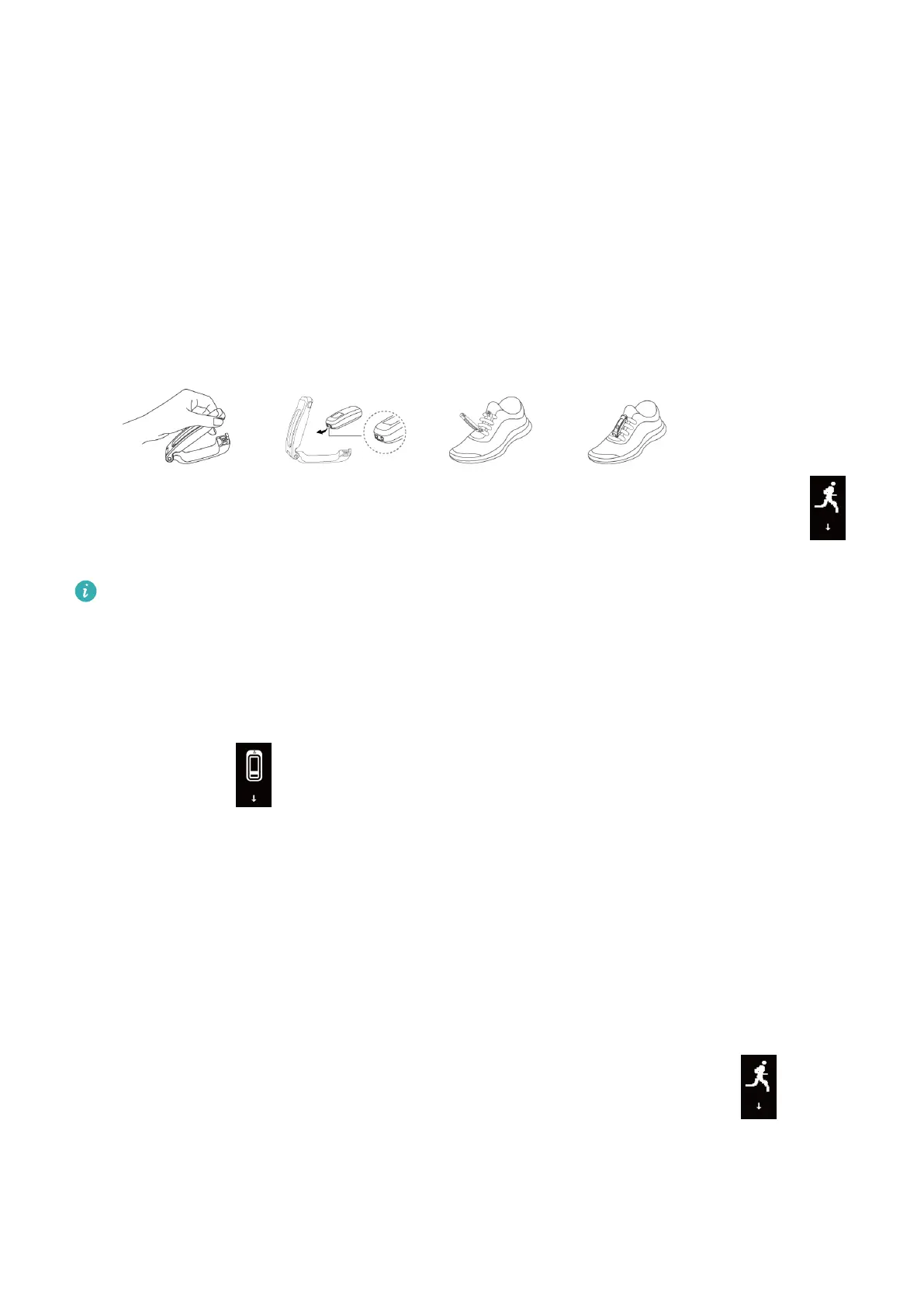
b Pinch the buttons on either side of the shoe attachment to open it. Insert the body in
the top of the case, align the metal contacts of the band body with those on the shoe
attachment. Buckle the attachment, then loop your laces through the space behind the
band body and tie it to your shoe.
c Then band will automatically switch to Foot mode and a running startup screen
will be displayed.
1 For more accurate results, make sure the device is resting on the top and near the
middle of your laces.
2 Please tighten the shoe buckle and note that fastening the shoe buckle around too
many or few laces may cause the shoe buckle to become too loose.
3 You can also open the Huawei Health app, touch Devices, touch Wearing mode, and
set Wearing mode to Manual. In Wrist mode, tap the touch key on the band screen
to enter the screen, then tap and hold the touch key to switch to Foot mode.
4 The running form monitoring is a feature powered by algorithm that is specially
designed for running in Foot mode and oers seven types of professional running
form data. Wear the device on your shoe when running to get the most ecient and
accurate data.
2 Monitoring running form
Method 1: Starting a running session using your band.
The band can record your running data during the workout even when it is not connected
to your phone. You can simply connect your band to the phone using the Huawei Health
app after the running session to sync data between both devices.
a Start running: Tap and hold the touch key on the running startup screen on the
band.
b Stop running: Tap and hold the touch key on the band to stop running.
c Sync data: Ensure that the band is connected to the phone using the Huawei Health
app for the data to be synced automatically. You can also swipe down on the home
9



 To Next Page