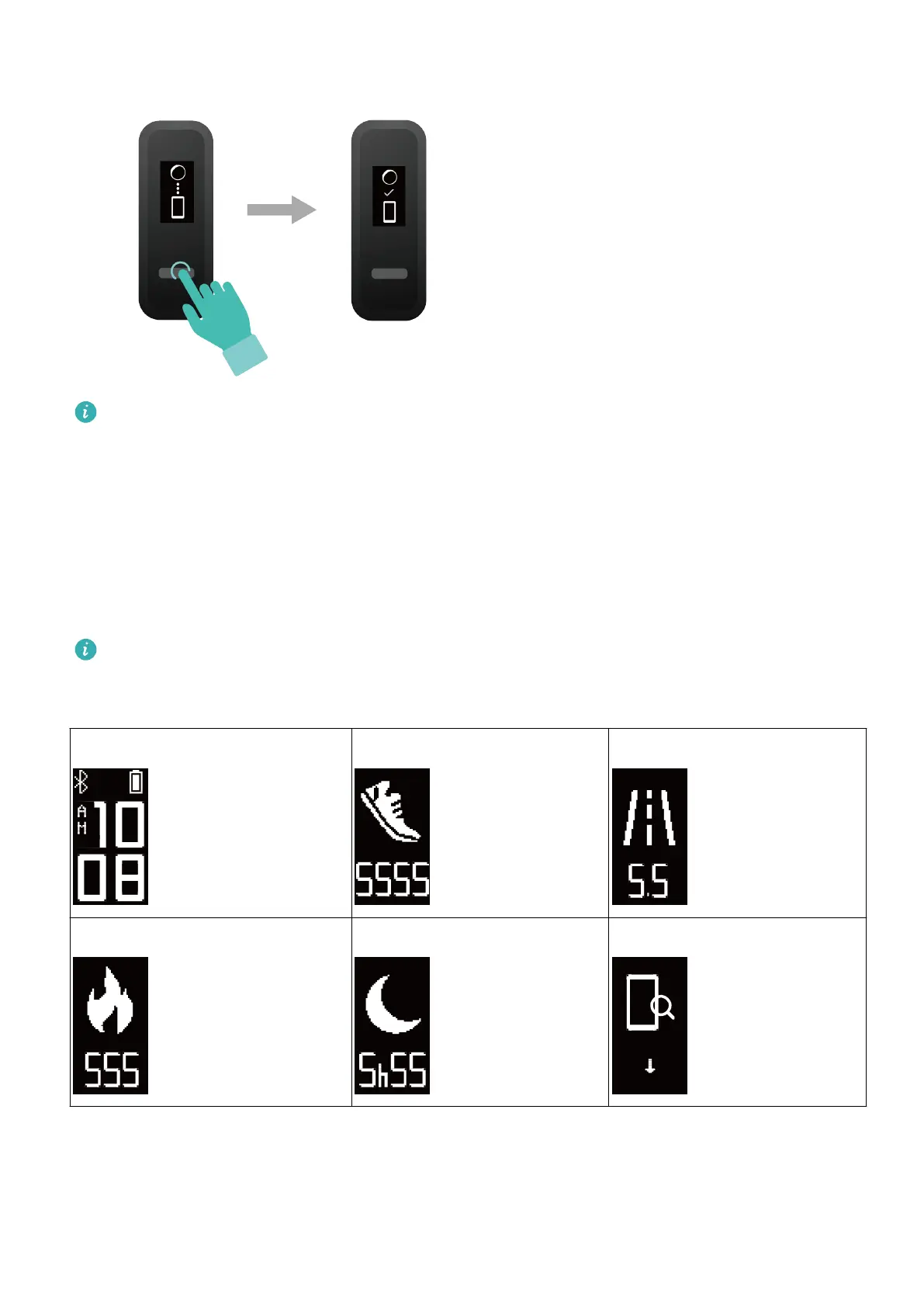
• Your band will display an icon on the screen to inform you that the pairing is
successful. It will then receive information (such as the date and time) from your
phone.
• Otherwise, your band screen will display an icon to inform you that pairing was
unsuccessful. It will then return to the startup screen.
Icons
The icons may vary depending on the band version. The following information is for
reference only.
Wrist mode:
Time Steps Distance
Calories Sleep time Find phone
Getting started
3



 To Next Page