Method 2: Viewing data in the Huawei Health app
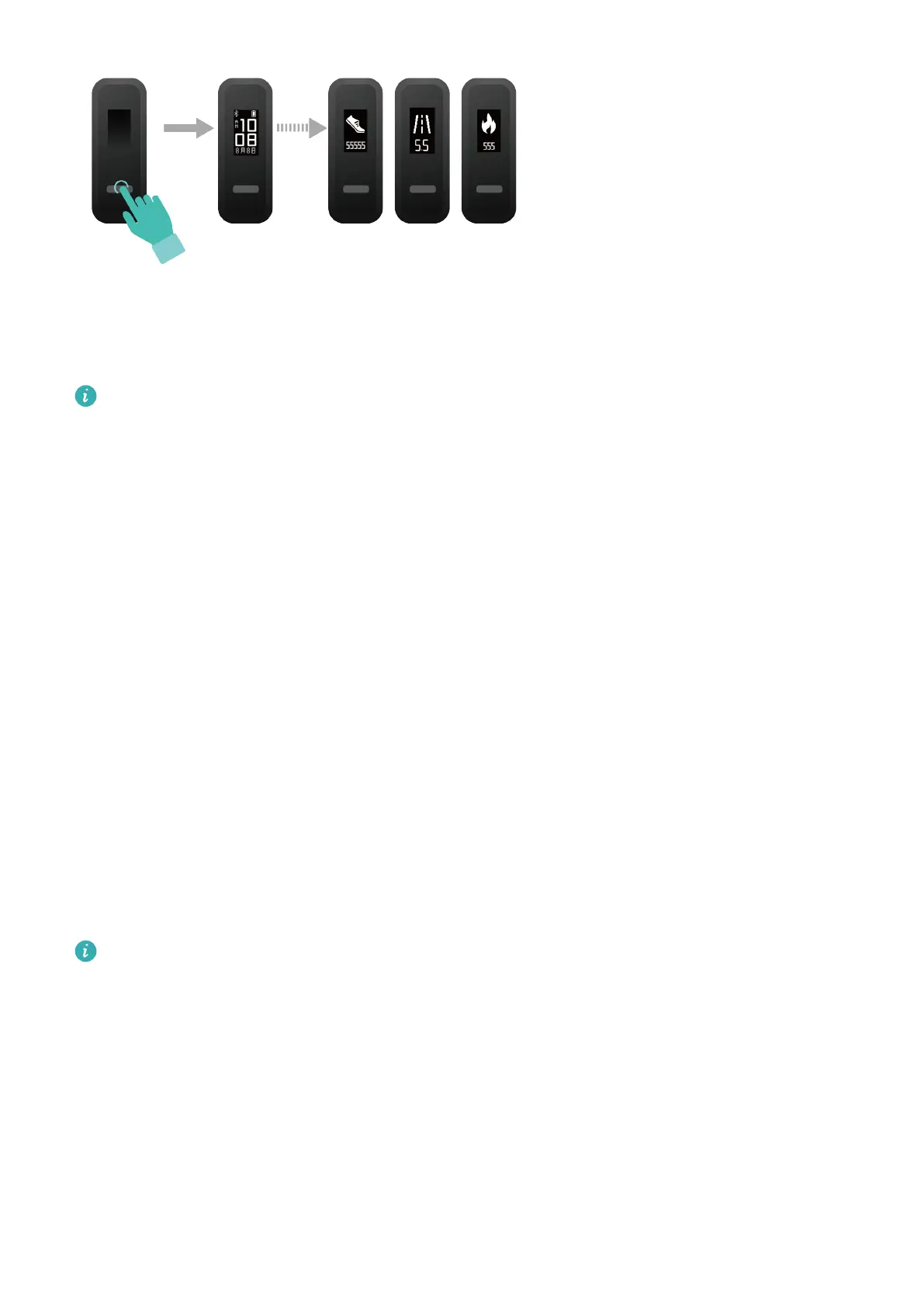
Open the Huawei Health app, touch Devices then your device name, then you can view the
step count, calories burnt, and distance.
To view your workout data in the Huawei Health app, ensure that the band is connected
to your phone using the Huawei Health app.
Dual device connection
You are able to connect a band in Foot mode and another Huawei/Honor wearable device to
your phone using the Huawei Health app. The second device must support heart rate
monitoring. After both devices are connected, your band is used as a running form
monitoring device while the other wearable device is used as a heart rate monitoring device.
1 Connect your band to your phone using the Huawei Health app. Secure the band body to
the shoe buckle and the band will automatically switch to Foot mode.
2 Connect the band to the phone using the Huawei Health app and connect another
Huawei/Honor wearable device to the phone using the Huawei Health app.
3 Start a run in the Huawei Health app and ensure that both the two devices have been
connected to the Huawei Health app. The actual screen may vary depending on the device
model.
4 Touch the stop icon to stop the run in the Huawei Health app.
5 You can then view detailed workout data under Exercise records in the Huawei Health
app.
• The dual device connection feature is only available on phones running on Android 4.4
or later.
• The following bands support Foot mode: HUAWEI Band 4e, HONOR Band 5 Sport,
HONOR Band 4 Running, and HUAWEI Band 3e.
• The number of wearable devices that can be connected to the band in Foot mode will
increase continuously. The actual product specications may vary. Currently, the
following bands support dual device connection: HUAWEI Band 4, HONOR Band 5i,
HONOR Band 3, HONOR Band 4, HONOR Band 5, HUAWEI Band 5, HUAWEI Band B5,
HUAWEI Band 3 Pro, HUAWEI Band 3, HUAWEI Band 4 Pro, HONOR Band 6, HUAWEI
WATCH GT series and HONOR Watch series.
Workout monitoring
13



 To Next Page