Health management
Activity reminders
When Activity reminder is enabled, your band will monitor your activity throughout the day
in increments (1 hour by default). Your band will vibrate and the screen will turn on to
remind you to take a moment to get up and move around.
To disable Activity reminder, open Huawei Health, touch Devices then your device name,
touch Health monitoring and disable Activity reminder.
• Your band will not vibrate to remind you to move around if you have enabled Do Not
Disturb on your band.
• Your band will not vibrate if it detects that you are asleep.
• Your band will only send reminders between 8:00 AM to noon and from 2:00 to 10:00
PM.
Sleep tracking
Your band can automatically record your sleep data while you are asleep and determine your
sleep status, such as a deep or light sleep, or if you woke up.
Your band collects your sleep data from 20:00 to 20:00 the next day. So if you sleep for 11
hours from 19:00 to 06:00 the next day, your band will count the length of your sleep time as
10 hours because you went to sleep before 20:00.
Wear your band so it ts comfortably for you to obtain accurate sleep data. It is
recommended that you wear it quite tightly. When you are not using the band, lay it
sideways on a at surface. Avoid covering the back of the band.
You can use either of the following methods to check your sleep data:
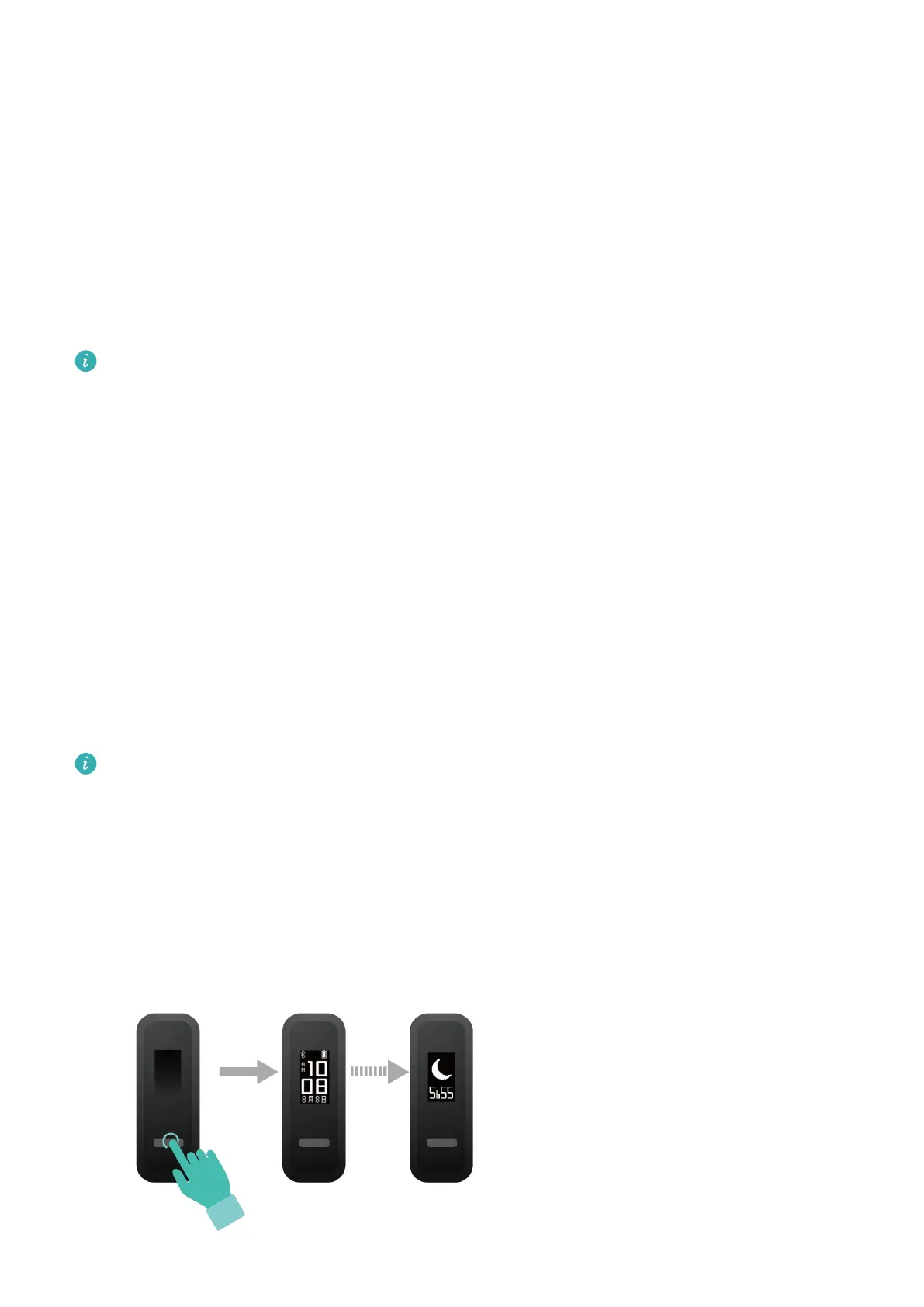
Method 1: Viewing your sleep data on your band.
Make sure that you are wearing the band on your wrist. Tap the touch key below the screen
to access and view your sleep data.
18



 To Next Page