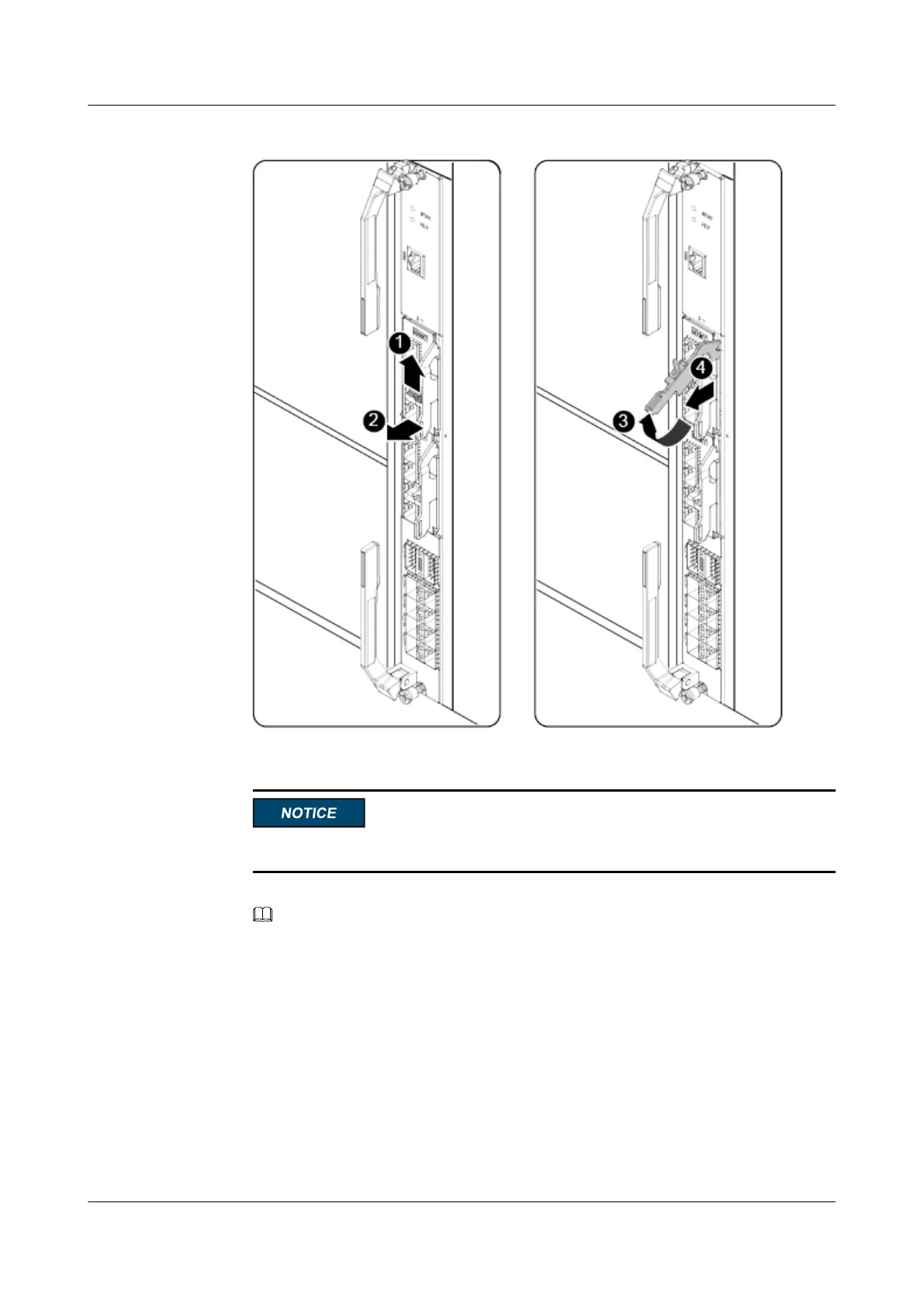
Figure 3-22 Removing a PIC card
2. Lower the PIC card handle. See (3) and (4) in Figure 3-22.
An ESD bag can hold only one PIC card.
3. Place the removed PCIe card in an ESD bag.
NOTE
If you do not install a new PIC card immediately, install a PIC card filler panel.
Step 8 Install a PIC card filler panel.
1. Raise the handle on the PIC card filler panel completely and push the PIC card filler
panel horizontally into the PIC slot. See (1), (2), and (3) in Figure 3-23.
CX320 Switch Module
User Guide
3 Installing and Removing the CX320
Issue 09 (2019-08-02) Copyright © Huawei Technologies Co., Ltd. 49



 To Next Page