You have obtained the following data:
l IP address of the remote host to be connected
l User name and password for logging in to the remote host to be connected
Software
WinSCP.exe: a free software available on the Internet.
Procedure
Step 1 Open the WinSCP folder, and double-click WinSCP.exe.
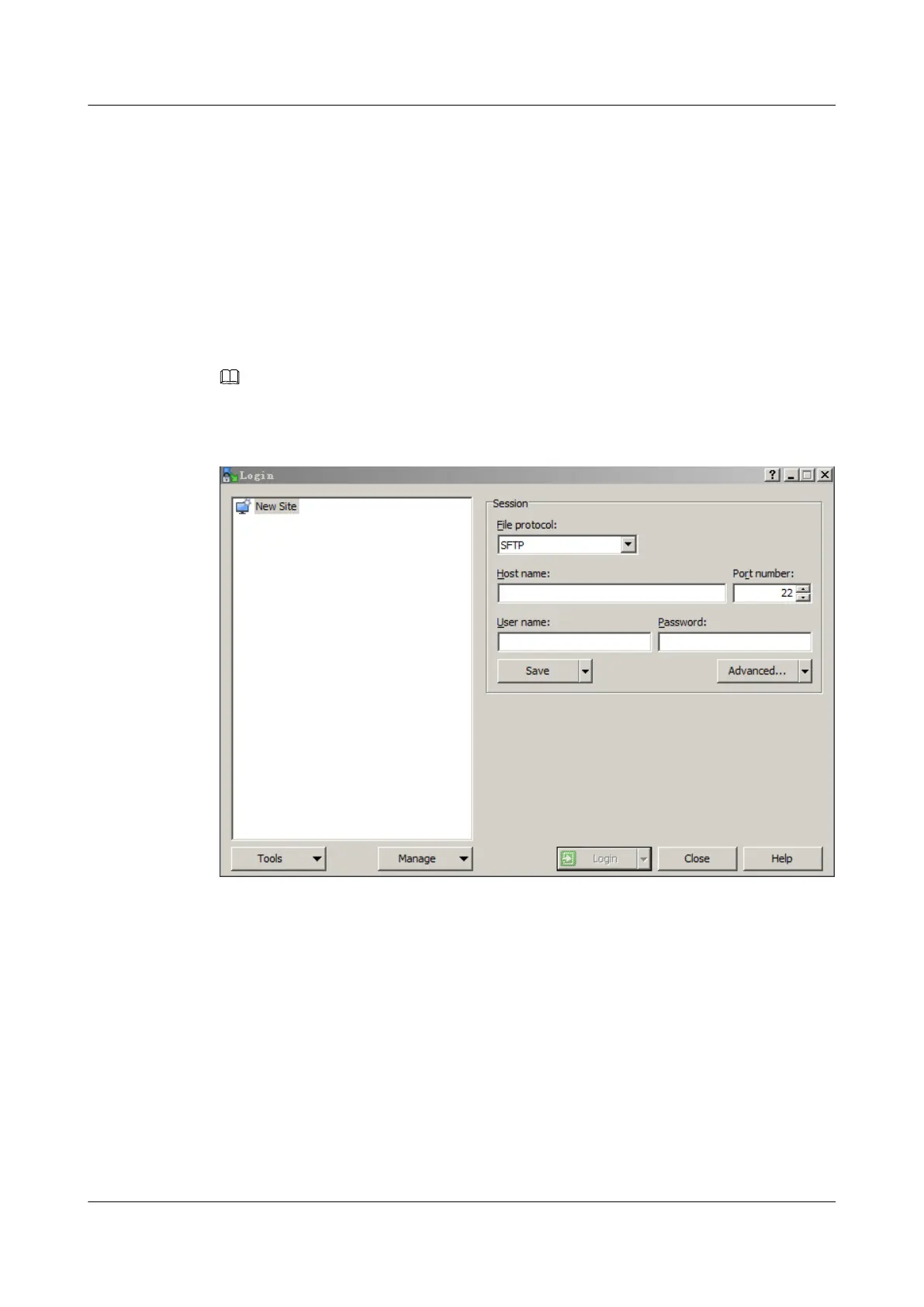
The WinSCP Login dialog box is displayed, as shown in Figure 3-9.
NOTE
To change the UI language, click Languages.
Figure 3-9 WinSCP login
Step 2 Set the login parameters.
The parameters are described as follows:
l Host name: Enter the IP address of the remote host to be connected. For example,
191.100.34.32.
l Port number: The default value is 22.
l User name: Enter the user name. For example, admin.
l Password: Enter the password.
Step 3 Click Login.
The WinSCP file transfer window is displayed.
ES3000 V3 NVMe PCIe SSD
User Guide
3 Installation and Configuration
Issue 20 (2019-02-27) Copyright © Huawei Technologies Co., Ltd. 31








 To Next Page