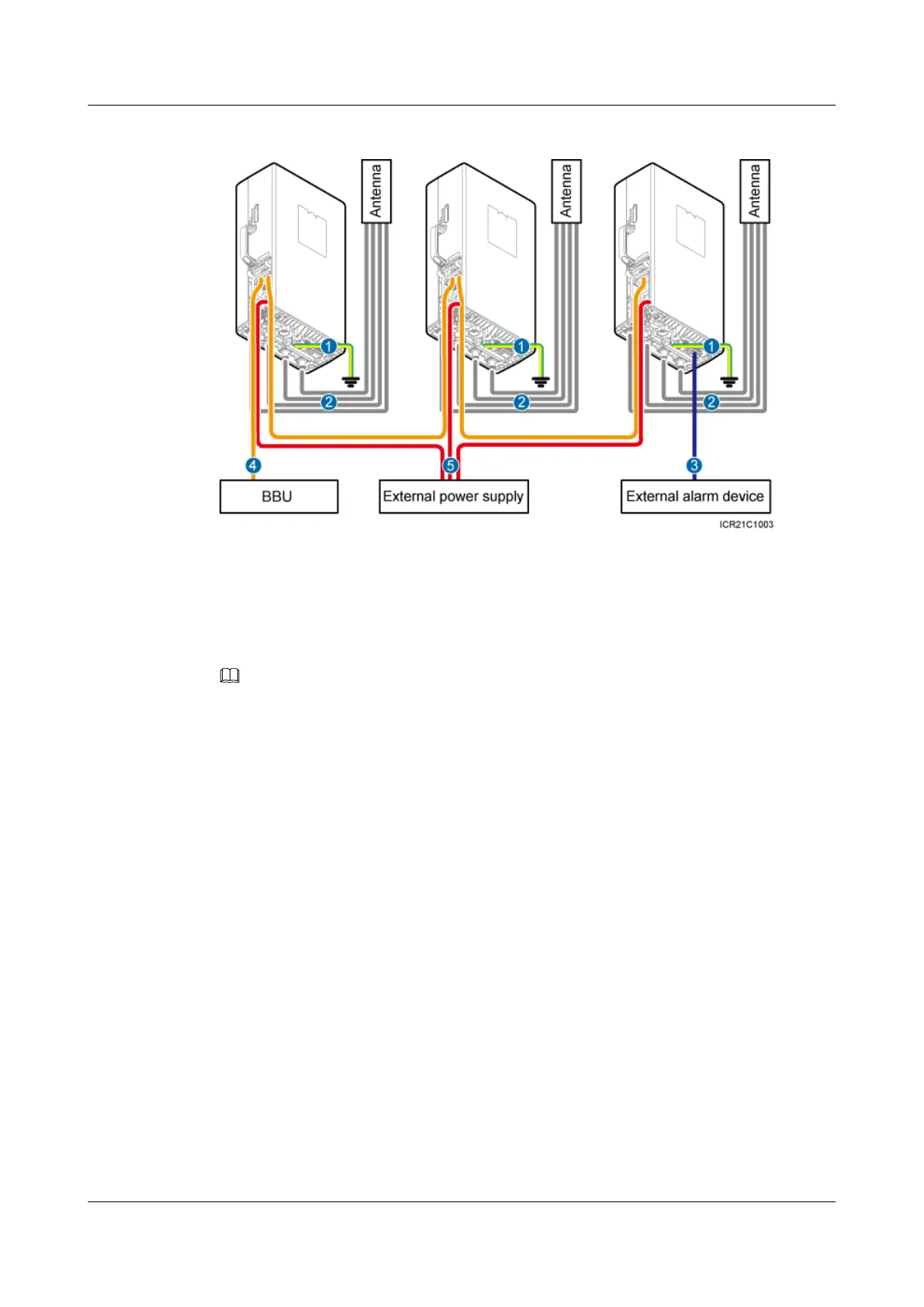
Figure 7-3 Cable connections for multiple RRUs (1)
(1) PGND cable (2) RRU RF jumper (3) RRU alarm cable
(4) CPRI fiber optic cable/SFP high-speed cable for cascaded
RRUs
(5) RRU power cable -
NOTE
If you must cascade two or more RRUs in the same cell, for example, when expanding capacity, install the
alarm cable to the last RRU.
Figure 7-4 shows the cable connections for multiple RRUs when the RET function is performed.
RRU3232
Installation Guide 7 Installing RRU Cables
Issue 05 (2011-10-20) Huawei Proprietary and Confidential
Copyright © Huawei Technologies Co., Ltd.
62



 To Next Page