SUN2000-4.95KTL-JPL0
User Manual
Copyright © Huawei Technologies Co., Ltd.
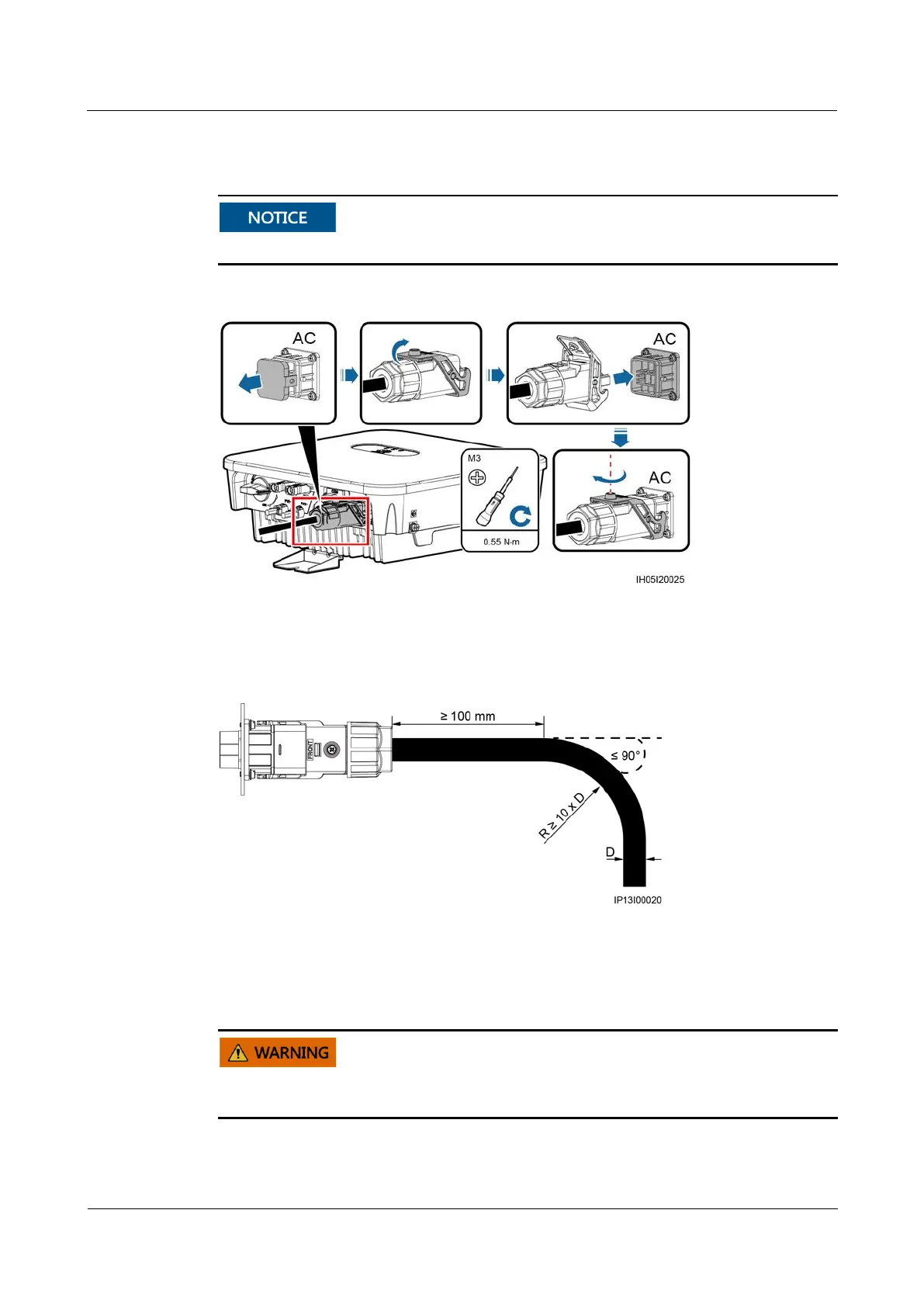
Step 2 Connect the AC connector to the AC output port.
Ensure that the AC connector is connected securely.
Figure 5-6 Securing an AC connector
Step 3 Check the route of the AC output power cable.
Figure 5-7 Cabling requirements
----End
Follow-up Procedure
Before removing the AC connector, ensure that the DC switch at the bottom of the solar
inverter and all the switches connecting to it are set to OFF position.
To remove the AC connector from the solar inverter, perform the operations in reverse order.










 To Next Page