SUN2000-4.95KTL-JPL0
User Manual
Copyright © Huawei Technologies Co., Ltd.
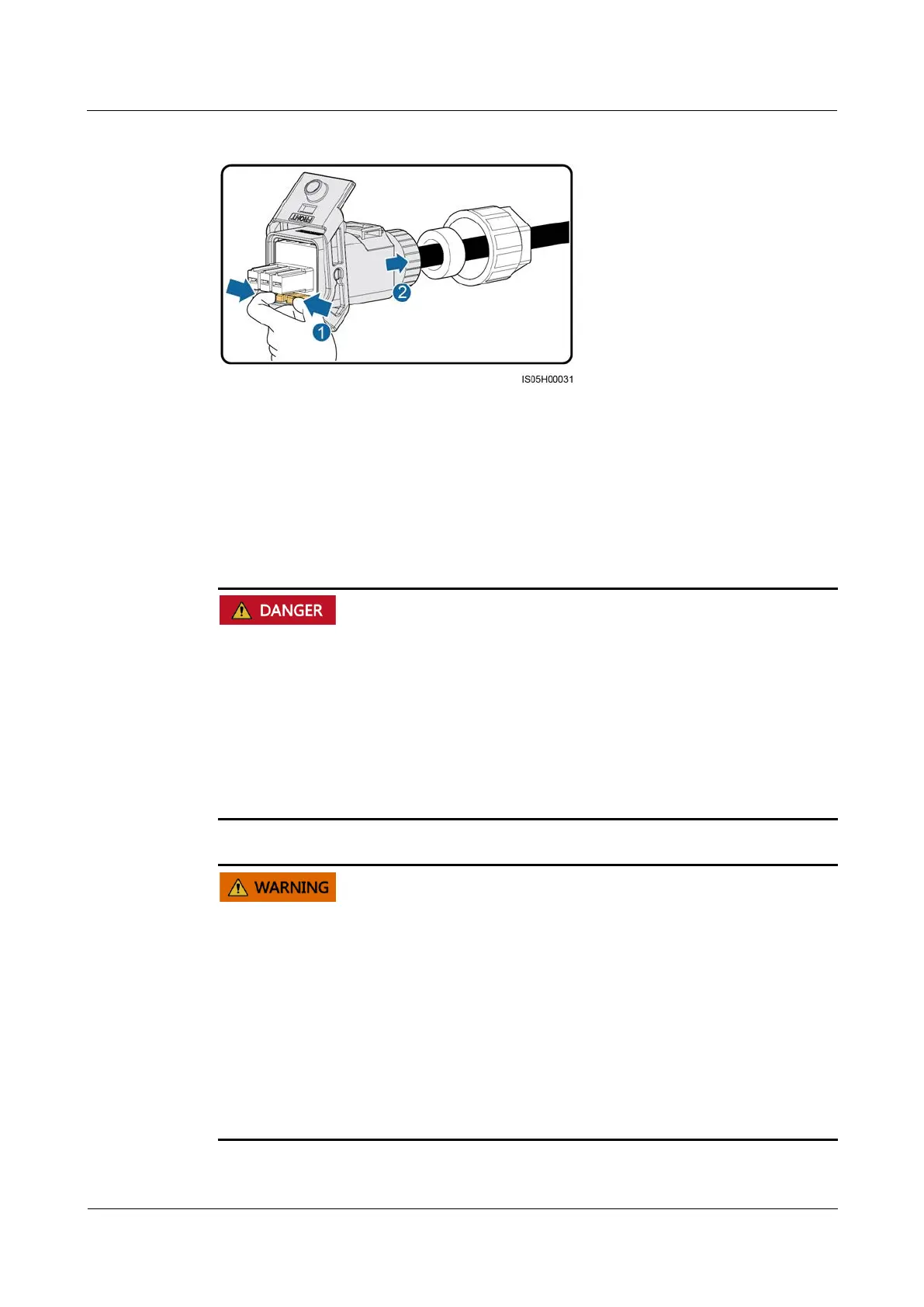
Figure 5-8 Removing a plug insert
5.4 Installing DC Input Power Cables
Prerequisites
Before connecting the DC input power cables, ensure that the DC voltage is within the
safe range (lower than 60 V DC) and that the DC switch on the solar inverter is set to OFF.
Failing to do so may result in electric shocks.
When the solar inverter is operating, it is not allowed to work on the DC input power
cables, such as connecting or disconnecting a PV string or a PV module in a PV string.
Failing to do so may cause electric shocks.
If no PV string connects to a DC input terminal of the solar inverter, do not remove the
watertight cap from the DC input terminal. Otherwise, the IP rating of the solar inverter
will be affected.
Ensure that the following conditions are met. Otherwise, the solar inverter may be damaged,
or even a fire could happen.
The open-circuit voltage of each PV string is always lower than or equal to 600 V DC.
The polarities of electric connections are correct on the DC input side. The positive and
negative terminals of a PV module connect to corresponding positive and negative DC
input terminals of the solar inverter.
If polarity of the DC input power cables is reversed, do not turn off the DC switch
immediately or unplug positive and negative connectors. Wait until the solar irradiance
declines at night and the PV string current drops below 0.5 A. Then, turn off the DC switch,
remove the positive and negative connectors, and rectify the connection of the DC input
power cables.










 To Next Page