EasyManua.ls Logo

Huawei SUN3KTL-L1 - User Manual

Huawei SUN3KTL-L1
122 pages
Print Icon
To Next Page IconTo Next Page
Loading...
SUN2000-(2KTL-6KTL)-L1
User Manual
Issue 04
Date 2021-04-01
HUAWEI TECHNOLOGIES CO., LTD.

Table of Contents

Questions and Answers

  • S
    Sarah BrownSep 23, 2025
    What to do if Huawei SUN3KTL-L1 Inverter displays Grid-tied/Off-grid Controller Abnormal?
    • J
      Joshua DavisSep 23, 2025
      If your Huawei Inverter displays a Grid-tied/Off-grid Controller Abnormal message, it means the inverter isn't communicating with the Smart Backup Box. Follow these steps: 1. Send a shutdown command on the app. Turn off the AC output switch, DC input switch, and battery switch. 2. Check whether the power cable and RS485 cable between the Smart Backup Box and the inverter are normal. 3. After 5 minutes, turn on the battery switch, AC output side, AC output switch, and DC input switch.
  • M
    Mike VazquezAug 25, 2025
    How to fix low insulation resistance on Huawei SUN3KTL-L1 Inverter?
    • N
      nicoleperezAug 25, 2025
      A low insulation resistance error on your Huawei Inverter indicates a potential short circuit between the PV array and the ground, or damp ambient air causing poor insulation. Check the output impedance of the PV array to ground for shorts or insulation issues and rectify them. Also, ensure the PE cable of the SUN2000 is correctly connected. If the impedance is lower than the specified protection threshold in rainy or cloudy conditions, adjust the insulation resistance protection settings using the mobile app, SmartLogger, or NMS.
  • T
    tammyclarkAug 25, 2025
    Why is the string input voltage high on my Huawei SUN3KTL-L1 Inverter?
    • S
      Sherry BullockAug 26, 2025
      A high string input voltage on your Huawei Inverter means the PV array isn't configured correctly. Too many PV modules are serially connected, causing the open-circuit voltage to exceed the SUN2000's maximum operating voltage. Check the serial connection configuration of the PV string to ensure the open-circuit voltage doesn't exceed the SUN2000's maximum. Correcting the PV array configuration should resolve the alarm.
  • J
    Jessica RomeroAug 27, 2025
    What causes Grid Undervoltage on a Huawei Inverter?
    • R
      Rodney MasonAug 27, 2025
      Grid undervoltage on a Huawei Inverter happens when the grid voltage falls below the lower threshold or the low voltage duration exceeds the LVRT (low voltage ride-through) value. If this occurs occasionally, the power grid may be temporarily abnormal, and the SUN2000 will automatically recover. If it occurs frequently, verify that the power grid voltage is within the allowed range. If it is not, contact your local power operator. If the voltage is within range, adjust the grid undervoltage protection threshold using the mobile app, SmartLogger, or network management system (NMS), after getting approval from the local power operator. Also, check the connection between the AC switch and the output power cable if the problem persists.
  • J
    James WhiteAug 27, 2025
    How do I troubleshoot Grid Overvoltage on a Huawei SUN3KTL-L1 Inverter?
    • J
      Jonathan DeleonAug 27, 2025
      Grid overvoltage on a Huawei Inverter means the grid voltage is exceeding the higher threshold, or the high voltage duration has surpassed the HVRT (high voltage ride-through) value. If this happens occasionally, it could be a temporary power grid issue, and the SUN2000 should recover automatically. If it happens frequently, check if the power grid voltage is within the allowed range; if not, contact the local power operator. If the voltage is within range, you can modify the grid overvoltage protection threshold using the mobile app, SmartLogger, or NMS with the local power operator's consent. Also, check if the peak voltage of the power grid is too high. If the problem persists, contact the power operator.
  • C
    Charles CampbellSep 15, 2025
    What to do when Huawei SUN3KTL-L1 Inverter displays Battery Abnormal?
    • K
      katherine42Sep 15, 2025
      If your Huawei Inverter shows a Battery Abnormal message, it means the battery is faulty, disconnected, or the battery circuit breaker is OFF during battery operation. Here are some steps to take: 1. If the battery fault indicator is steady on or blinking, contact the battery supplier. 2. Check that the battery enabling/power/communications cable is correctly installed, and that the communications parameters are the same as the SUN2000 RS485 configurations. 3. Check that the auxiliary power switch on the battery is set to ON. 4. Send a shutdown command on the app. Turn off the AC output switch, DC input switch, and battery switch. Then turn on the battery switch, AC output switch, and DC input switch in sequence after 5 minutes.
  • M
    Melissa Harris DDSSep 12, 2025
    How to troubleshoot Faulty Power Collector on Huawei SUN3KTL-L1?
    • J
      Joseph BrownSep 13, 2025
      If your Huawei Inverter reports a Faulty Power Collector, it means the smart power sensor is disconnected. Here's how to troubleshoot: 1. Check that the configured power meter model matches the actual model. 2. Verify that the communications parameters for the smart power sensors match the SUN2000 RS485 configurations. 3. Ensure that the smart power sensor is powered on and that the RS485 communications cable is connected.
  • A
    Ashley SanchezSep 14, 2025
    What causes Off-grid output overload on Huawei SUN3KTL-L1?
    • S
      Scott RodriguezSep 14, 2025
      An Off-grid output overload on a Huawei Inverter indicates that the output is either overloaded or short-circuited. Check whether the device output is short-circuited and whether the device load configuration exceeds the rated value.
  • D
    douglas75Sep 5, 2025
    What does Abnormal Residual Current mean on Huawei Inverter?
    • C
      Charles WilliamsSep 5, 2025
      An Abnormal Residual Current warning on your Huawei Inverter means the insulation impedance on the input side to PE is decreasing during operation. If the alarm occurs occasionally, the external circuit may be temporarily abnormal, and the SUN2000 will automatically recover. If the alarm occurs frequently or persists, check whether the impedance between the PV string and the ground is too low.
  • D
    Devon CastilloSep 2, 2025
    Why does my Huawei Inverter show Grid Underfrequency?
    • W
      William CabreraSep 3, 2025
      A Grid Underfrequency error on your Huawei Inverter indicates a power grid issue where the actual grid frequency is lower than the standard requirement for the local power grid. If the alarm occurs occasionally, the power grid may be temporarily abnormal; the SUN2000 will automatically recover. If the alarm occurs frequently, check whether the power grid frequency is within the allowed range. If it is not, contact the local power operator. If it is, modify the grid underfrequency protection threshold through the mobile app, SmartLogger, or NMS with the consent of the local power operator.

Summary

About This Document

Purpose of Document

Document describes SUN2000 installation, electrical connection, commissioning, maintenance, and troubleshooting.

Intended Audience

Document is applicable to Installers and Users.

Symbol Conventions

Defines symbols used in the document for hazards and notices.

Safety Information

General Safety Precautions

Before installing, operating, and maintaining, read this document and observe all safety instructions.

Personnel Requirements

Outlines qualifications and training needed for personnel installing or maintaining equipment.

Electrical Safety

Covers grounding requirements, general electrical safety, and AC/DC power precautions.

Mechanical Safety Guidelines

Details safety precautions for using ladders and handling heavy objects.

Commissioning Safety

Ensures professional personnel set parameters correctly for initial power-on.

Maintenance and Replacement Safety

Safety precautions for maintaining and replacing equipment, including powering off.

Product Introduction

Product Overview

Introduces the SUN2000 as a single-phase grid-tied string inverter and lists product models.

Component Description

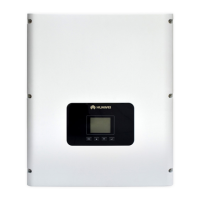
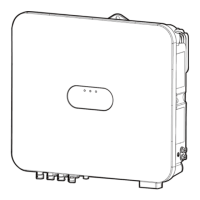
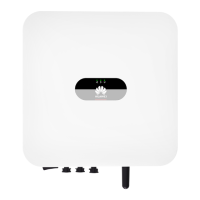
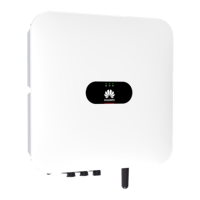
Details the appearance and components of the SUN2000 unit.

Label Description

Explains the meaning of various enclosure labels and warnings.

Working Principles

Explains the schematic diagram and how the SUN2000 converts DC to AC power.

SUN2000 Storage

System Installation

Checking Before Installation

Guides on checking outer packing and deliverables before installation.

Preparing Tools and Instruments

Lists necessary tools and instruments for installation.

Installation Position Requirements

Covers basic requirements for choosing a suitable installation location.

Wall-Mounted Installation

Step-by-step guide for wall-mounting the SUN2000.

Support-Mounted Installation

Step-by-step guide for support-mounting the SUN2000.

Electrical Connection

Connection Precautions

Safety warnings before connecting cables, especially regarding the DC switch and certified electricians.

Preparing Cables

Details the components and cables required for electrical connections.

AC Output Power Cable Connection

Precautions and procedures for connecting the AC output power cable.

DC Input Power Cable Connection

Safety precautions and steps for connecting DC input power cables.

Battery Cable Connection

Prerequisites and procedures for connecting battery cables, with safety warnings.

Signal Cable Connection

Instructions and notices for connecting signal cables to the COM port.

System Commissioning

Verification Before Power-On

Checklist for verifying installation and connections before powering on the system.

System Power-On Procedure

Step-by-step procedure for safely powering on the SUN2000 system.

Man-Machine Interaction

App Commissioning

Guide to downloading and using the FusionSolar app for commissioning.

Parameters Settings

Overview of setting SUN2000 parameters via the app.

Energy Control

Details on energy control features like active power and reactive power control.

AFCI Functionality

Explains the AFCI function for arc fault detection and clearing alarms.

IPS Check Procedure

Procedure for performing the IPS test required by the Italy CEI0-21 grid code.

DRM Configuration

Information on the Demand Response Mode (DRM) for Australia AS4777.

System Maintenance

System Power-Off

Procedure for safely powering off the SUN2000 system.

Routine Maintenance

Checklist and intervals for performing routine maintenance on the SUN2000.

Troubleshooting Alarms

Lists common alarms, their severity, possible causes, and troubleshooting measures.

SUN2000 Disposal

Removing the SUN2000

Steps for safely removing the SUN2000 unit from its mounting.

Packing the SUN2000

Guidelines for packing the SUN2000 for storage or transport.

Disposing the SUN2000

How to dispose of the SUN2000 at the end of its service life.

Technical Parameters

SUN2000 Technical Specifications

Detailed technical specifications for various SUN2000 models.

Optimizer Technical Specifications

Technical specifications for the SUN2000-450W-P optimizer.

Grid Code

Device Commissioning

Resetting Password

Rapid Shutdown

Locating Insulation Resistance Faults

Acronyms and Abbreviations

Huawei SUN3KTL-L1 Specifications

General IconGeneral
MPPT Voltage Range200V-800V
Operating Temperature Range-25°C to 60°C
Weight18kg
Protection DegreeIP65
Rated Power3000 W
Cooling MethodNatural Convection
Protection LevelIP65
Rated AC Output Power3 kW
Max. AC Output Power3300W
Rated Output Voltage230V
Output Voltage230V
Output Frequency50/60Hz

Related product manuals