EasyManua.ls Logo

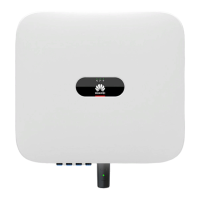
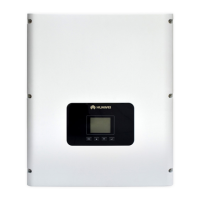
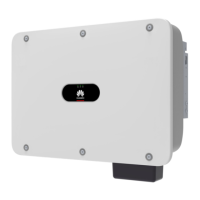
Huawei SUN2000-20KTL - User Manual

Huawei SUN2000-20KTL
130 pages
Print Icon
To Next Page IconTo Next Page
Loading...
31186168
SUN2000 (8KTL-28KTL)
User Manual
Issue
07
Date
2014-07-30
HUAWEI TECHNOLOGIES CO., LTD.

Table of Contents

Other manuals for Huawei SUN2000-20KTL

Questions and Answers

  • M
    Marilyn RobinsonSep 12, 2025
    How to troubleshoot Low Array Insulation Resistance on a Huawei SUN2000-20KTL Inverter?
    • E
      Erin KingSep 12, 2025
      If your Huawei Inverter displays 'Low Array Insulation Resistance', it means the insulation resistance against the ground for PV arrays is less than the minimum value. You should: 1. Check the insulation resistance against the ground for the outputs of PV arrays. If a short circuit occurs, rectify the fault. 2. If the insulation resistance against the ground is less than the default value in a rainy environment, set the insulation resistance threshold.
  • M
    Maria RossSep 9, 2025
    What causes Invert Module Fault in Huawei SUN2000-20KTL?
    • L
      Lori RodriguezSep 9, 2025
      If your Huawei Inverter displays 'Invert Module Fault', it indicates a protection activation for the inversion circuit inside the SUN2000 due to abnormal external conditions. The SUN2000 detects its external working conditions in real time, and therefore the SUN2000 automatically recovers to the normal operating status after the fault is rectified. If the Reason ID is 20, check whether the inverter output cable is short-circuit.
  • R
    Richard BurchSep 8, 2025
    What to do if Huawei SUN2000-20KTL Inverter shows System Fault?
    • C
      Crystal BowmanSep 8, 2025
      If your Huawei SUN2000 Inverter reports a 'System Fault', it indicates an unrecoverable fault within the inverter's internal circuitry. To attempt a fix, flip the DC switch on the SUN2000 to the OFF position, wait for 5 minutes, and then flip the DC switch back to the ON position. Check if the fault clears.
  • W
    wrightmelissaSep 7, 2025
    Why does my Huawei SUN2000-20KTL Inverter show Frequency Abnormal?
    • J
      Jim OrtegaSep 7, 2025
      If your Huawei Inverter displays a 'Frequency Abnormal' error, it means that the actual frequency of the grid is higher than the local grid standards requirements. If this occurs accidentally, the SUN2000 will automatically recover to normal operation once the grid stabilizes. However, if the alarm repeats, verify that the grid frequency is within the acceptable range. If it is not, contact your local power operator. If the frequency is within range, you may need to change the power grid overfrequency and underfrequency protection points after obtaining approval from the local power operator.
  • K
    Kristen CampbellAug 23, 2025
    How to fix DC Over Voltage error on Huawei SUN2000-20KTL?
    • B
      brianperkinsAug 23, 2025
      The Huawei Inverter might show a DC Over Voltage error if too many PV modules are connected in series. This makes the PV string's open-circuit voltage higher than the inverter's maximum operating voltage. To fix this, reduce the number of PV modules connected in series until the PV string output voltage is within the specified range for the Huawei Inverter. After adjusting, the inverter should work correctly.
  • K
    kevincollinsSep 5, 2025
    How to fix DC Over Voltage on Huawei Inverter?
    • M
      michaelvasquezSep 5, 2025
      If your Huawei Inverter displays a 'DC Over Voltage' error, it means the open circuit voltage of the PV arrays is greater than the maximum input voltage of the SUN2000. This is often because too many PV modules are connected in series, leading to excessively high output voltage. To resolve this, check the number of PV modules connected in series and adjust to decrease the output voltage to meet the voltage requirements for the SUN2000.
  • M
    michaelwebbSep 4, 2025
    What to do if Huawei SUN2000-20KTL Firmware Upgrade Failed?
    • S
      Sandra DiazSep 4, 2025
      A Firmware Upgrade Failed error on a Huawei Inverter means the upgrade process was incomplete. Upgrade again.
  • M
    melanie34Sep 3, 2025
    What does System Fault mean on my Huawei SUN2000-20KTL?
    • G
      George PowellSep 3, 2025
      A System Fault on the Huawei Inverter indicates an unrecoverable fault has occurred on a circuit inside the inverter. Flip the DC SWITCH on the inverter to OFF, wait 5 minutes, and then flip the DC SWITCH to ON. Check if the fault is rectified.
  • K
    Katie BarrettSep 1, 2025
    What to check for Electrical Grounding Fault on Huawei SUN2000-20KTL Inverter?
    • A
      amanda59Sep 2, 2025
      An Electrical Grounding Fault on the Huawei Inverter indicates that the neutral wire or PGND cable is not properly connected to the inverter. Ensure that the neutral wire and PGND cable are correctly connected.
  • T
    Timothy WallerAug 31, 2025
    What causes String 1-6 Abnormal error on Huawei Inverter?
    • B
      Brianna EdwardsSep 1, 2025
      The Huawei Inverter displays 'String 1-6 Abnormal' when PV strings have been shielded for a long time or have deteriorated. Check if the output current of a PV string is obviously less than the output current of other PV strings. Also, check whether the PV string is shielded.

Summary

1 Safety Precautions

Operation and Maintenance Safety

Safety guidelines during product operation and maintenance procedures.

4 Installation

4.1 Checking Before Installation

Steps to take before installing, including package checks.

Mounting Procedures

Instructions for support and wall mounting of the SUN2000 unit.

5 Electrical Connections

5.1 Installing PGND Cables

Procedure for connecting protection ground (PGND) cables.

5.2 Connecting AC Output Power Cables

Procedure for connecting the SUN2000 to AC power sources.

5.3 Installing DC Input Power Cables

Procedure for connecting DC input power cables from PV arrays.

5.4 Connecting Communications Cables

Procedure for connecting communication cables.

6 System Operation

6.1 Checking Before Power-On

Pre-operation checks to ensure normal system startup.

6.2 Powering on the SUN2000

Steps to safely power on the SUN2000 after electrical connection.

6.3 Setting Initialization Parameters

Initial setup steps for language, time, and grid code.

7 LCD Operations

8 Maintenance

8.1 Powering Off the SUN2000

Steps to safely power down the unit before performing maintenance.

Routine Maintenance and Faults

Daily maintenance tasks, intervals, and common fault troubleshooting.

10 Technical Specifications

11 Quality Assurance

Huawei SUN2000-20KTL Specifications

General IconGeneral
Max. efficiency98.6%
Rated AC output power20, 000 W
Max. apparent power22, 000 VA
No. of MPP trackers2
Max. input voltage1100 V
Protection degreeIP65
Max. DC Power30, 000 W
Start Voltage200 V
Nominal DC Voltage600 V
Max. Input Current per MPPT26 A
Nominal AC Grid Frequency50 Hz / 60 Hz
Adjustable Power Factor Range0.8 leading to 0.8 lagging
Total Harmonic Distortion (THD)<3%
DC Reverse-Polarity ProtectionYes
AC Overcurrent ProtectionYes
AC Short-Circuit ProtectionYes
DC Insulation Resistance DetectionYes
Residual Current MonitoringYes
AC Overvoltage ProtectionYes
DC SwitchYes
Cooling MethodNatural Convection
AC output voltage220 V / 380 V, 230 V / 400 V
MPPT operating voltage range200 V - 1000 V
Operating temperature range-25°C to +60°C
Relative Humidity0% - 100%
Operating AltitudeUp to 4000 m
Surge ProtectionType II DC & AC

Related product manuals