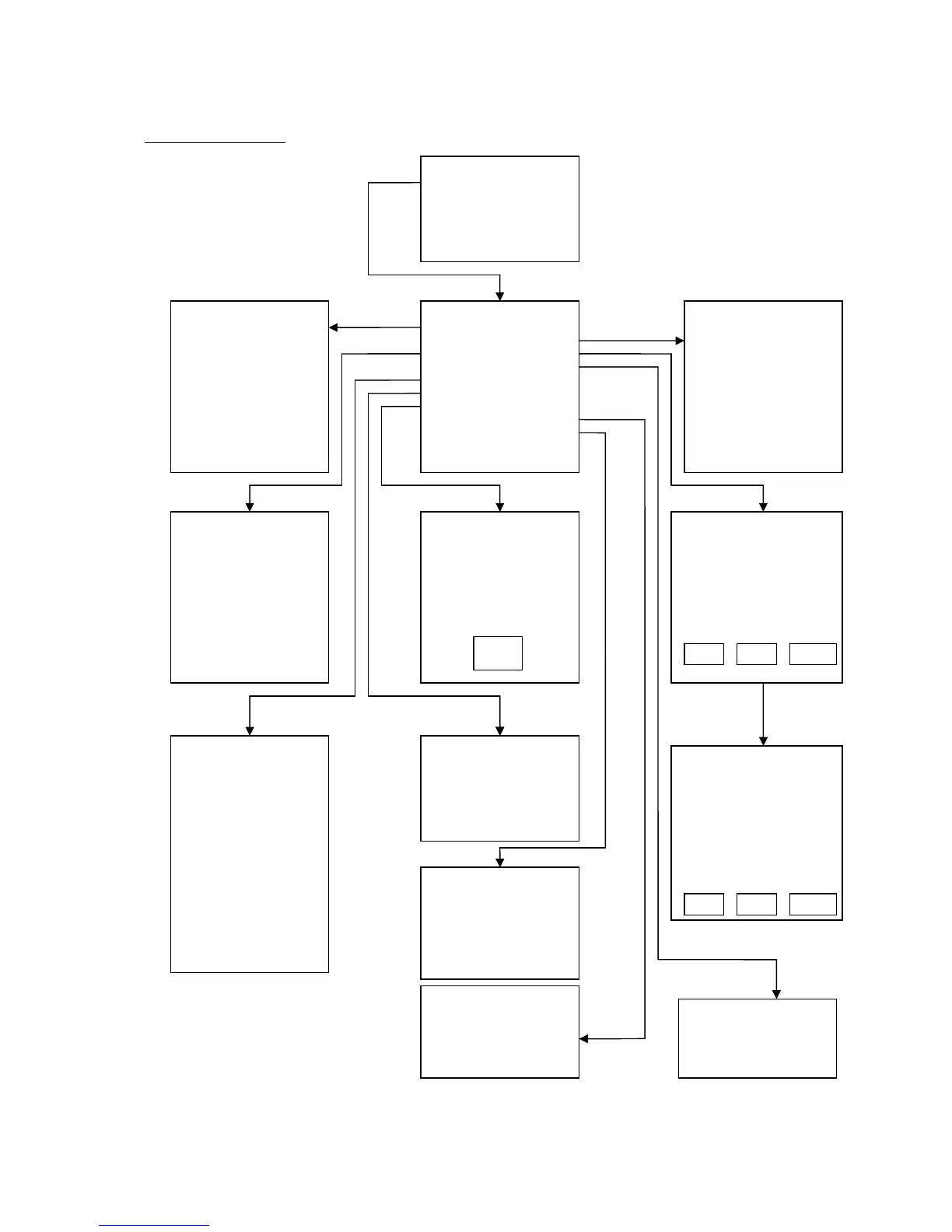
AIF–Input - Function
On cable break
Cfg. input range
Adjustment
On analogue error
Display AIF value
Reset AIF input
Show table values
Current / voltage switch
Filter constant
Go back
AIF INPUT FUNCTION:
AIF ->Input off
AIF ->Internal temp.
AIF ->Process Temp.
AIF ->Set-point
AIF ->Heating 0-100%
AIF ->Power
AIF ->Pump speed setp.
AIF ->Pump press. setp.
Go back
ADJUST:
Adj. current value
Enter in table
Go back
Adjustment of the current
measured value by input of the
reference value
ON CABLE BREAK:
Trigger an alarm
No alarm, normal operation
Go back
ON ANALOGUE ERROR:
Switch off
Act. 2
nd
Set-point
Go back
ANALOGUE INPUT:
Means:
AIF -> Input off
Action on analogue error:
Switch off
Action on cable break:
Trigger an alarm
Configuration In/Out
4.00mA -> 274.0 °C
20.00mA -> 274.0 °C
Actual AIF input values:
0 Bit -> 0.00mA->0.00 °C
Continue: Press Encoder
button
Temperature T1
Actual setting: -40,00
Max. setting 350,00
Min. setting -150.00
New value: : -40,0
SHOW TABLE VALUES:
ref. val meas. val
P1 10485 10485
P2 52428 52428
CURRENT / VOLTAGE SWITCH:
Current
Voltage
Go back
WARNING:
Following Parameters are going
to be removed when resetting
the analogue interface
Measurement range
Adjustment
In / output function
AIF FILTER CONST:
Act. Setting: 0002
Max. Setting 0010
Min. Setting 0000
New setting 0002
OK



 To Next Page