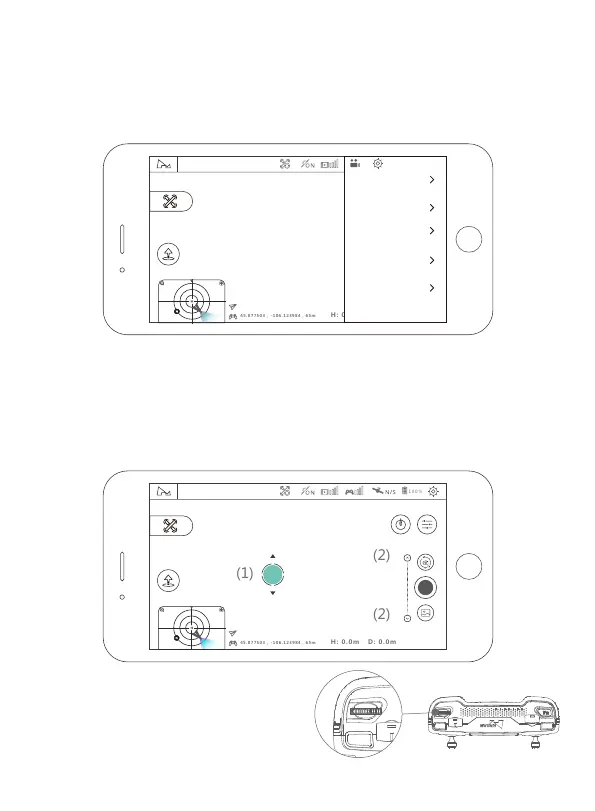
4.6.1 Camera Settings
4.6.2 Gimbal Pitch Axis Adjustment
APP Adjustment
Method 1: long press the blank of the video preview interface and the mobile
device will vibrate once. When the icon appears at the position which you press,
you can adjust gimbal pitch axis by sweeping your finger up and down the screen.
Method 2: you can fine tune the angle of gimbal pitch by clicking up-down button
(2) on the slider of gimbal pitch axis.
Click the setting icon for camera on the main interface of the APP and you can set
the resolution, white balance, color and other parameters as follows:
4.6 Gimbal Camera
Connected
N
45.877503 , -106.123984
45.877503 , -106.123984,65m
SPEED 0.0M/S
Transmitter Adjustment
You can adjust the angle of gimbal pitch
by fiddling with the control thumb-wheel
of gimbal pitch.
24
45.877503 , -106.123984
45.877503 , -106.123984,65m
SPEED 0.0M/S
Connected
N
Video Resolution
4K
Frame Rate
30FPS
Video Bit Rate
Grade: 5
white balance
Auto
Color
Normal
Video Forma MP4
网格线



 To Next Page