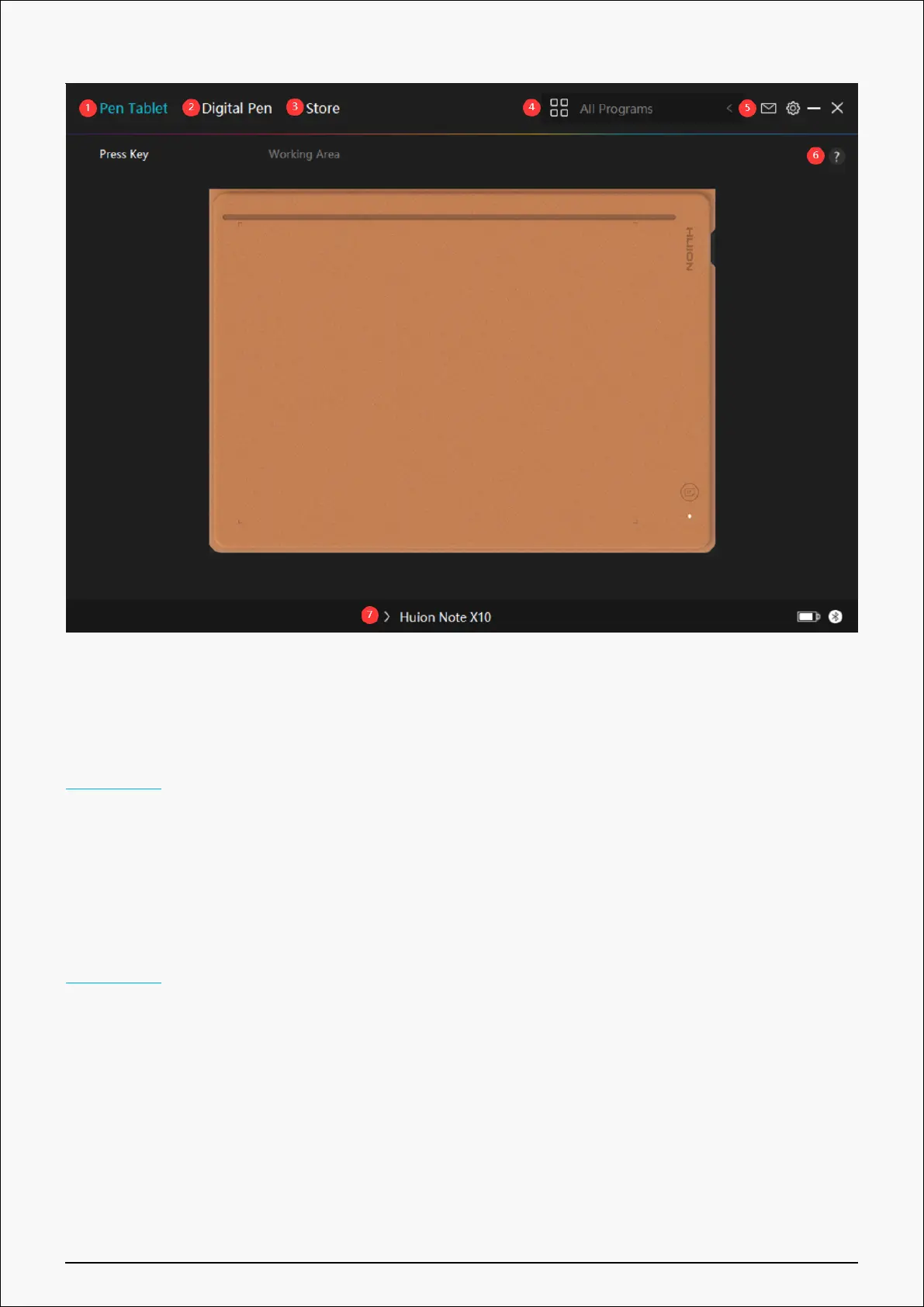
1. Pen Tablet
On the “Pen Tablet” interface, users can set the working area of the tablet.
See Section
2. Digital Pen
Users can set functions of the pen on this “Digital Pen” interface, including Mode selection,
Pressure Sensitivity Adjustment, and Pressure Test.
See Section
3. Store
Huion Store is where you can get the latest information about the product such as its FAQ or
sales promotion. In addition, you can also purchase Huion’s other products or accessories
here.
4. Add Programs
28 / 44







 To Next Page