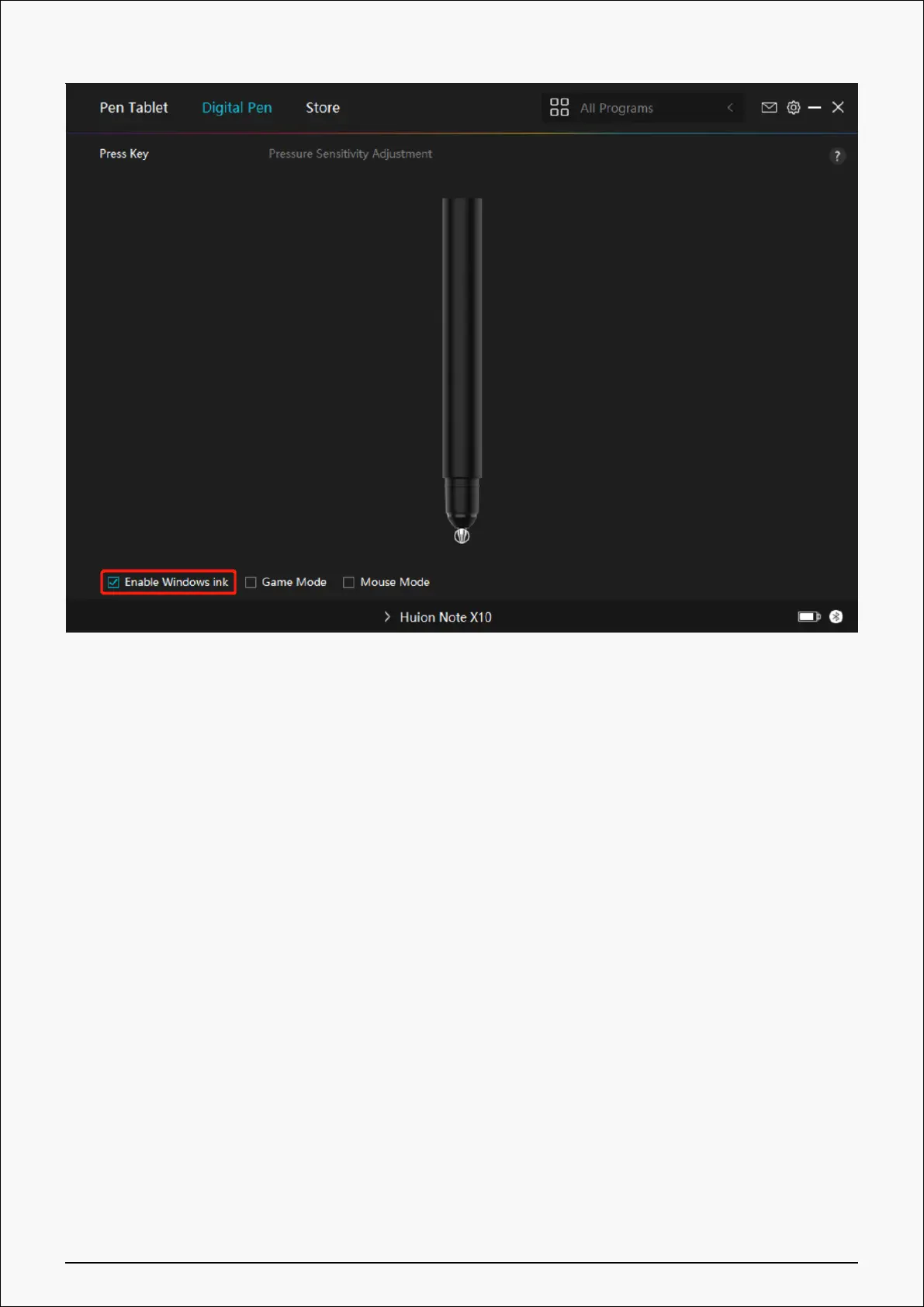
3. Game Mode/Mouse Mode
Game Mode: This mode is ideal for OSU! gaming. In Game Mode, you can enjoy the exciting
OSU! as the cursor on the monitor speeds up to follow the pen movement. It is not suggested
to choose the Game Mode if you are not playing OSU!.
Mouse Mode: In Mouse Mode, the digital pen acts as a mouse. Move the pen nib across the
tablet and the cursor on the monitor move to a new position accordingly. The cursor will stop
moving and stay in that place when you raise the pen off the tablet. So you can use the pen to
interact with your computer as you are using a mouse or a touchpad. You can also adjust the
speed of cursor in Sensitivity setting according to your habits. There are 8 levels for you to
choose from.
35 / 44







 To Next Page