on the screen and double-click to open it.
Move:
Pick up a file or icon, then slide the pen tip across the pen tablet to move it.
Use the Pen Press Keys:
There are two press keys on the digital pen, whose functions can be programmed on the
driver interface. The press keys on the pen will work as long as the vertical distance between
the pen nib and the tablet is within 10mm.
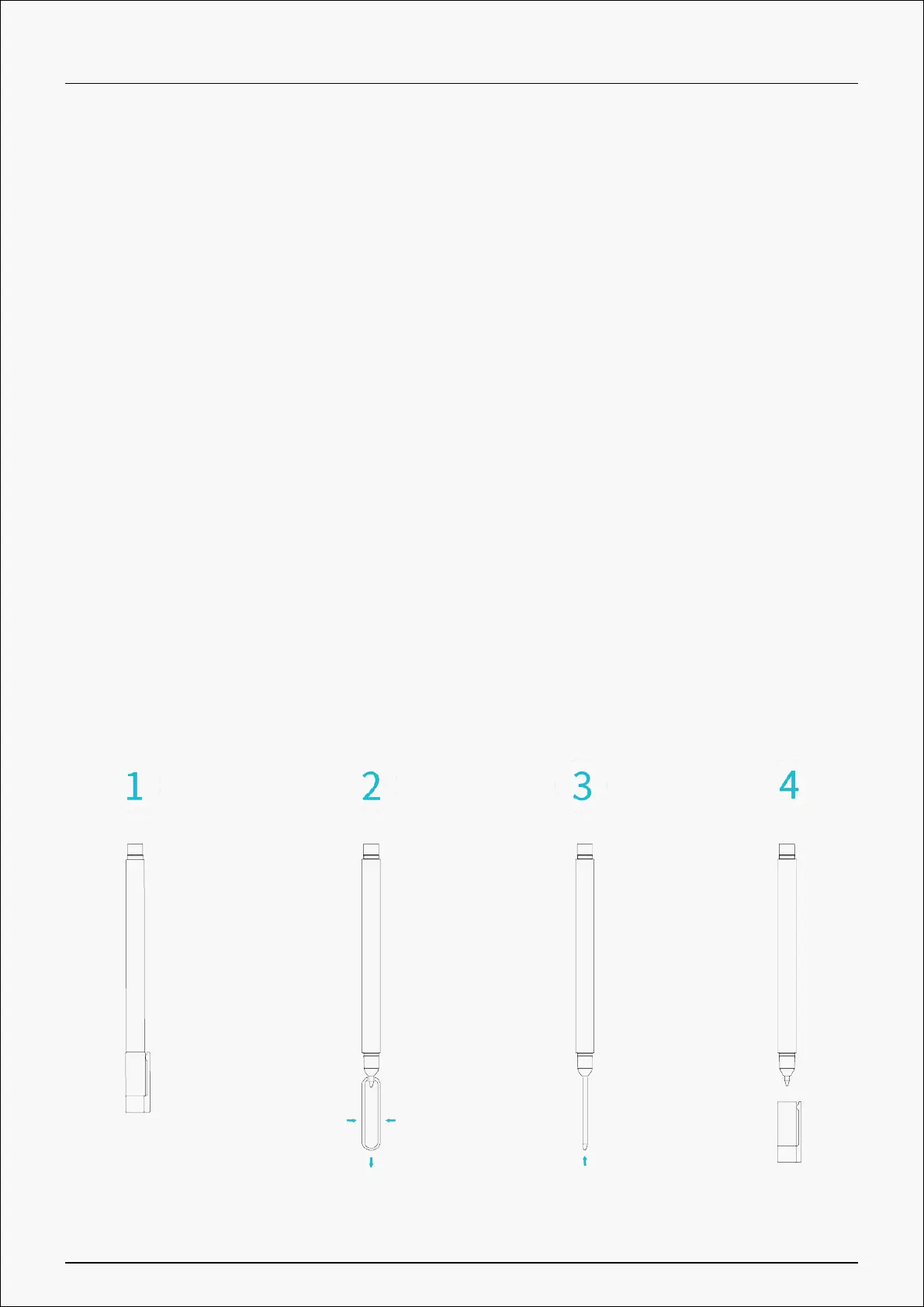
Replace the Pen Nib:
Tip: When the pen nib is badly worn, please replace it with a new pen nib timely.
1. Take out a replacement nib.
2. Tilt the pen, and pull the nib out of the pen with a nib clip.
3. Insert the replacement nib straight into the barrel of the pen until the nib stops moving
forward.
42 / 44







 To Next Page