34MEGA Live Imaging Views
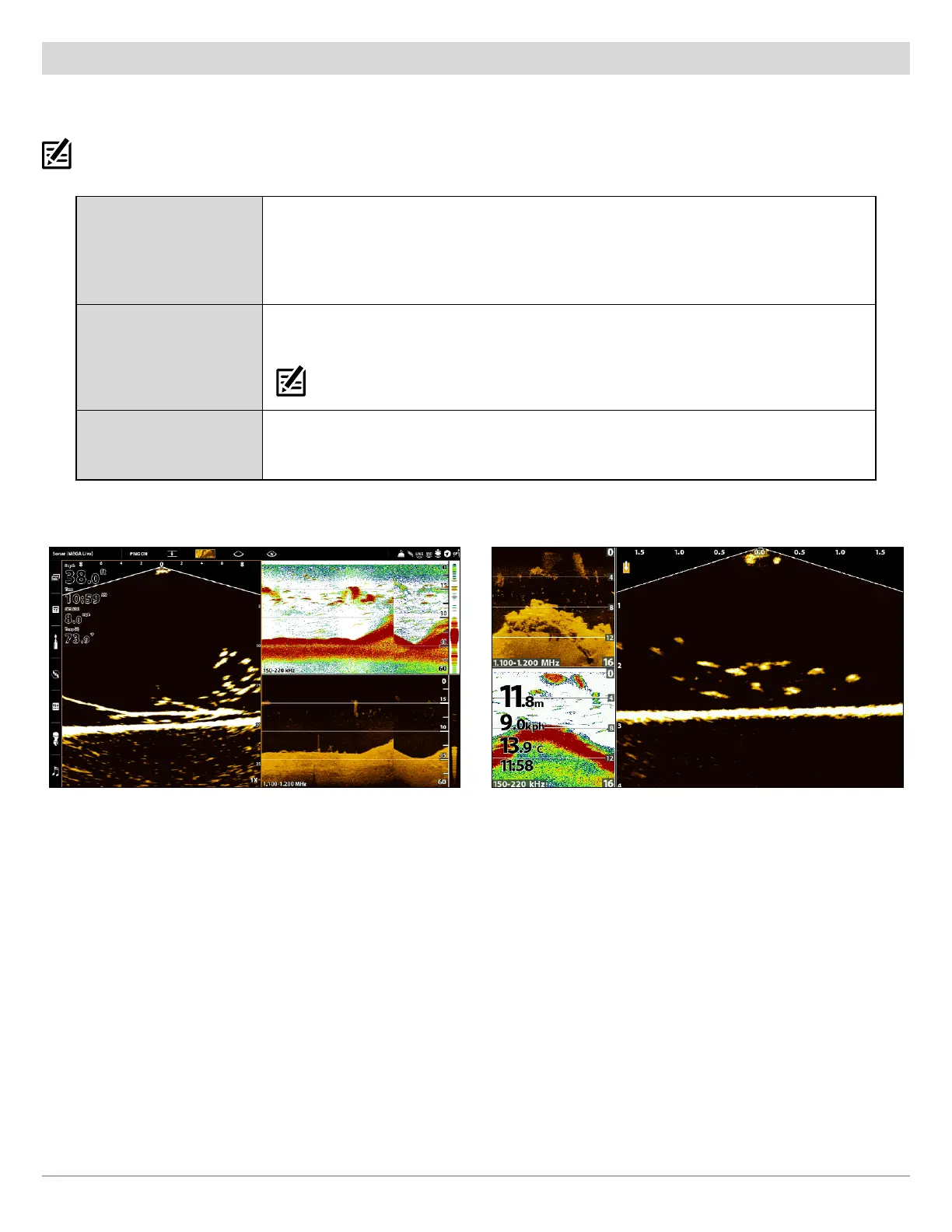
MEGA Live/2D Sonar/Down Imaging Combo View
The MEGA Live/2D Sonar/Down Imaging Combo View shows sonar information and MEGA Live Imaging information in a combination
split screen.
NOTE: This view is not available as a default view on APEX and SOLIX models. To create a custom MEGA Live/2D Sonar/Down Imaging Combo
View on an APEX or SOLIX, see APEX/SOLIX Series Views: Create a New View.
Active Side
APEX/SOLIX: The selected pane is outlined in yellow. Tap a pane or press the PANE key
to select a pane.
HELIX: The arrow points to the active side. Press the MENU key once and select Active
Side from the X-Press Menu. Choose RIGHT or LEFT to set the active side.
X-Press Menu
After you set the Active Side, press the MENU key once to open the X-Press Menu. The
X-Press Menu provides menu options for the active view.
NOTE: On APEX and SOLIX, you can also access the X-Press Menu by tapping the menu in the
status bar.
Sonar
Use the 2D Sonar/Down Imaging Combo View with the MEGA Live View to maximize your
sonar data and highlight the bottom contour, structure and fish.
MEGA Live/2D/DI View (APEX) MEGA Live/2D/DI View (HELIX)



 To Next Page