46Mark and Display Waypoints
M D W
You can mark a waypoint directly on your Humminbird screen.
NOTE: Waypoints can be marked in any mode, but they can only be displayed in Landscape Mode.
You can use the following navigation functions in a MEGA Live View:
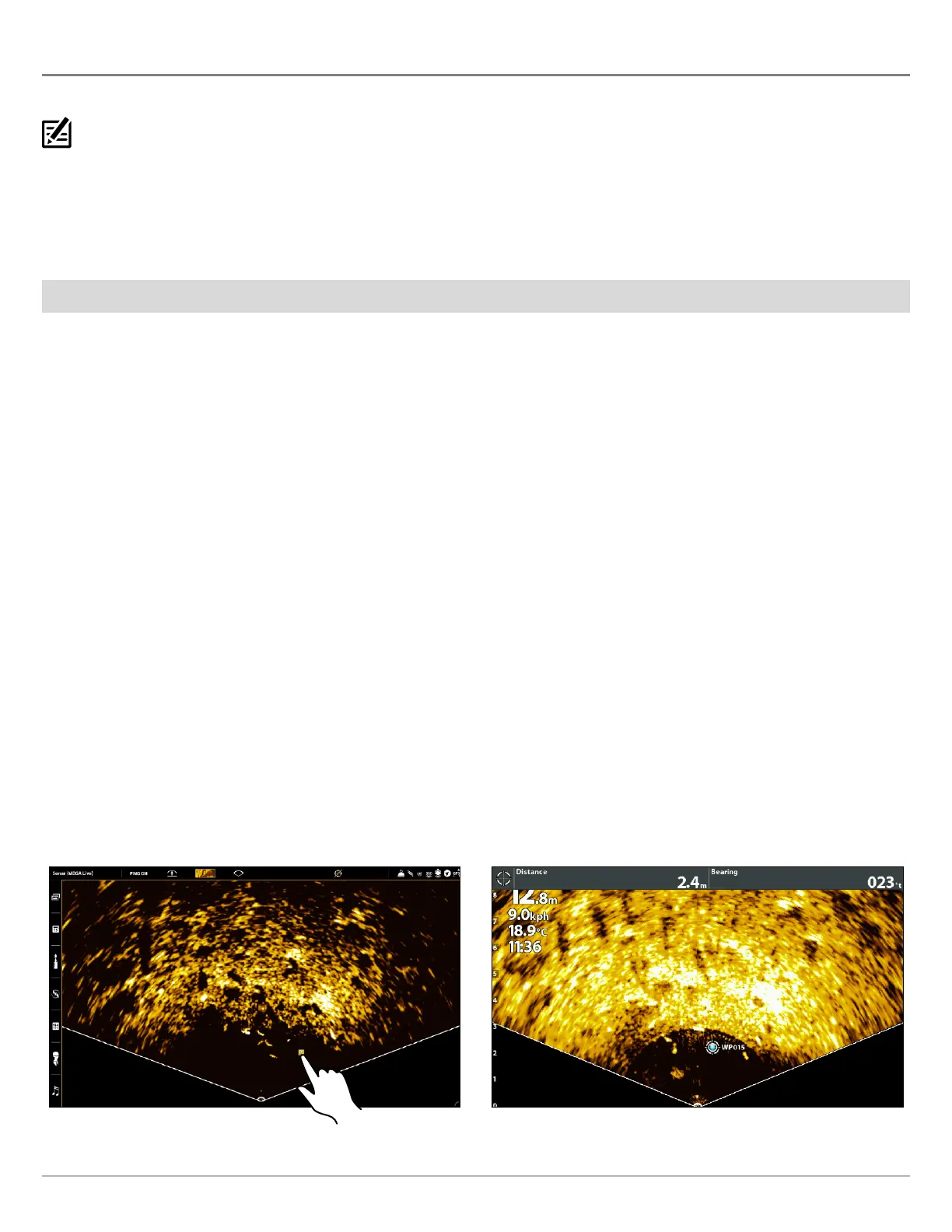
Δ Display Waypoints as they are marked on the view. Waypoints can be marked at the boat position or cursor position.
Δ In a MEGA Live/Chart Combo View, you can see where your boat is positioned in relation to a waypoint on the Chart View and
in relation to underwater structure in the MEGA Live View (see MEGA Live Imaging Views for more information).
Mark a Waypoint
You can mark a waypoint at the boat position or the cursor position.
Mark a Waypoint at the Boat Position
APEX/SOLIX Series HELIX Series
1. Tap Sonar (MEGA Live) in the status bar.
2. Select Mark.
3. Select Waypoint.
OR
1. Press the Mark key twice.
1. Press the MARK key.
Mark a Waypoint at the Cursor Position
APEX/SOLIX Series HELIX Series
1. Press and hold a position on the MEGA Live View.
2. Select Waypoint.
OR
1. Use the Joystick to move the cursor to a position on the
MEGA Live View.
2. Press the MARK key twice.
1. Use the Cursor Control key to move the cursor to a
position on the MEGA Live View.
2. Press the MARK key twice.
Marking a Waypoint - Cursor Position (APEX) Marking a Waypoint - Cursor Position (HELIX)



 To Next Page