35 MEGA Live Imaging Views
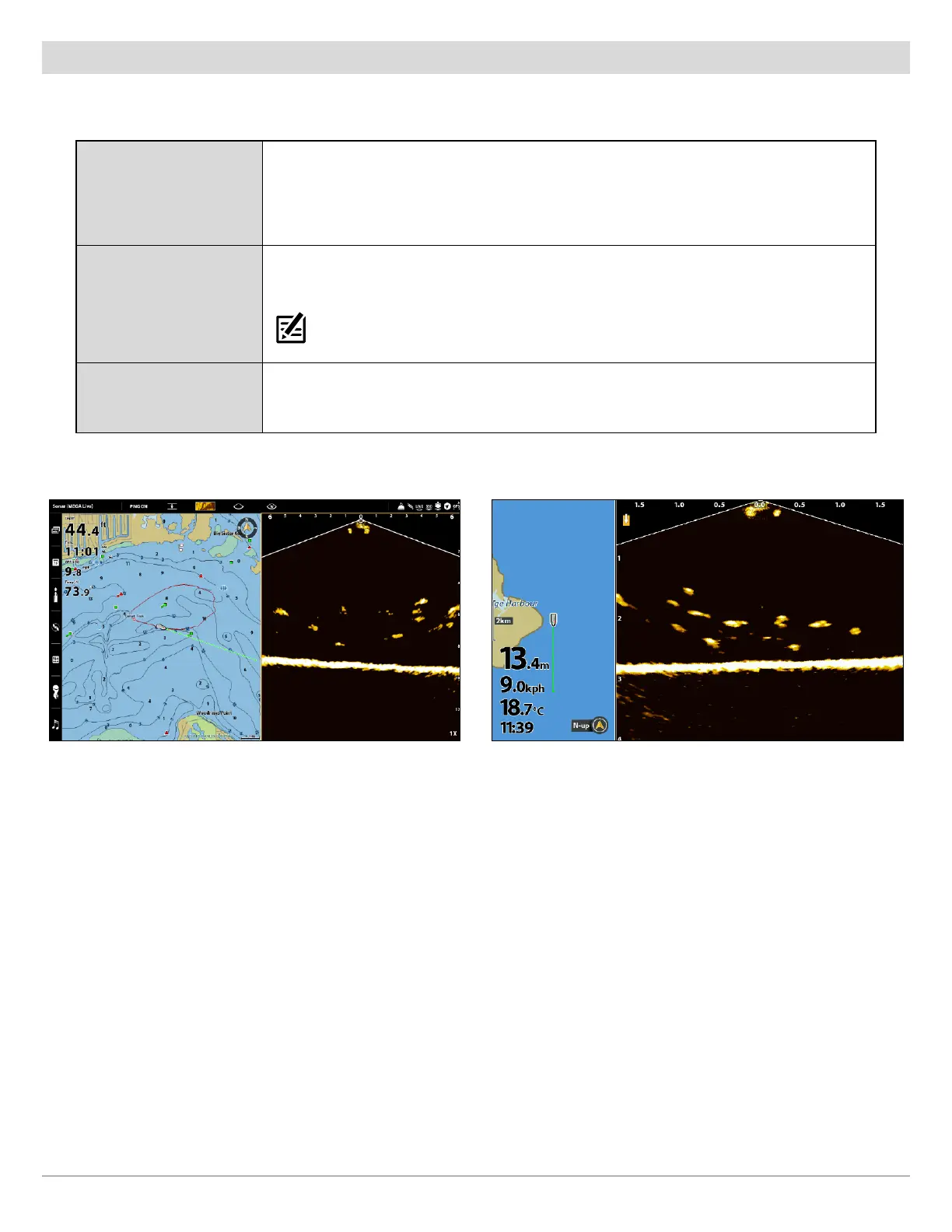
MEGA Live/Chart Combo View
The MEGA Live/Chart Combo View shows chart information and MEGA Live Imaging sonar information in a combination split screen,
where the Chart View is displayed on the left and the MEGA Live View is displayed on the right.
Active Side
APEX/SOLIX: The selected pane is outlined in yellow. Tap a pane or press the PANE key
to select a pane.
HELIX: The arrow points to the active side. Press the MENU key once and select Active
Side from the X-Press Menu. Choose RIGHT or LEFT to set the active side.
X-Press Menu
After you set the Active Side, press the MENU key once to open the X-Press Menu. The
X-Press Menu provides menu options for the active view.
NOTE: On APEX and SOLIX, you can also access the X-Press Menu by tapping the menu in the
status bar.
Navigation
Use the Chart View with the MEGA Live View to determine the position of structure and
fish. To mark waypoints on the MEGA Live View, see Mark and Display Waypoints.
MEGA Live/Chart View (APEX) MEGA Live/Chart View (HELIX)



 To Next Page