36MEGA Live Mode
C MEGA L M
Understanding the MEGA Live Modes
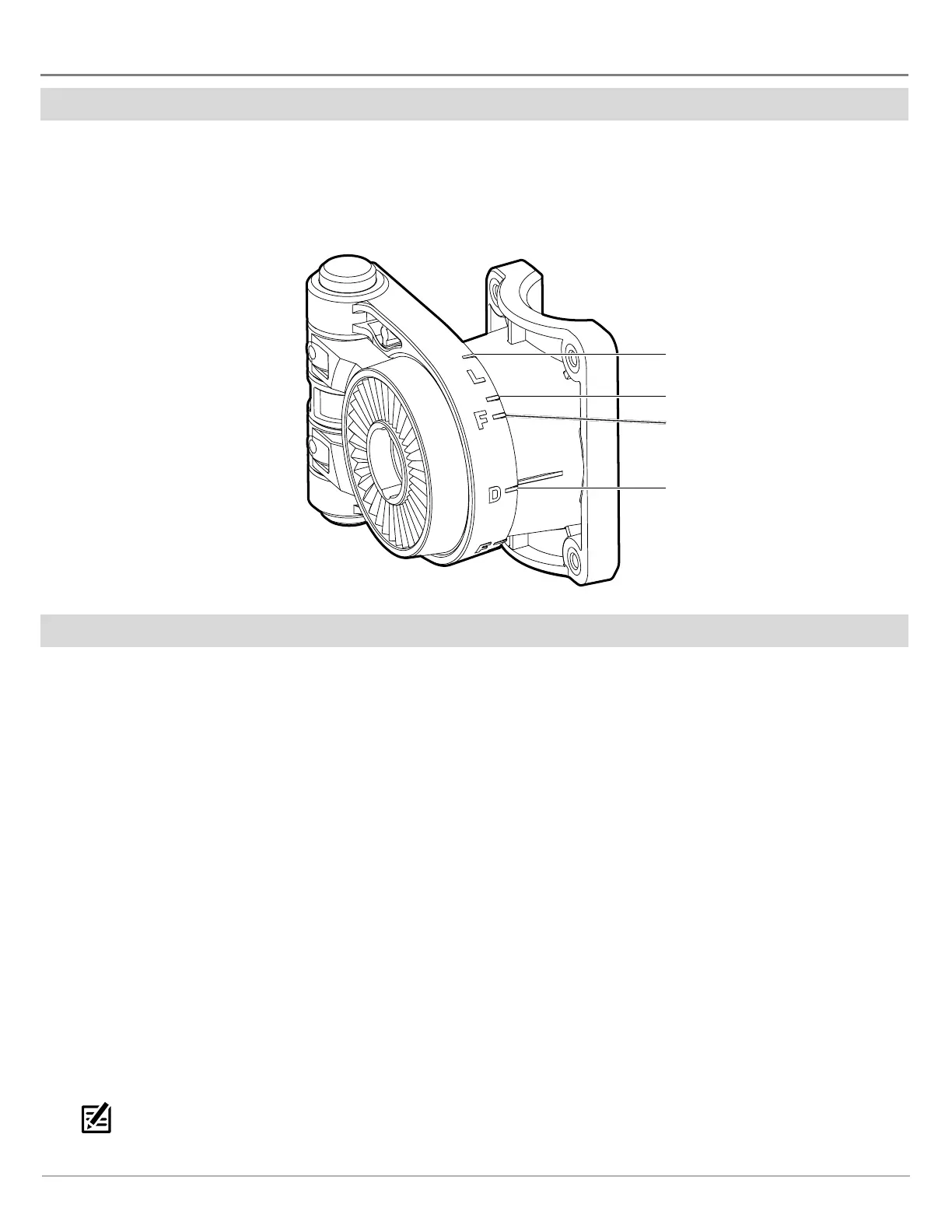
When you change the MEGA Live Mode, you are changing the angle of your transducer. In Down Mode, your transducer is at 0°. As
you rotate the mount by hand (see your MEGA Live Imaging Installation Guide for more information), each “click” upwards raises
your transducer angle by 10°, up to a maximum of 60°. In Landscape Mode, use higher angles (top marking) for shallow water and
lower angles (bottom marking) for deeper water.
MEGA Live Mode Guides
forward (40°)
down (0°)
landscape
(bottom marking)
landscape
(top marking)
Change the MEGA Live Mode
Your control head will automatically select the best mode for your installation. Use the following instructions to manually change
the MEGA Live Mode to Down, Forward, or Landscape.
Change the MEGA Live Mode from a MEGA Live View
APEX/SOLIX Series HELIX Series
1. With a MEGA Live View or MEGA Live Combo View displayed
on-screen, press the MENU key once, or tap Sonar (MEGA
Live) on the status bar.
2. Select MEGA Live Mode.
3. Select Auto. Tap the on/off button, or press the ENTER
key, to turn Auto off.
4. Select a MEGA Live mode. Tap, or press the enter key, to
enable it.
When you manually change the MEGA Live Mode, a
dialog box will display reminding you to also change the
transducer’s installation orientation. For instructions
on changing the installation orientation, see your MEGA
Live Imaging Installation Guide or visit our Web site at
humminbird.com.
QUICK TIP! You can also change this setting by tapping
the MEGA Live Mode icon in the status bar.
1. X-Press Menu: With a MEGA Live Imaging View displayed
on-screen, press the MENU key once.
2. Select MEGA Live Mode.
3. Press the RIGHT or LEFT Cursor Keys to select a mode.
4. Close: Press the EXIT key.
When you manually change the MEGA Live Mode, a
dialog box will display reminding you to also change the
transducer’s installation orientation. For instructions
on changing the installation orientation, see your MEGA
Live Imaging Installation Guide or visit our Web site at
humminbird.com.



 To Next Page